element14 Community
element14 Community
    Register Log In
  • Site
  • Search
  • Log In Register
  • Community Hub
    Community Hub
    • What's New on element14
    • Feedback and Support
    • Benefits of Membership
    • Personal Blogs
    • Members Area
    • Achievement Levels
  • Learn
    Learn
    • Ask an Expert
    • eBooks
    • element14 presents
    • Learning Center
    • Tech Spotlight
    • STEM Academy
    • Webinars, Training and Events
    • Learning Groups
  • Technologies
    Technologies
    • 3D Printing
    • FPGA
    • Industrial Automation
    • Internet of Things
    • Power & Energy
    • Sensors
    • Technology Groups
  • Challenges & Projects
    Challenges & Projects
    • Design Challenges
    • element14 presents Projects
    • Project14
    • Arduino Projects
    • Raspberry Pi Projects
    • Project Groups
  • Products
    Products
    • Arduino
    • Avnet & Tria Boards Community
    • Dev Tools
    • Manufacturers
    • Multicomp Pro
    • Product Groups
    • Raspberry Pi
    • RoadTests & Reviews
  • About Us
  • Store
    Store
    • Visit Your Store
    • Choose another store...
      • Europe
      •  Austria (German)
      •  Belgium (Dutch, French)
      •  Bulgaria (Bulgarian)
      •  Czech Republic (Czech)
      •  Denmark (Danish)
      •  Estonia (Estonian)
      •  Finland (Finnish)
      •  France (French)
      •  Germany (German)
      •  Hungary (Hungarian)
      •  Ireland
      •  Israel
      •  Italy (Italian)
      •  Latvia (Latvian)
      •  
      •  Lithuania (Lithuanian)
      •  Netherlands (Dutch)
      •  Norway (Norwegian)
      •  Poland (Polish)
      •  Portugal (Portuguese)
      •  Romania (Romanian)
      •  Russia (Russian)
      •  Slovakia (Slovak)
      •  Slovenia (Slovenian)
      •  Spain (Spanish)
      •  Sweden (Swedish)
      •  Switzerland(German, French)
      •  Turkey (Turkish)
      •  United Kingdom
      • Asia Pacific
      •  Australia
      •  China
      •  Hong Kong
      •  India
      • Japan
      •  Korea (Korean)
      •  Malaysia
      •  New Zealand
      •  Philippines
      •  Singapore
      •  Taiwan
      •  Thailand (Thai)
      • Vietnam
      • Americas
      •  Brazil (Portuguese)
      •  Canada
      •  Mexico (Spanish)
      •  United States
      Can't find the country/region you're looking for? Visit our export site or find a local distributor.
  • Translate
  • Profile
  • Settings
Altium CircuitStudio
  • Products
  • Manufacturers
  • Altium CircuitStudio
  • More
  • Cancel
Altium CircuitStudio
Altium CircuitStudio Forum What font works best and where is the Default font selected?
  • Blog
  • Forum
  • Documents
  • Events
  • Polls
  • Members
  • Mentions
  • Sub-Groups
  • Tags
  • More
  • Cancel
  • New
Join Altium CircuitStudio to participate - click to join for free!
Actions
  • Share
  • More
  • Cancel
Forum Thread Details
  • State Suggested Answer
  • Locked Locked
  • Replies 4 replies
  • Answers 1 answer
  • Subscribers 89 subscribers
  • Views 6083 views
  • Users 0 members are here
  • frontpage
Related
This discussion has been locked.
You can no longer post new replies to this discussion. If you have a question you can start a new discussion

What font works best and where is the Default font selected?

jimku
jimku over 8 years ago

Is there a recommended font and preferred size (and minimum size) to use that will work best for the pcb silk-screening process to make it easy to see especially when debugging and troubleshooting? I read somewhere that the preferred font is Sans Serif with a 65 mil height for maximum legibility. When I open the properties for a Reference Designator, I see that I have the option of using TrueType or Stroke Font and for Stroke you must also choose a line Width. Selecting TrueType gives me the selection of using the TrueType fonts on my system but when select Stroke, I have a choice of Default, Sans Serif or Serif. Does anyone know where the Default is defined?

  • Cancel
  • tarribred61
    0 tarribred61 over 8 years ago

    Hello,


    That is an interesting question. I usually pick the stroke type Sans Serif since it is simple and the line dimensions (height and width) are actually close to the specified values.  I haven't figured out how the TrueType font sizes are determined in CS or Altium.


    I have found that whether it is legible or not will depend on how good the fabricator is.  I usually specify that silkscreen legend should be liquid photo imaged or direct legend printed for very small type. I have had some boards with legend as small as 30mil height and it is readable under magnification.  True screenprinted may be cheaper for larger and high volume designs. The ink tends to sag and blur though in my experience.


    If I end up with mixed methods (stroke vs. TrueType) in the design, for example because multiple people did some of the footprints, then I select all the text on the overlay layers using PCB Filter and change them to be consistent method and size with the PCB Inspector.  Then I can change them after that one by one for any that I want to be extra large and readable.  In Altium Designer it is easier to use Find Similar Objects to pick these objects but in CS you can use the filter selections through PCB Filter to get at them.


    If you get a PCB-Ruler from Digikey (https://www.digikey.com/product-detail/en/digi-key-electronics/PCB-RULER-12INCH/PCB-RULER-ND/5767550 ), you will see it has examples of arial and stroke fonts down to 0.5mm high.  To me, down to 0.8 or maybe 0.7mm is readable but with eye-strain.


    I guess my preferred size for text on the overlay is 1mm high (40mil) and 6 mil line width using stroke SansSerif when using 0402 size parts.  If the design is not as small, say 0805 scale, then 1.5mm (60mil) height legend is easier on the eyes.  If you are designing something for field service and especially for connectors that a user or test/production workers need to identify then make it as big and readable as possible.


    For the assembly layer, I typically prefer TrueType Arial of varying sizes for text.  I usually work with very small parts so I make an actual assembly layer with boxes close to courtyard size and put in the .Designator text string on the same Assembly Top layer in the symbol as a box outline.  If I take parts footprints from the vault I have to modify them to move the lines off the 3D Top layer to the Assembly Top.  If you do larger scale designs then maybe using the Overlay (silk) layers for assembly is OK.


    I don't know where the CS default is defined.  Maybe someone else can say.

    • Cancel
    • Vote Up 0 Vote Down
    • Cancel
  • adamwebber
    0 adamwebber over 8 years ago

    In order to change the defaults, you will need to access the file ADVPCB.DFT using a text editor.  You can find it at:

    C:\Users\JimKustra\AppData\Roaming\Altium\CircuitStudio {12345ABCDE-1234-5678-9012-SOMENUMERSANDLETTERS}

    Not exactly.  That's just an example.  But I hope you get the idea.


    In this folder, open ADVPCB.DFT with a text editor.  This file contains all of your defaults for use with CS.  Might be a good idea to save the original as a copy though.  Line 6 should be your default text.  I always use stroke font because I can easily edit the size of the font in both width and height.  Just change the settings that you want, generally from TRUE to FALSE.  HOWEVER, I have yet to be able to save the file so that it works correctly on fonts.  It works on other stuff but not the default font.

    • Cancel
    • Vote Up 0 Vote Down
    • Cancel
  • jimku
    0 jimku over 8 years ago in reply to tarribred61

    Thanks for reminding me about the digikey ruler that has the example text sizes and thicknesses. I don't have one but I borrowed one from a co-worker. For an experiment, I put a few samples of text on a layer then output the gerbers then finally using a gerber viewer with a measuring tool, I measured right on with the settings for a Sans Serif stroke font but only about 60% of the height specified for TrueType Arial.

    • Cancel
    • Vote Up 0 Vote Down
    • Cancel
  • jimku
    0 jimku over 8 years ago

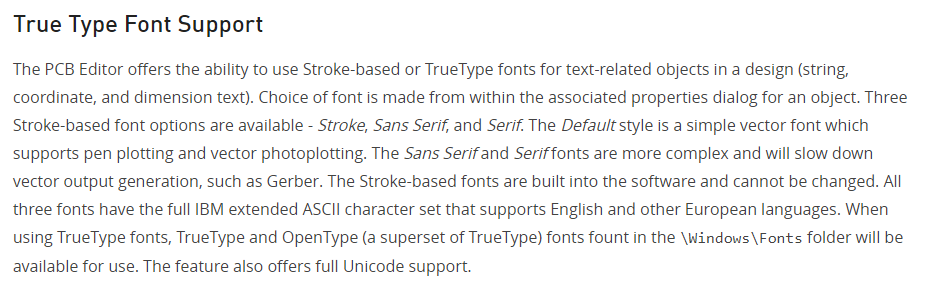
    It turns out that I misunderstood the meaning of "Default" in the stroke font selection. I thought that Default was selected somewhere like in some global settings. It turns out that the Stroke Font actually has three options available. I found this on AD documentation:

    Placing and Editing PCB Objects | Online Documentation for Altium Products


    image


    I think the third sentence above should say "Three Stroke-based font options are available - Default, Sans Serif, and Serif."

    It goes on to say... The Default style is a simple vector font which supports pen plotting and vector photoplotting. The Sans Serif and Serif fonts are more complex and will slow down vector output generation, such as Gerber. The Stroke-based fonts are built into the software and cannot be changed.

    So, Default style is actually a font type and not a font that is defaulted to.

    • Cancel
    • Vote Up 0 Vote Down
    • Cancel
element14 Community

element14 is the first online community specifically for engineers. Connect with your peers and get expert answers to your questions.

  • Members
  • Learn
  • Technologies
  • Challenges & Projects
  • Products
  • Store
  • About Us
  • Feedback & Support
  • FAQs
  • Terms of Use
  • Privacy Policy
  • Legal and Copyright Notices
  • Sitemap
  • Cookies

An Avnet Company © 2025 Premier Farnell Limited. All Rights Reserved.

Premier Farnell Ltd, registered in England and Wales (no 00876412), registered office: Farnell House, Forge Lane, Leeds LS12 2NE.

ICP 备案号 10220084.

Follow element14

  • X
  • Facebook
  • linkedin
  • YouTube