







At work, there always seem to be one table where the free food is placed. The leftovers from catered meals, extra cookies that someone had laying around, or other various goodies are placed here for the lucky first couple of people who walk by to eat. If you don’t come fast enough, there will be no food left for you.
What if you had a way to detect when new food appeared, without walking over to the table> Then (in theory at least) you would never miss any food! That’s exactly what this Raspberry Pi –based system does. Every 5 seconds an image is taken of the table. The image is posted to a website and then it is filtered to only contain the table (to reduce the noise). Then the image is compared with a previous image to determine if anything new appeared. If new food is detected, then an email alert is sent, along with a picture of the table, so that you can make sure the food is something good and not some rotten vegetables. The website also has a place to register your interest for email alerts.
Taking Pictures
Hooking up the camera to the Raspberry Pi is really easy and there are plenty of great resources to get you up and running:
http://www.raspberrypi.org/camera
Taking a picture is really easy with the raspistill command:
raspistill -o image.jpg
For this, we are going to be taking smaller images, so that the processing goes faster. Here’s the command to do that:
raspistill -h 1024 -w 1024 -o image.jpg
Filtering and Comparing Images
To limit the amount of false alarms, we are going to mount the camera directly above the table in question.

Also, since the table at work is round, I’m going to implement a filter to remove all parts of the image that are not the table. This will help reduce the false positives of people walking by the table. To do the filtering, I’m going to use ImageMagick, so to install that:
sudo apt-get install imagemagick
So, now we can take our original image of the table:
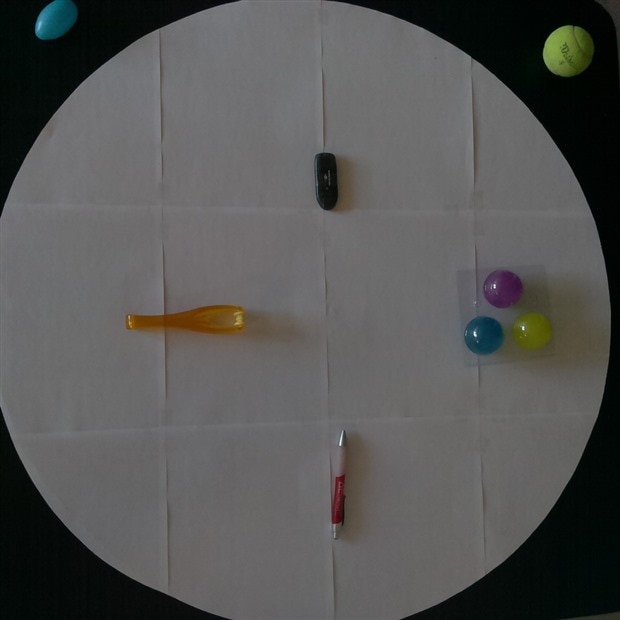
And filter out everything but the table:
convert -size 1024x1024 xc:none -fill image.jpg -draw “circle 512,512 512,1” filtered.jpg
Which leaves us with:
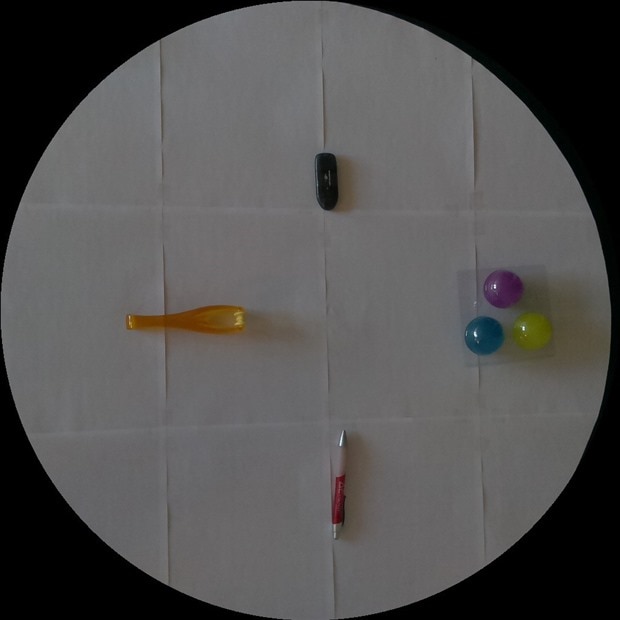
Now, we can use ImageMagick to detect if there are changes in the image:
compare -metric PSNR baseline.jpg filtered.jpg diff.jpg
This will return a number that we can use to detect whether or not a change has occurred in the image. If the SNR is less than a given threshold, then we say that a change has occurred in the image.
E-mailing Detected Food
Once we have determine that there was a change in the image, we can send out an email notification with python. Here’s a good description of how to do that:
http://docs.python.org/2/library/email-examples.html
Here’s the python code to send an email with an attachment:
me = 'breakroom'
msg = MIMEMultipart()
msg['Subject'] = 'Food In the Break Room'
msg['From'] = me
with open('tmp.jpg', 'rb') as file:
img = MIMEImage(file.read())
msg.attach(img)
server = smtplib.SMTP('smtp.gmail.com:587')
server.ehlo()
server.starttls()
server.login(<email address>, <password>)
for email in self.emails:
print "email sent to: " + email
msg['To'] = email
server.sendmail(me, email, msg.as_string())
server.quit
Web Site
The last thing that I did was create a web site that displays the current image of the table. This way I can check in on the Raspberry Pi to make sure that everything is working correctly. I used the tornado web socket library so that I could update the client from the server every time a new image was taken. Here’s what the web site looks like:
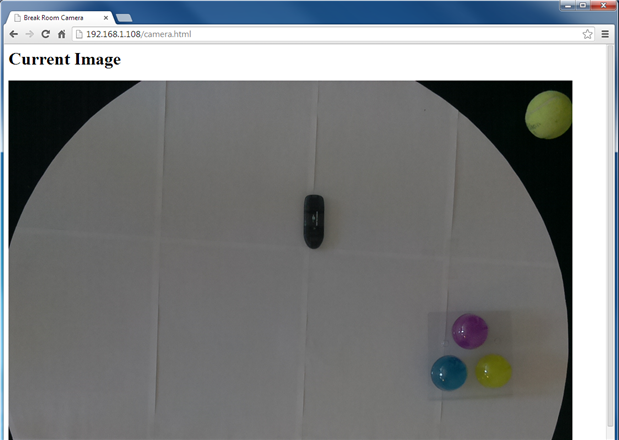
The code is attached to the article, in case you are interested about the web site.
Summary
I created a simple and easy way to monitor the free food table in the break room, so that I will never miss out on cookies again. When new food is detected, I am sent an email of the image of the food, so that I can sprint over there and reap the rewards. There is also a website, so that I can check in and make sure that everything looks like it is working correctly.


