







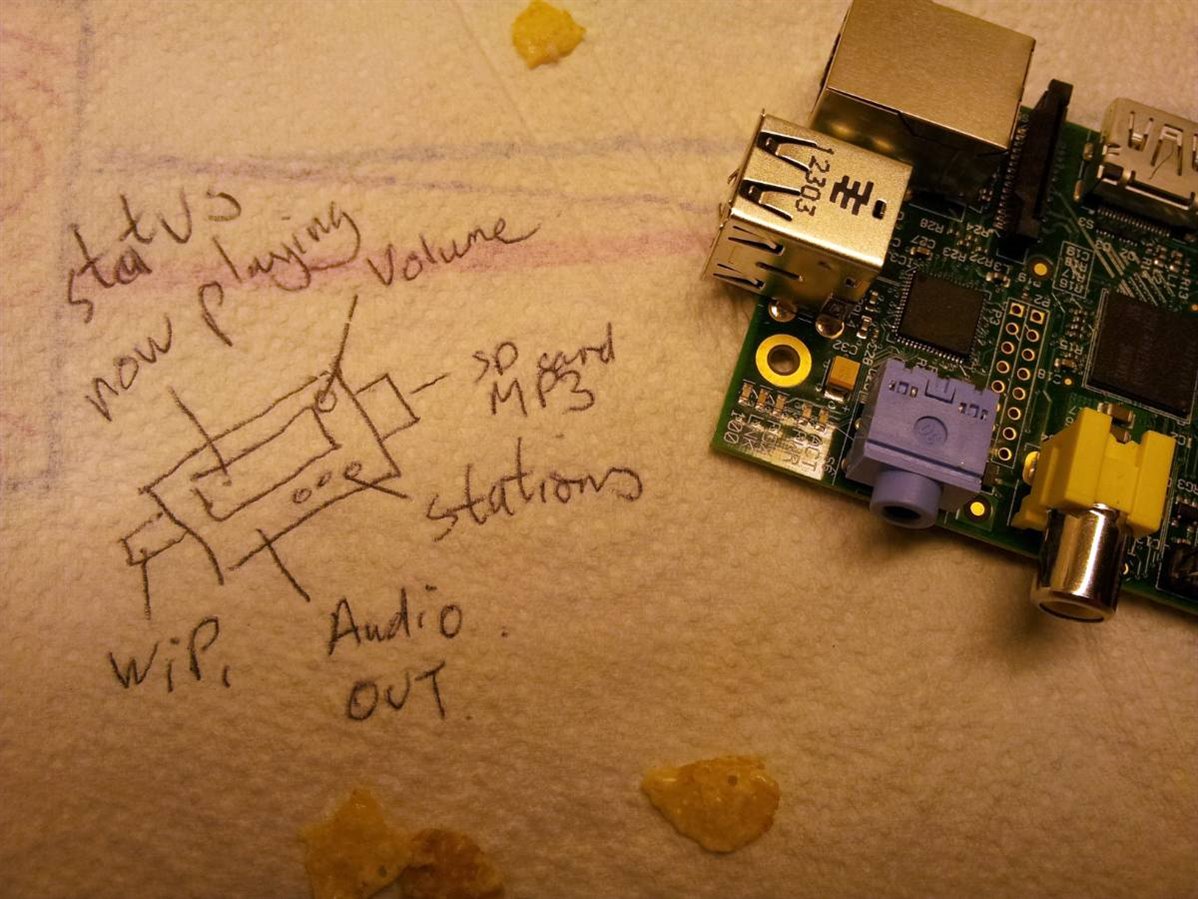
When I needed a new radio in the kitchen I naturally thought of building an Internet radio with a Raspberry Pi. Being a somewhat messy eater, I didn't want a monitor, mouse and keyboard in the kitchen. I wanted to see what I was listening too, and be able to change station, volume and switch to playing or select a track from my media server. I've heard of designs sketched on the back of napkins when there's no paper to hand, but with no napkin to hand, kitchen towel had to do.
Post crunching of cornflakes, I quickly drew out what was needed and the PiFace Control and DisplayPiFace Control and Display was begun. Then it struck me, this was just one of many applications which needed a simple, low cost compact way of getting status information out of the Raspberry Pi, with a compact way to control it.
Previously I'd used Raspberry Pis in a field in Wales to monitor nature. Setting them up was difficult as it wasn't possible to take a monitor out in the field. It would have been really useful to have a simple display and menu structure on the Raspberry Pi and a few buttons to select options. I began thinking of other projects, I knew someone embedding a Raspberry Pi in an industrial control system that needed simple menu driven user interface.
This was looking like there was a bigger need than just my kitchen media centre. What was needed was a way to control the Pi and display its status. It was time to get designing...
More information: PiFace Control & Display