element14 Community
element14 Community
    Register Log In
  • Site
  • Search
  • Log In Register
  • Community Hub
    Community Hub
    • What's New on element14
    • Feedback and Support
    • Benefits of Membership
    • Personal Blogs
    • Members Area
    • Achievement Levels
  • Learn
    Learn
    • Ask an Expert
    • eBooks
    • element14 presents
    • Learning Center
    • Tech Spotlight
    • STEM Academy
    • Webinars, Training and Events
    • Learning Groups
  • Technologies
    Technologies
    • 3D Printing
    • FPGA
    • Industrial Automation
    • Internet of Things
    • Power & Energy
    • Sensors
    • Technology Groups
  • Challenges & Projects
    Challenges & Projects
    • Design Challenges
    • element14 presents Projects
    • Project14
    • Arduino Projects
    • Raspberry Pi Projects
    • Project Groups
  • Products
    Products
    • Arduino
    • Avnet & Tria Boards Community
    • Dev Tools
    • Manufacturers
    • Multicomp Pro
    • Product Groups
    • Raspberry Pi
    • RoadTests & Reviews
  • About Us
  • Store
    Store
    • Visit Your Store
    • Choose another store...
      • Europe
      •  Austria (German)
      •  Belgium (Dutch, French)
      •  Bulgaria (Bulgarian)
      •  Czech Republic (Czech)
      •  Denmark (Danish)
      •  Estonia (Estonian)
      •  Finland (Finnish)
      •  France (French)
      •  Germany (German)
      •  Hungary (Hungarian)
      •  Ireland
      •  Israel
      •  Italy (Italian)
      •  Latvia (Latvian)
      •  
      •  Lithuania (Lithuanian)
      •  Netherlands (Dutch)
      •  Norway (Norwegian)
      •  Poland (Polish)
      •  Portugal (Portuguese)
      •  Romania (Romanian)
      •  Russia (Russian)
      •  Slovakia (Slovak)
      •  Slovenia (Slovenian)
      •  Spain (Spanish)
      •  Sweden (Swedish)
      •  Switzerland(German, French)
      •  Turkey (Turkish)
      •  United Kingdom
      • Asia Pacific
      •  Australia
      •  China
      •  Hong Kong
      •  India
      • Japan
      •  Korea (Korean)
      •  Malaysia
      •  New Zealand
      •  Philippines
      •  Singapore
      •  Taiwan
      •  Thailand (Thai)
      • Vietnam
      • Americas
      •  Brazil (Portuguese)
      •  Canada
      •  Mexico (Spanish)
      •  United States
      Can't find the country/region you're looking for? Visit our export site or find a local distributor.
  • Translate
  • Profile
  • Settings
Raspberry Pi
  • Products
  • More
Raspberry Pi
Raspberry Pi Forum New Raspberry Pi Model B+
  • Blog
  • Forum
  • Documents
  • Quiz
  • Events
  • Polls
  • Files
  • Members
  • Mentions
  • Sub-Groups
  • Tags
  • More
  • Cancel
  • New
Join Raspberry Pi to participate - click to join for free!
Featured Articles
Announcing Pi
Technical Specifications
Raspberry Pi FAQs
Win a Pi
Raspberry Pi Wishlist
Actions
  • Share
  • More
  • Cancel
Forum Thread Details
  • Replies 30 replies
  • Subscribers 681 subscribers
  • Views 4095 views
  • Users 0 members are here
  • raspberry
  • pi
  • raspberry_pi
  • b_plus
  • model
Related

New Raspberry Pi Model B+

Former Member
Former Member over 11 years ago

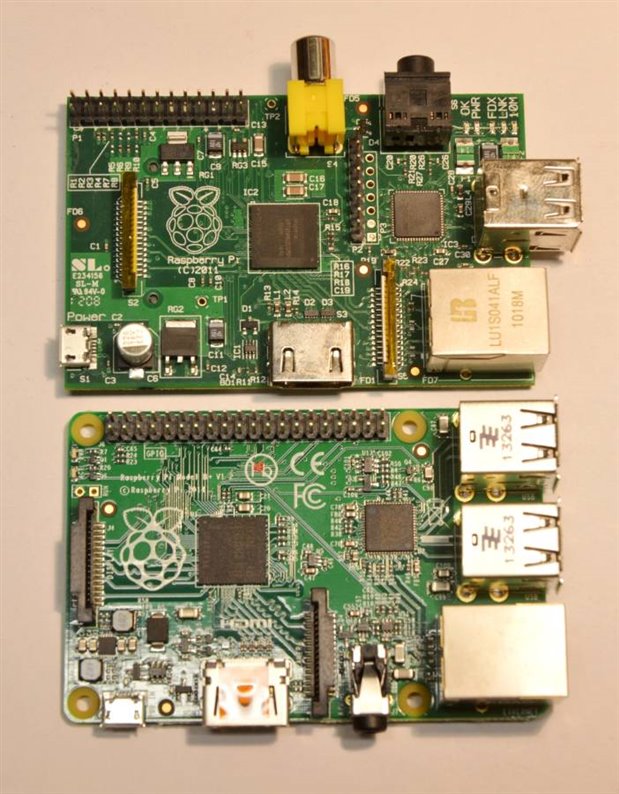
4 USB ports, microSD (push release type), new form factor, no RGB (J7 labeled as A/V  ???), no Link/FXD/100 led's (maybe integrated in magnetic's), same ram (512mb), display, camera connectors and 40 pin header.


Raspberry Pi Model B+ V1.2


http://www.zlham.geek.nz/images/news/rpi-b-plus.jpg

http://www.zlham.geek.nz/images/news/rpi-b-plus-close.jpg


Don't shoot the messenger.

  • Sign in to reply
  • Cancel
Parents
  • mcb1
    mcb1 over 11 years ago

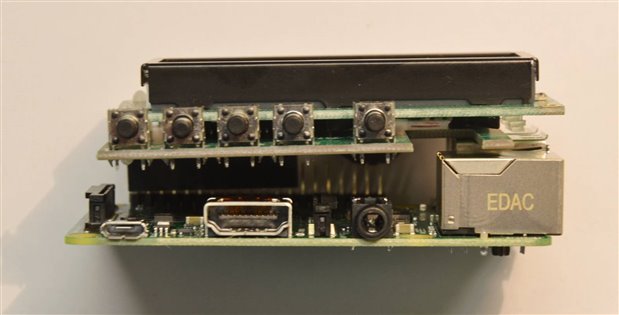
    Some pictures with my copyright.


    image

    side by side the relocated camera socket may cause some minor issues.


    image

    with CAD  on top ... note the contact with the USB.


    image


    I need to add the PiFace Digital.

    edit ...added them http://www.element14.com/community/message/120608/l/re-new-raspberry-pi-model-b#120608


    Mark

    • Cancel
    • Vote Up 0 Vote Down
    • Sign in to reply
    • Cancel
  • Former Member
    Former Member over 11 years ago in reply to mcb1

    Great informative images.


    I see three leds for lan.

    Magnetics only has two?


    You got one pretty fast.


    I may wait for a while in case the smoke comes out image.

    • Cancel
    • Vote Up 0 Vote Down
    • Sign in to reply
    • Cancel
  • mcb1
    mcb1 over 11 years ago in reply to Former Member

    Who said I was going to power it up. image

    I have some more pics to add.


    mark

    • Cancel
    • Vote Up 0 Vote Down
    • Sign in to reply
    • Cancel
  • mcb1
    mcb1 over 11 years ago in reply to mcb1

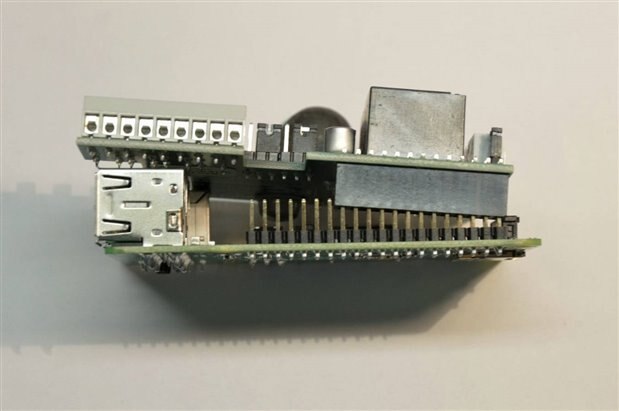
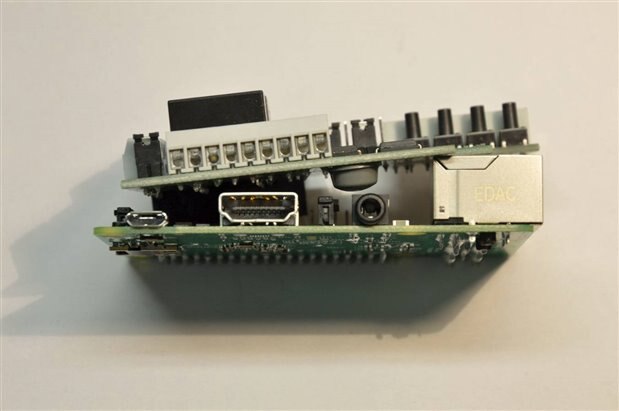
    Some more pictures with my copyright.

    Pity I forgot to take the tripod ...sorry.


    image

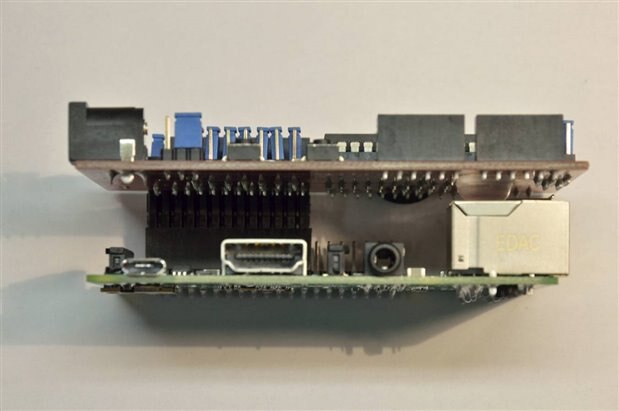
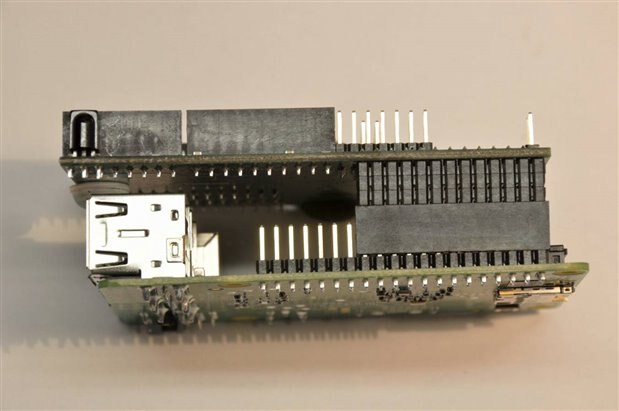
    Oops the PiFace Digital isn't going to work like this.

    image

    It may need an extension socket.


    image

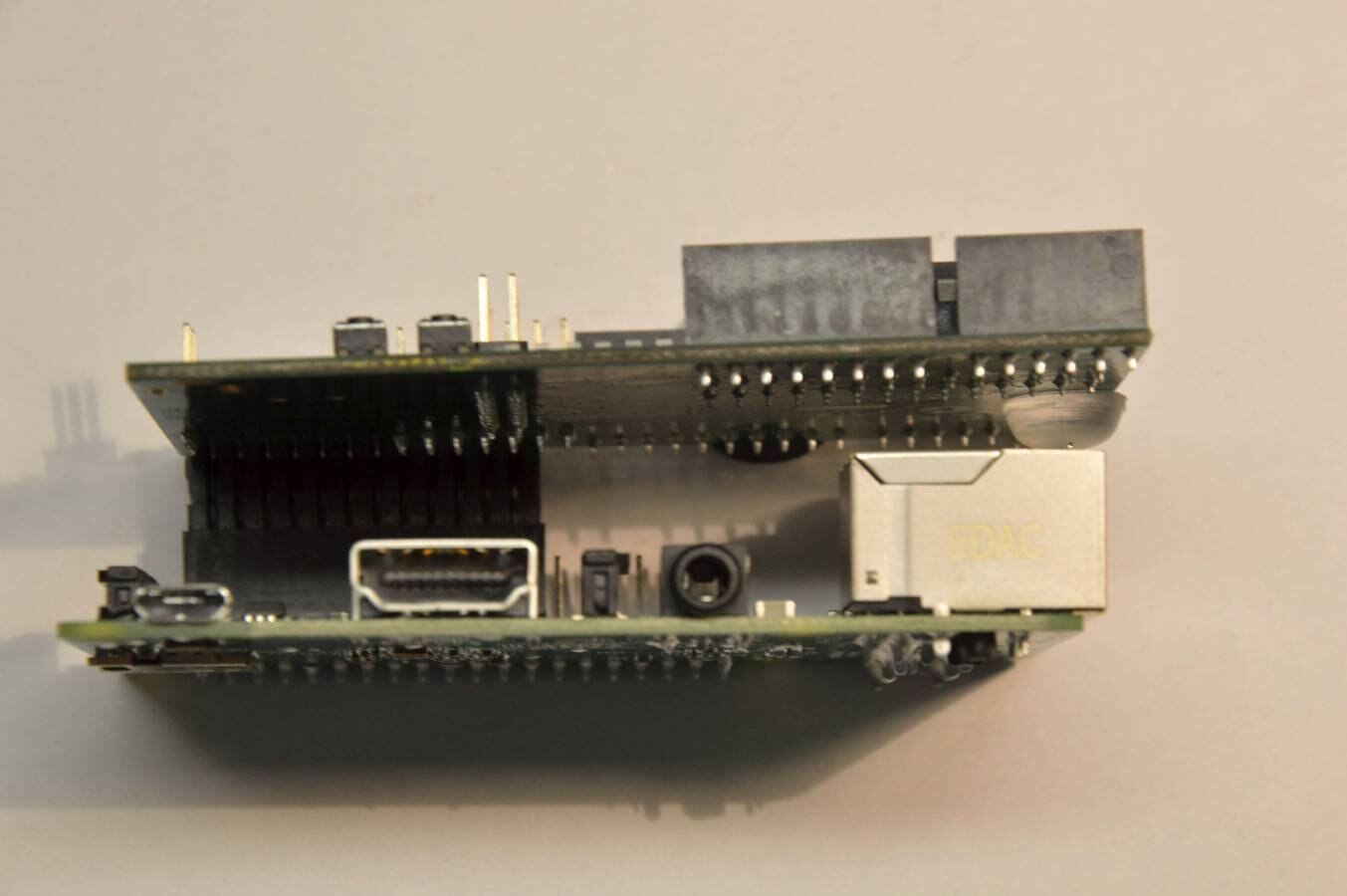
    ChipKIT Pi works but might require something on the USB to prevent shorting out.


    image

    Rubber buffer still works on the Ethernet


    image

    GertDuino probably could do with a lower buffer.


    image


    image

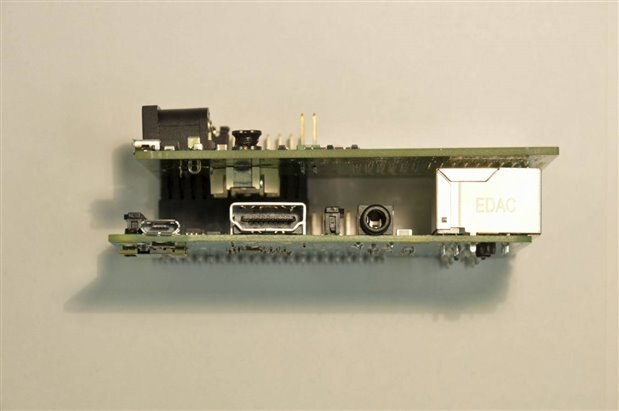
    Wyolum Alamode clears, but again some insulation on the USB wouldn't go astray.


    image

    SleepyPi clears, but you might lose some of the prototyping area.


    image

    I would add some insulation on the USB just to be sure.


    image

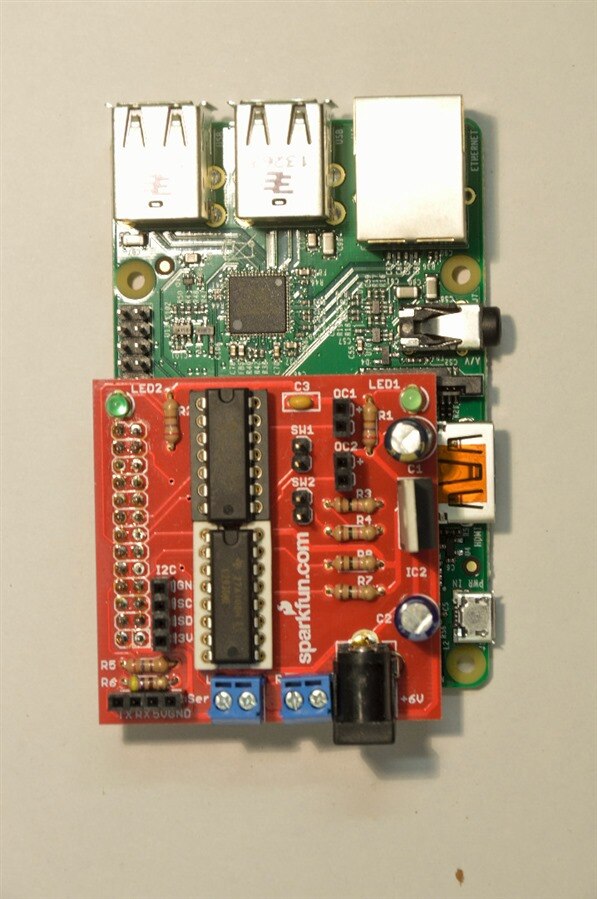
    Sparkfun RaspiRobot has plenty of clearance due to the double socket


    image

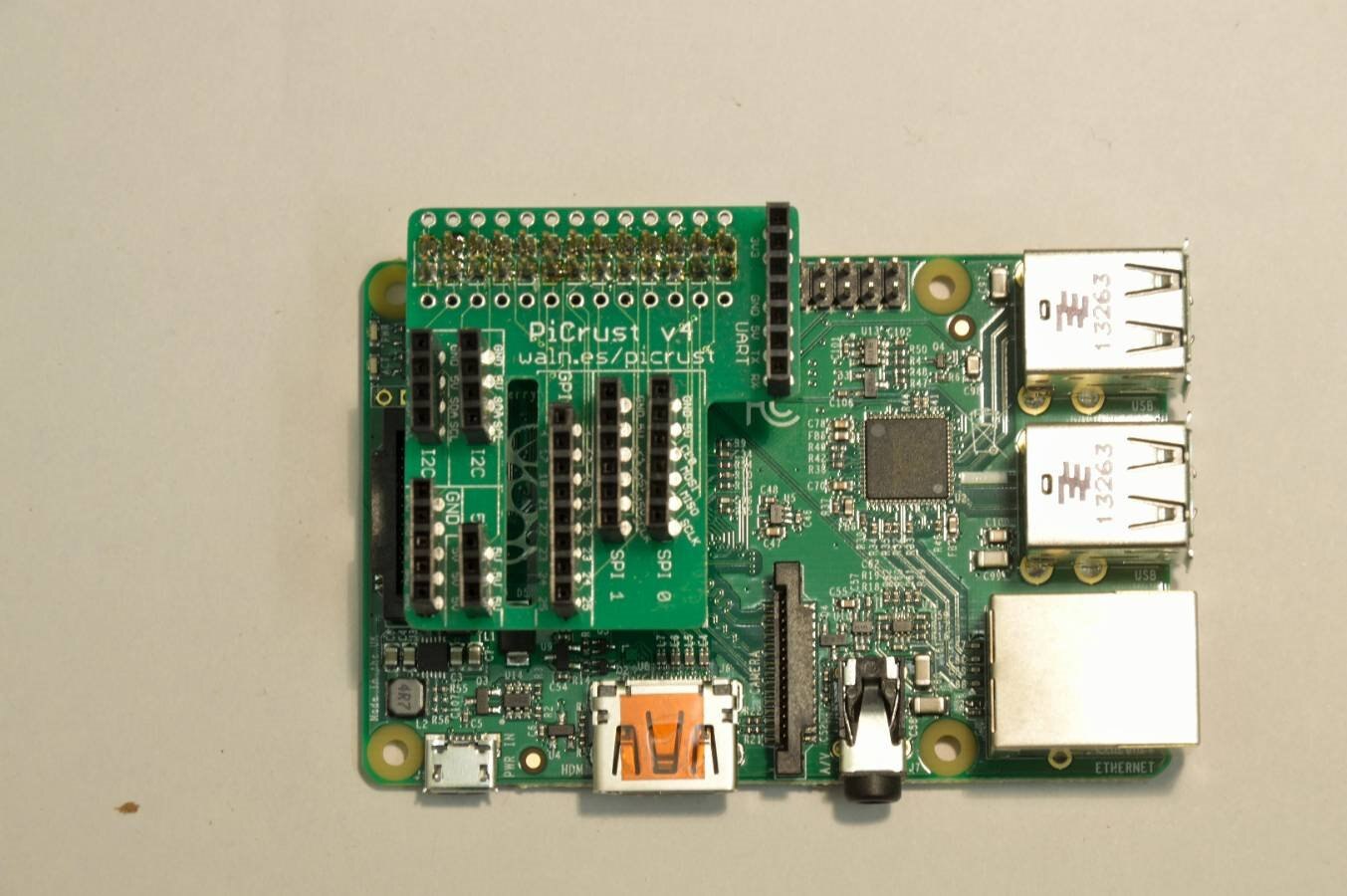
    PiCrust was the same and the relocated Display socket is still accessible


    image

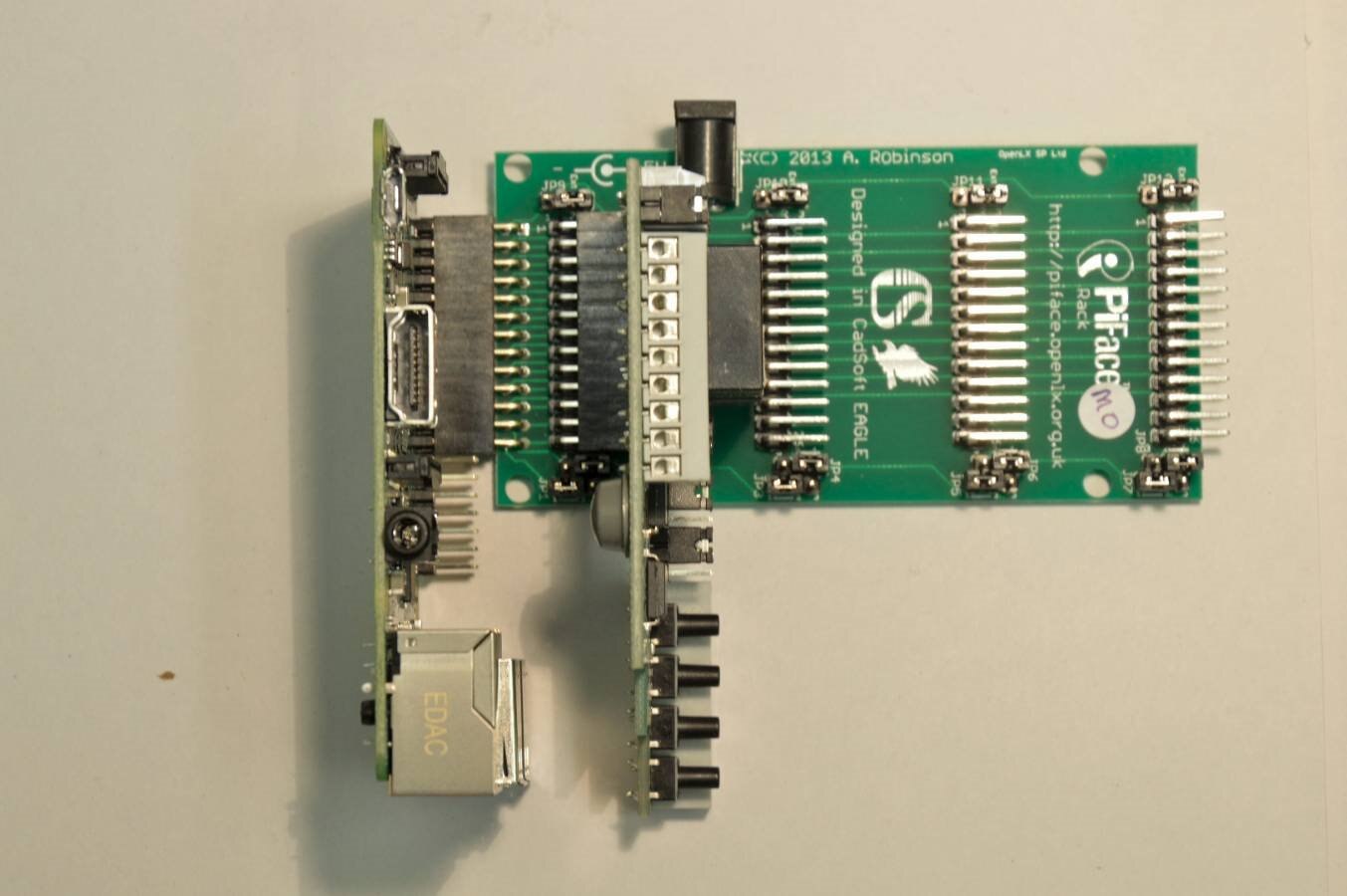
    PiRack not all the pins work, but clearance isn't an issue.


    Mark

    • Cancel
    • Vote Up +3 Vote Down
    • Sign in to reply
    • Cancel
  • mcb1
    mcb1 over 11 years ago in reply to mcb1

    One other thing that seems to have missed the headlines.

    The B+ comes with FCC Class B certification which means its suitable for residential applications.


    Mark

    • Cancel
    • Vote Up +1 Vote Down
    • Sign in to reply
    • Cancel
  • shabaz
    shabaz over 11 years ago in reply to mcb1

    You have a LOT of daughter cards : ) I've just got a Sleepy Pi from Jon W.

    Oh, and a few XMOS boards.

    • Cancel
    • Vote Up 0 Vote Down
    • Sign in to reply
    • Cancel
  • Problemchild
    Problemchild over 11 years ago in reply to mcb1

    Yes the Pi Rack is the best Idea to lift a board or two away from the RPI the only problem is that the best way of using it is as you put it here, on it's side, vertically it  tends to flop all over the place image

    • Cancel
    • Vote Up 0 Vote Down
    • Sign in to reply
    • Cancel
Reply
  • Problemchild
    Problemchild over 11 years ago in reply to mcb1

    Yes the Pi Rack is the best Idea to lift a board or two away from the RPI the only problem is that the best way of using it is as you put it here, on it's side, vertically it  tends to flop all over the place image

    • Cancel
    • Vote Up 0 Vote Down
    • Sign in to reply
    • Cancel
Children
  • kingrahl
    kingrahl over 11 years ago in reply to Problemchild

    Would single or double sided foam tape be a good buffer between the USB and any board? Are there any concerns where that might be a bad idea?

    • Cancel
    • Vote Up 0 Vote Down
    • Sign in to reply
    • Cancel
  • mcb1
    mcb1 over 11 years ago in reply to kingrahl

    I think something more durable would be better.

    You might want to use a piece of thin plastic often found as the clear cover on bound folders, and use the double sided foam to stick it to the USB.


    Obviously its not going to work for PiFace Digital, but will for the others.


    mark

    • Cancel
    • Vote Up 0 Vote Down
    • Sign in to reply
    • Cancel
  • dragonstyne
    dragonstyne over 11 years ago in reply to mcb1

    mcb1 wrote:


    I think something more durable would be better.

    You might want to use a piece of thin plastic often found as the clear cover on bound folders, and use the double sided foam to stick it to the USB.


    Obviously its not going to work for PiFace Digital, but will for the others.


    mark

    There are stick-on rubber feet similar to the one on the chipkit pi thst are good for this. Or, a dab of hot glue.


    -Steve

    • Cancel
    • Vote Up +1 Vote Down
    • Sign in to reply
    • Cancel
  • mcb1
    mcb1 over 11 years ago in reply to dragonstyne

    Or, a dab of hot glue.


    I didn't think of that ...good idea.


    mark

    • Cancel
    • Vote Up 0 Vote Down
    • Sign in to reply
    • Cancel
element14 Community

element14 is the first online community specifically for engineers. Connect with your peers and get expert answers to your questions.

  • Members
  • Learn
  • Technologies
  • Challenges & Projects
  • Products
  • Store
  • About Us
  • Feedback & Support
  • FAQs
  • Terms of Use
  • Privacy Policy
  • Legal and Copyright Notices
  • Sitemap
  • Cookies

An Avnet Company © 2025 Premier Farnell Limited. All Rights Reserved.

Premier Farnell Ltd, registered in England and Wales (no 00876412), registered office: Farnell House, Forge Lane, Leeds LS12 2NE.

ICP 备案号 10220084.

Follow element14

  • X
  • Facebook
  • linkedin
  • YouTube