element14 Community
element14 Community
    Register Log In
  • Site
  • Search
  • Log In Register
  • Community Hub
    Community Hub
    • What's New on element14
    • Feedback and Support
    • Benefits of Membership
    • Personal Blogs
    • Members Area
    • Achievement Levels
  • Learn
    Learn
    • Ask an Expert
    • eBooks
    • element14 presents
    • Learning Center
    • Tech Spotlight
    • STEM Academy
    • Webinars, Training and Events
    • Learning Groups
  • Technologies
    Technologies
    • 3D Printing
    • FPGA
    • Industrial Automation
    • Internet of Things
    • Power & Energy
    • Sensors
    • Technology Groups
  • Challenges & Projects
    Challenges & Projects
    • Design Challenges
    • element14 presents Projects
    • Project14
    • Arduino Projects
    • Raspberry Pi Projects
    • Project Groups
  • Products
    Products
    • Arduino
    • Avnet & Tria Boards Community
    • Dev Tools
    • Manufacturers
    • Multicomp Pro
    • Product Groups
    • Raspberry Pi
    • RoadTests & Reviews
  • About Us
    About the element14 Community
  • Store
    Store
    • Visit Your Store
    • Choose another store...
      • Europe
      •  Austria (German)
      •  Belgium (Dutch, French)
      •  Bulgaria (Bulgarian)
      •  Czech Republic (Czech)
      •  Denmark (Danish)
      •  Estonia (Estonian)
      •  Finland (Finnish)
      •  France (French)
      •  Germany (German)
      •  Hungary (Hungarian)
      •  Ireland
      •  Israel
      •  Italy (Italian)
      •  Latvia (Latvian)
      •  
      •  Lithuania (Lithuanian)
      •  Netherlands (Dutch)
      •  Norway (Norwegian)
      •  Poland (Polish)
      •  Portugal (Portuguese)
      •  Romania (Romanian)
      •  Russia (Russian)
      •  Slovakia (Slovak)
      •  Slovenia (Slovenian)
      •  Spain (Spanish)
      •  Sweden (Swedish)
      •  Switzerland(German, French)
      •  Turkey (Turkish)
      •  United Kingdom
      • Asia Pacific
      •  Australia
      •  China
      •  Hong Kong
      •  India
      •  Japan
      •  Korea (Korean)
      •  Malaysia
      •  New Zealand
      •  Philippines
      •  Singapore
      •  Taiwan
      •  Thailand (Thai)
      •  Vietnam
      • Americas
      •  Brazil (Portuguese)
      •  Canada
      •  Mexico (Spanish)
      •  United States
      Can't find the country/region you're looking for? Visit our export site or find a local distributor.
  • Translate
  • Profile
  • Settings
RoadTests & Reviews
  • Products
  • More
RoadTests & Reviews
Review Blogs Raspberry Pi CM5 roadtest - first impressions
  • Blogs
  • Forum
  • Documents
  • RoadTests
  • Reviews
  • Polls
  • Files
  • Members
  • Sub-Groups
  • More
  • Cancel
  • New
Join RoadTests & Reviews to participate - click to join for free!
  • Share
  • More
  • Cancel
  • Author Author: gpolder
  • Date Created: 29 Aug 2026 3:30 PM Date Created
  • Views 39 views
  • Likes 2 likes
  • Comments 2 comments
Related
Recommended
  • RoadTest
  • review
  • Raspberry Pi CM5
  • unboxing

Raspberry Pi CM5 roadtest - first impressions

gpolder
gpolder
29 Aug 2026

After a long wait, the Raspberry Pi Compute Module 5 Development Kit finally arrived at my desk, ready for its road test.
My proposed plan is to test the Compute Module 5 with Software Defined Radio (SDR), using both RTL-SDR and Ettus Research USRP B205mini-I hardware. I’ll be using a range of SDR software, including GQRX, OpenWebRX, GNU Radio, and SDR++.
Before diving into the actual testing, I’ll start with some general information about the kit, including the unboxing and initial assembly.

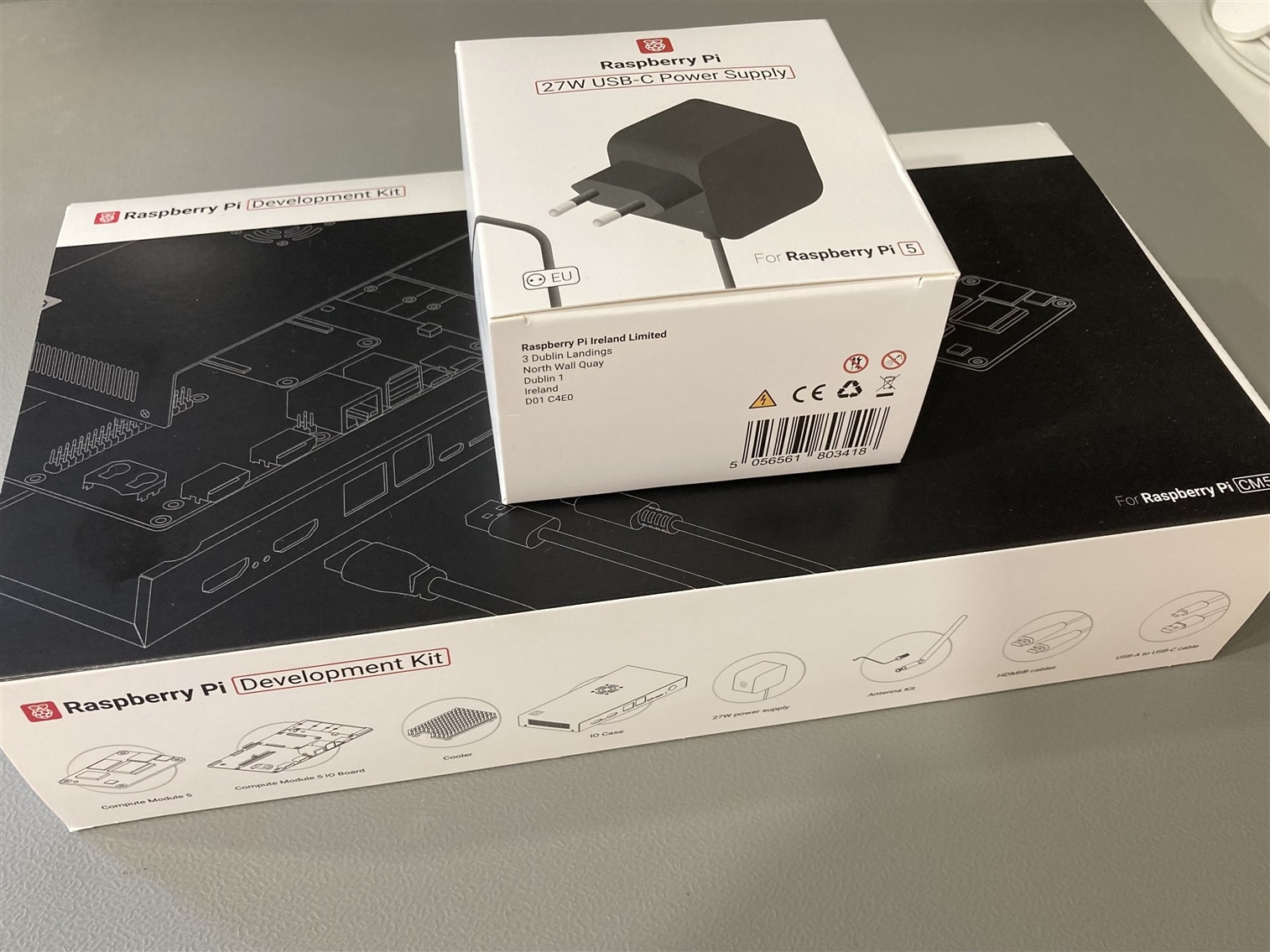
There were two boxes in the package: the CM5 Development Kit and a 27 W USB-C power supply.
The Development Kit itself also included a power supply, but it came with a UK plug. Since I’m located in the Netherlands, the additional power supply with a suitable plug was provided separately.
image

The big box contains some more boxes, some cables and an antenna:
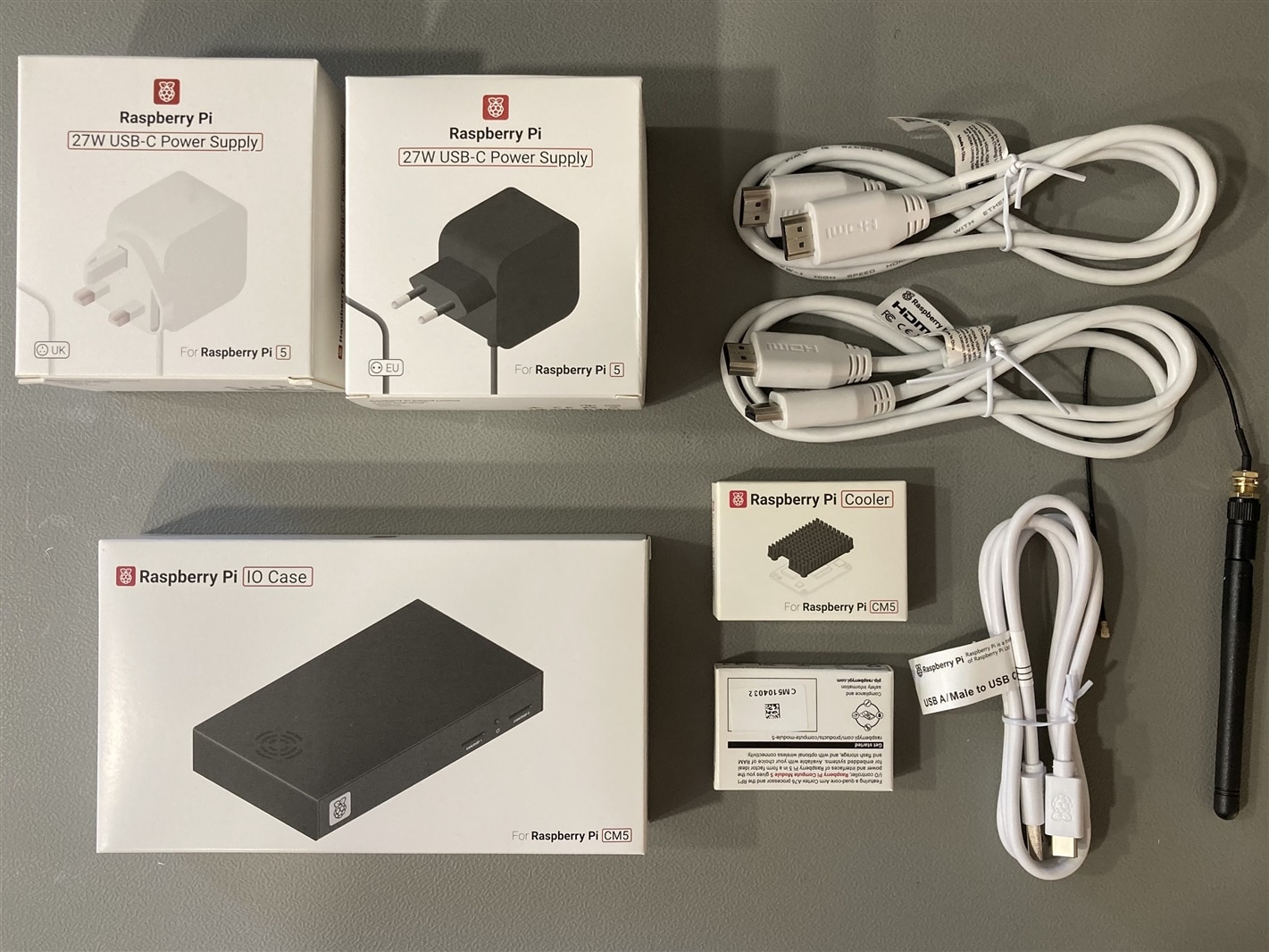
image

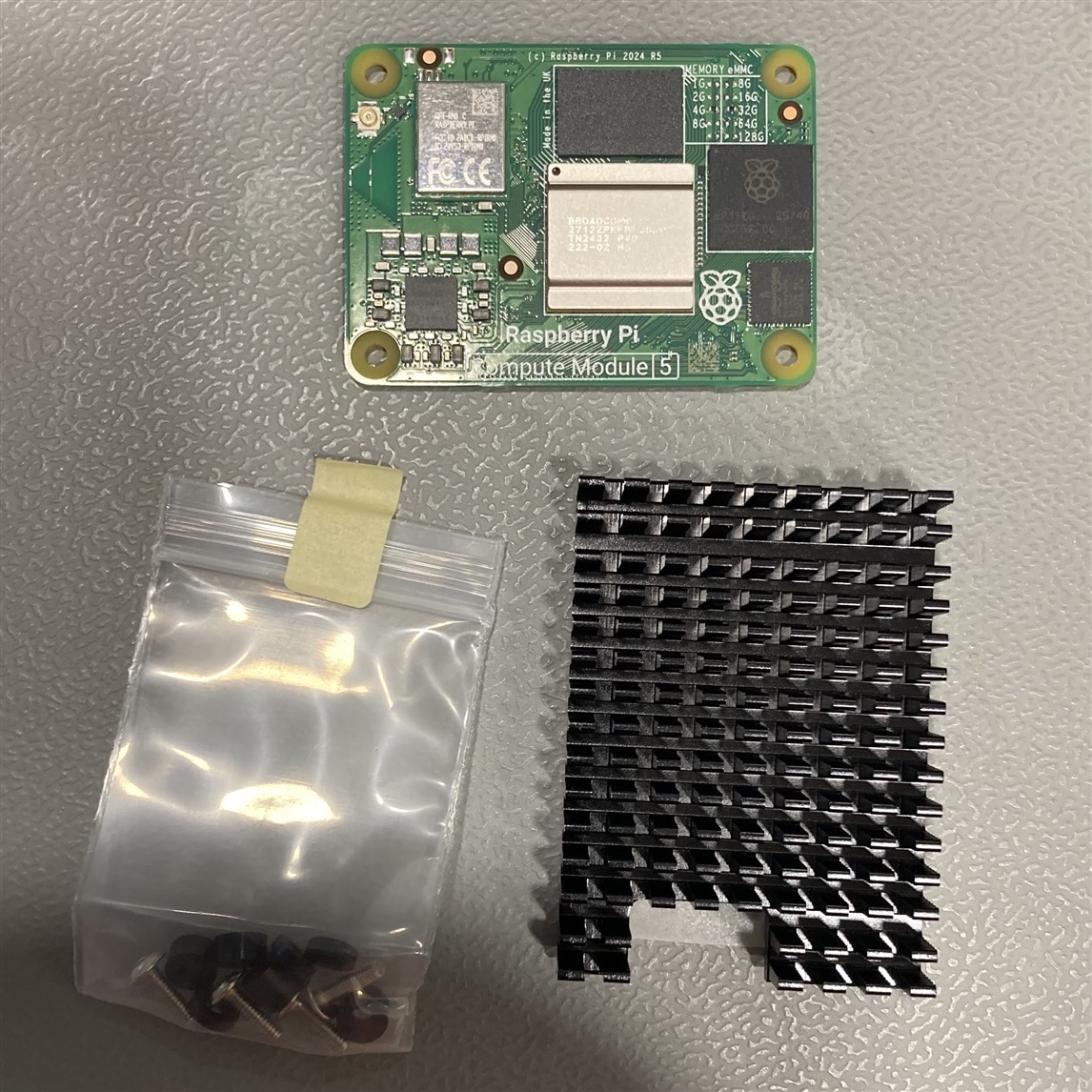
One of the boxes contains the IO Case, with the IO Board already mounted, the small boxes contains the CM5 module and a heatsink:
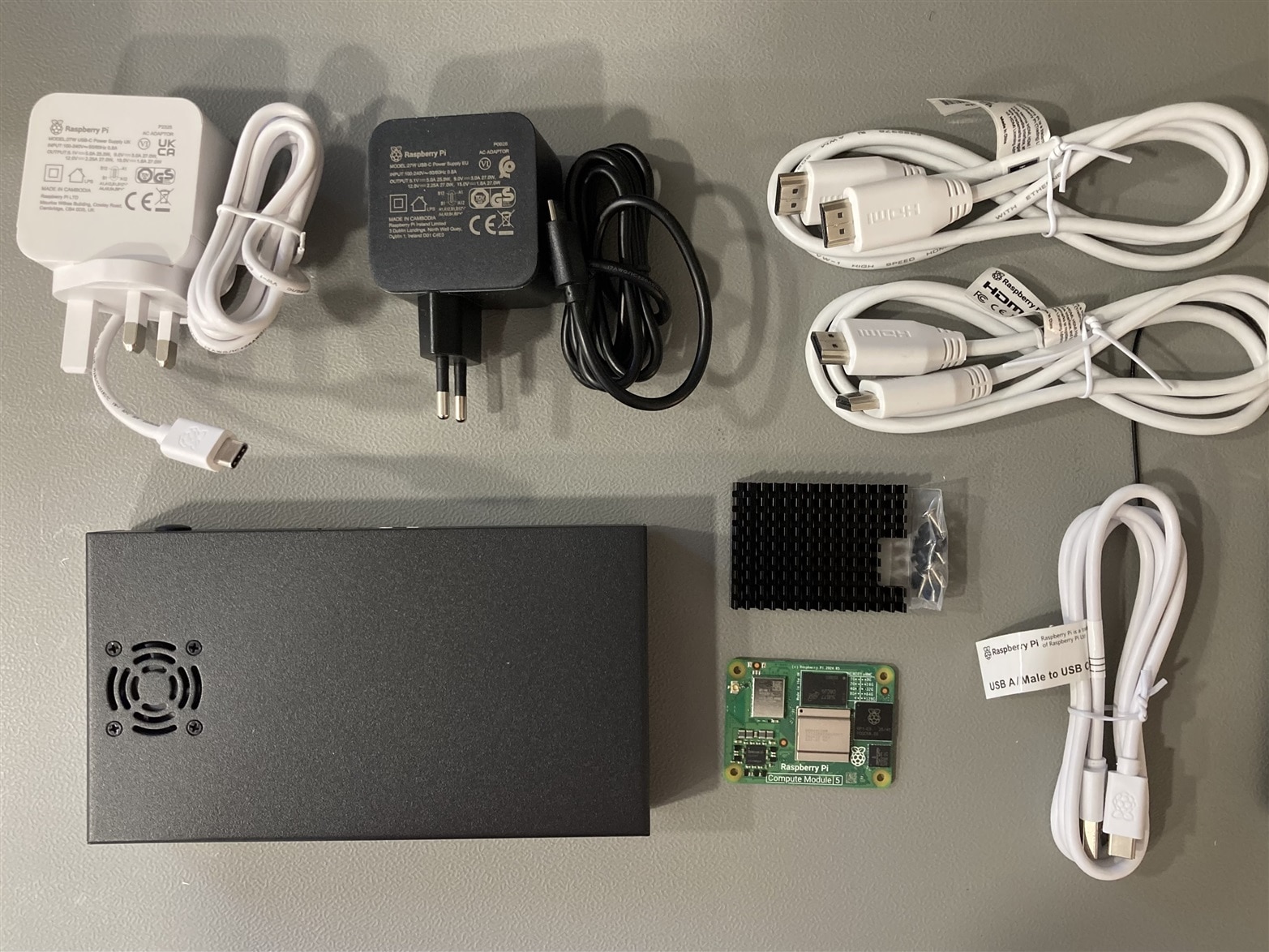
image

Closeup of the CM5 and the heatsink:

image

Opening up the case, shows the IO board and the fan, looks nice that the IO board already is remounted, but it needs to be removed in order to install the heatsink that need to be screwed from the back of the PCB.
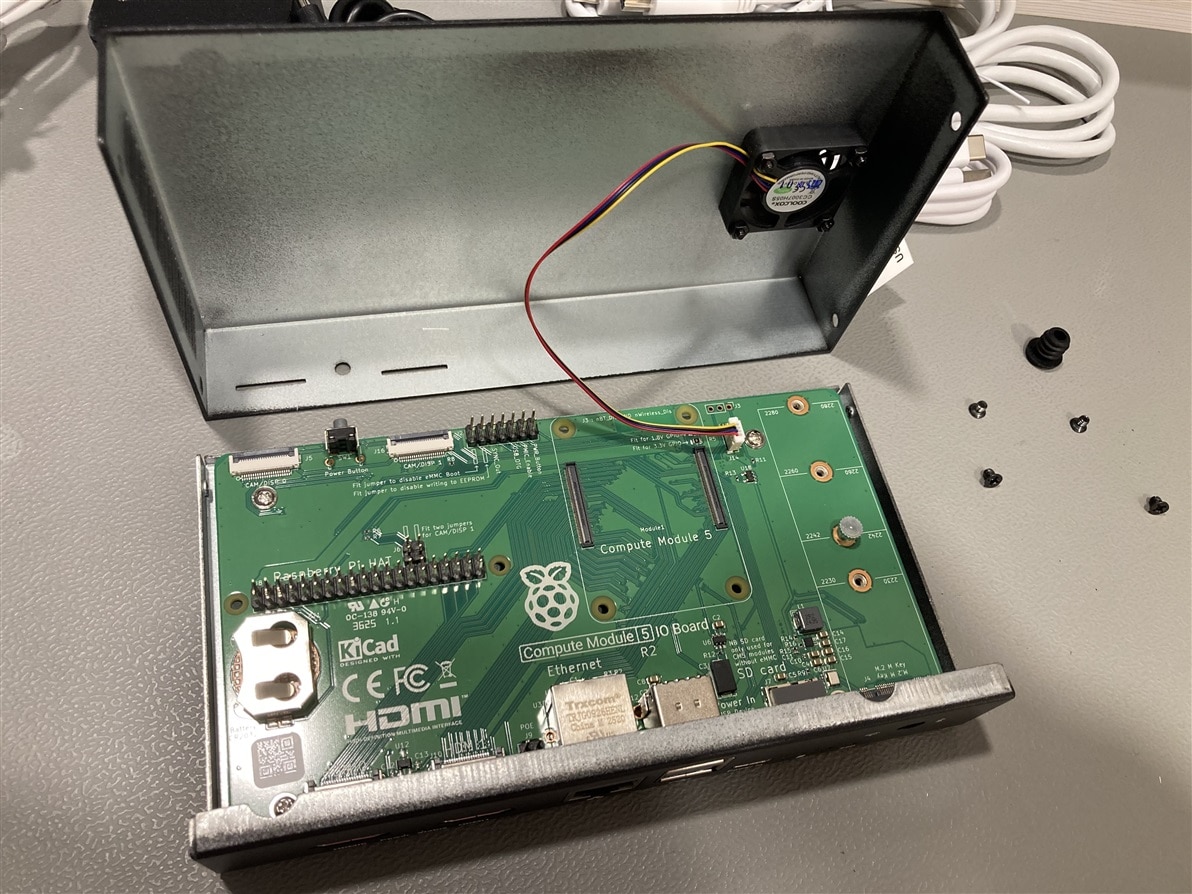
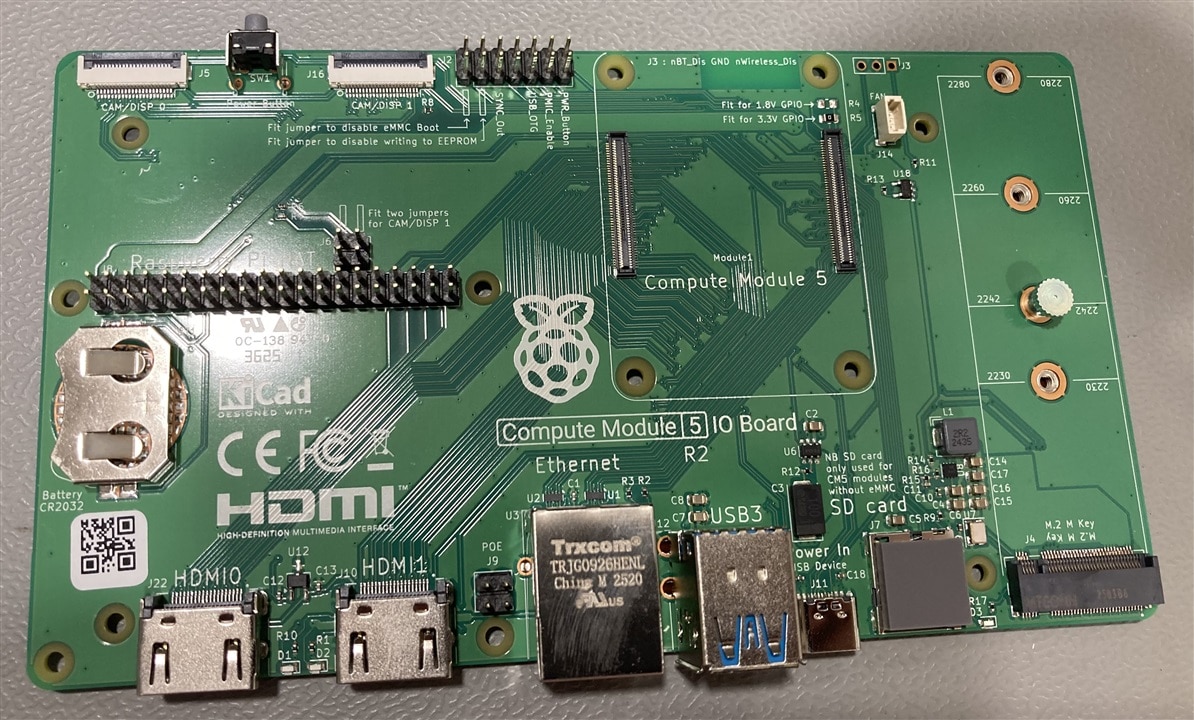
imageimage

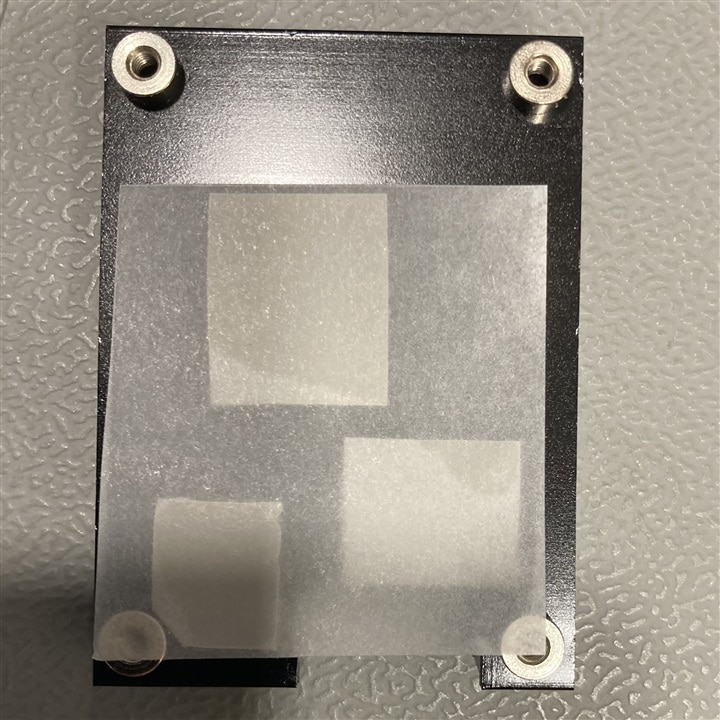
The heatsink comes with four M2.5 nylon washers, two 1.5 mm high and two 3 mm high. For the CM5 module, the 1.5 mm washers need to be placed between the IO board and the CM5. The heatsink is then secured to the CM5 using screws inserted from the back of the IO board. Thermal silicone connects the components with the heatsink.

More details here: Raspberry Pi Cooler For Raspberry Pi Compute Module 5
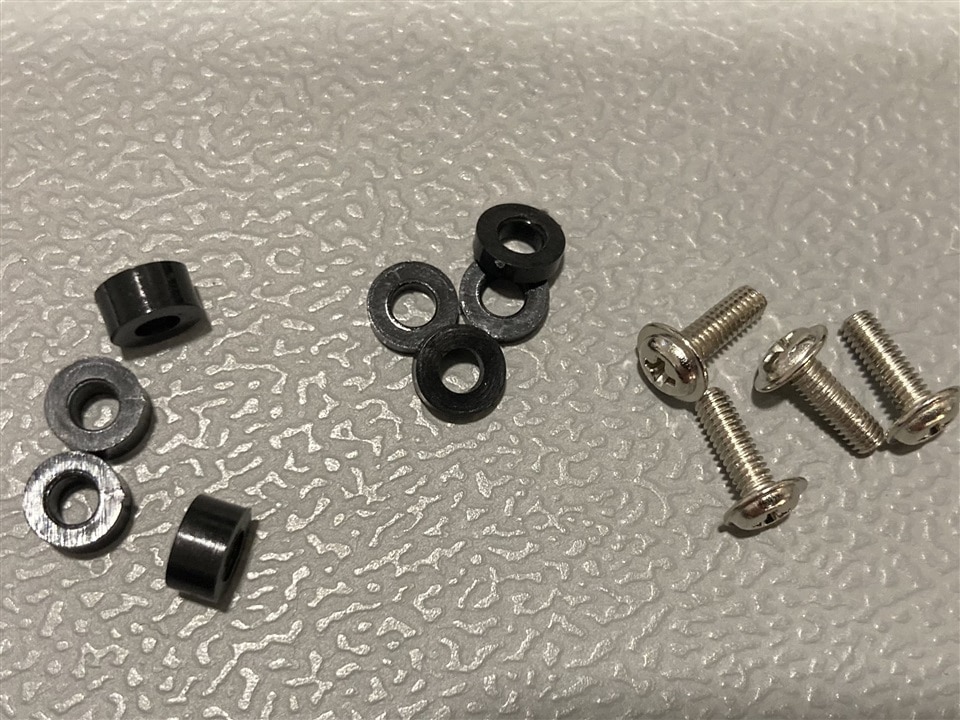
imageimage

Here is a short video showing how I mounted the heatsink:

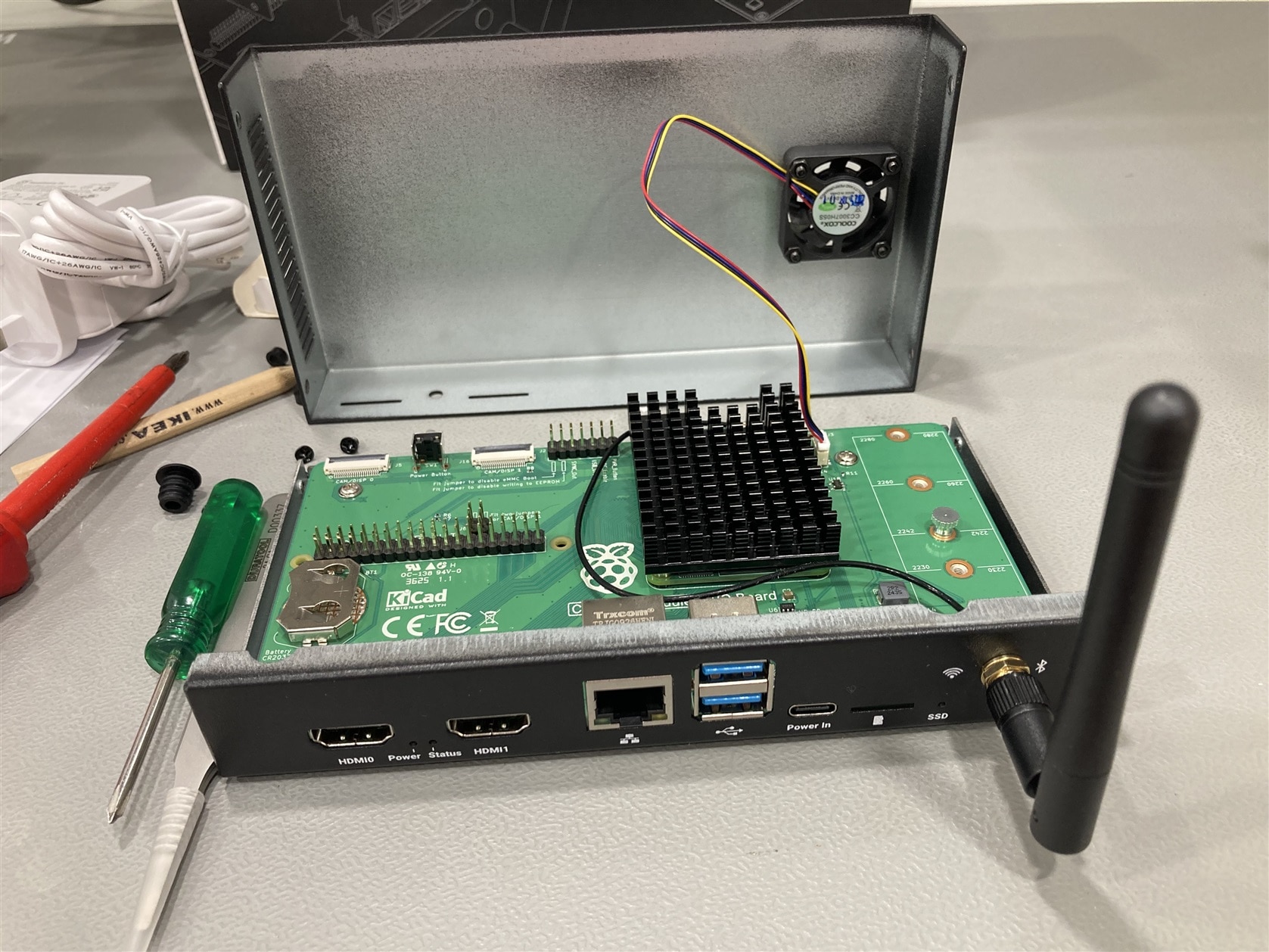
The next step was to mount the Wi-Fi antenna. Connecting the U.FL antenna connector to the CM5 board proved to be a bit of a challenge. In hindsight, it would have been much easier to connect it before mounting the heatsink. After some careful pushing and a bit of fiddling, however, I eventually managed to get it connected.
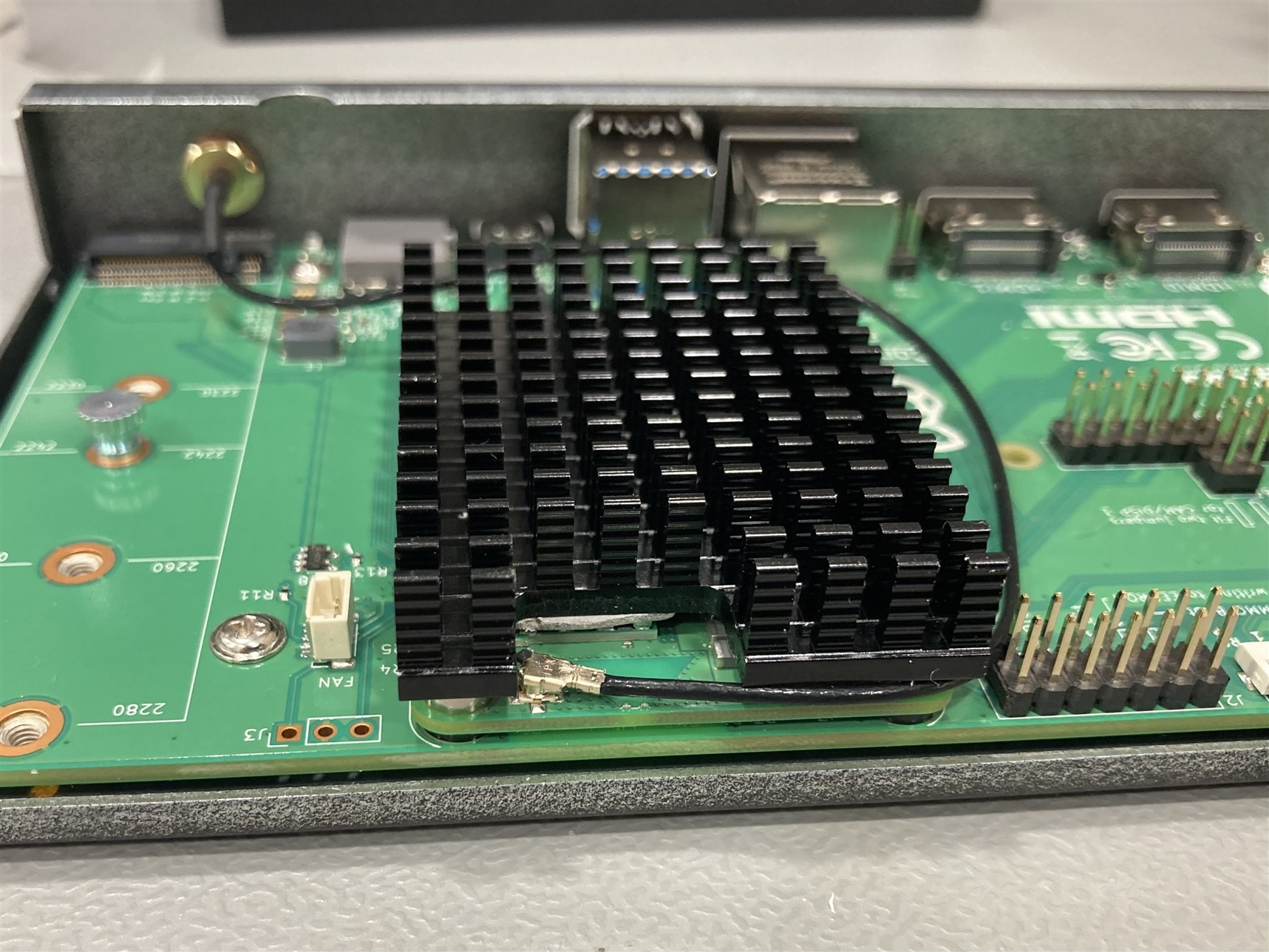
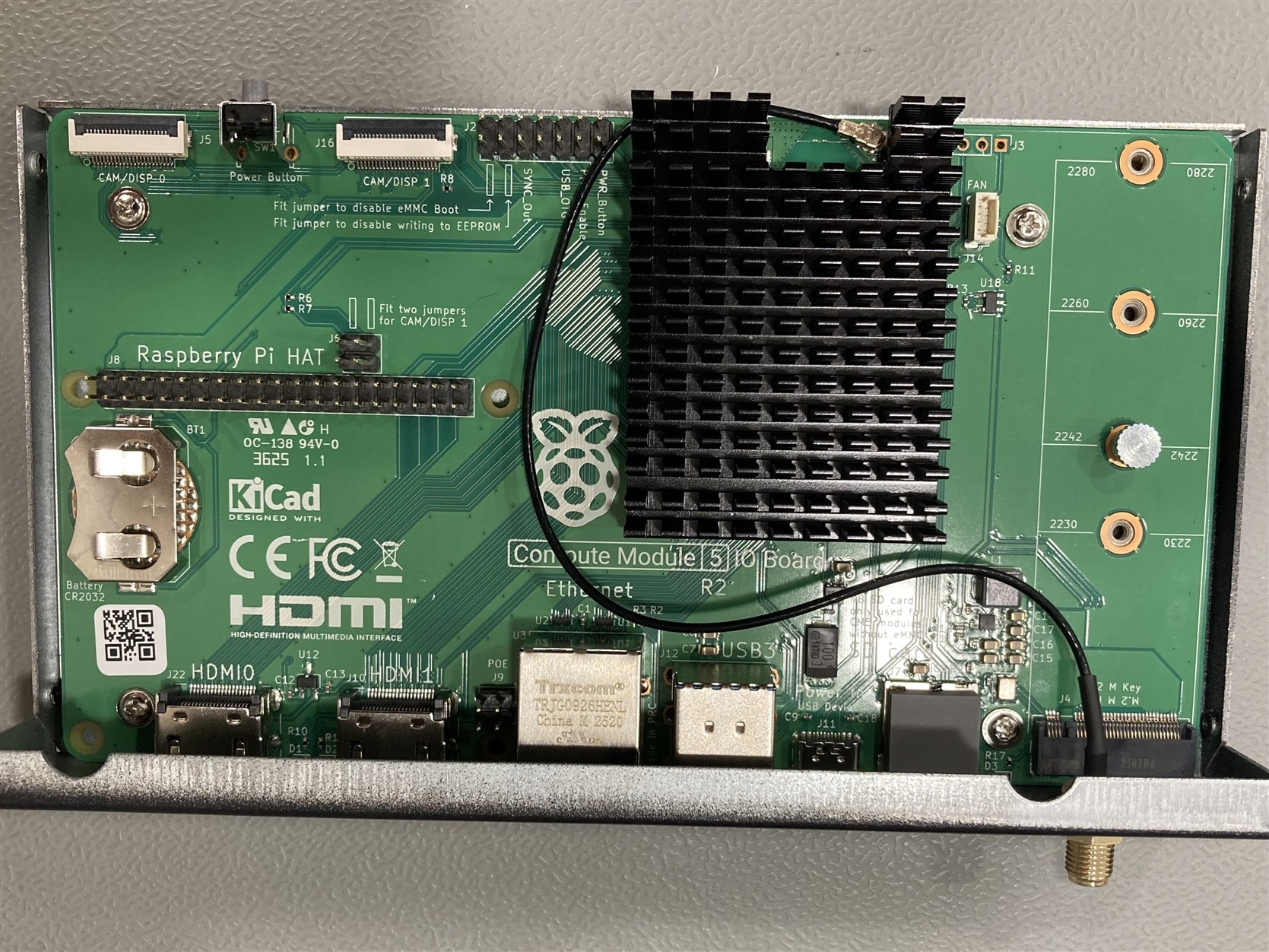
image

image

And here is the final result:

image

  • Sign in to reply
  • colporteur
    colporteur 8 hours ago

    Great visuals.

    • Cancel
    • Vote Up 0 Vote Down
    • Sign in to reply
    • More
    • Cancel
  • DAB
    DAB 12 hours ago

    Nice start.

    • Cancel
    • Vote Up 0 Vote Down
    • Sign in to reply
    • More
    • Cancel
element14 Community

element14 is the first online community specifically for engineers. Connect with your peers and get expert answers to your questions.

  • Members
  • Learn
  • Technologies
  • Challenges & Projects
  • Products
  • Store
  • About Us
  • Feedback & Support
  • FAQs
  • Terms of Use
  • Privacy Policy
  • Legal and Copyright Notices
  • Sitemap
  • Cookies

An Avnet Company © 2026 Premier Farnell Limited. All Rights Reserved.

Premier Farnell Ltd, registered in England and Wales (no 00876412), registered office: Farnell House, Forge Lane, Leeds LS12 2NE.

Follow element14

  • X
  • Facebook
  • linkedin
  • YouTube