


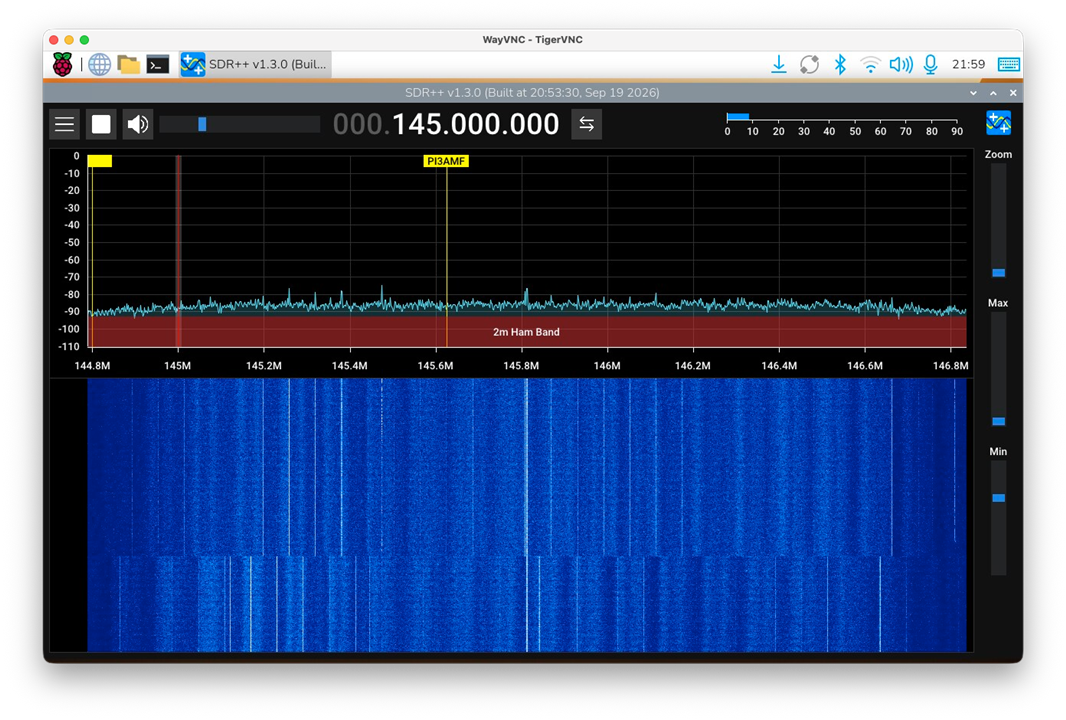
In my previous CM5 RoadTest articles I covered the initial setup of the Raspberry Pi Compute Module 5 and the installation and testing of the RTL-SDR. The next step was to try SDR++, one of the more versatile SDR applications available for Linux. Although a growing number of SDR applications are becoming available, I decided to start with SDR++ because it is lightweight, fast, and straightforward to use. Most importantly for my setup, it offers native support for the USRP, without requiring the additional SoapySDR abstraction layer. This makes it a logical starting point for testing both my RTL-SDR dongle and the USRP B205mini-i on the Raspberry Pi CM5.
This article is a little later than originally planned, because in the meantime, I also worked on a proper tuning control for the SDR. I had seen the approach taken by s1m0n3t, who built a standalone touchscreen SDR receiver using SDR++ together with a conventional rotary encoder and push buttons, connected to the GPIO port (https://community.element14.com/products/roadtest/rv/roadtest_reviews/1930/building-a-standalone-touchscreen-sdr-receiver-on-the-raspberry-pi-cm5).
I decided to take a rather different approach. Instead of using a conventional mechanical encoder, I built a high-resolution optical encoder interface using a very small Digispark ATtiny85. The encoder appears to the computer as a standard USB mouse wheel, making it independent of the particular SDR software being used. The complete project is described in my article Optical rotary encoder as a USB mouse wheel for SDR.

Installing SDR++
My first thought was to use one of the precompiled SDR++ packages, but from the README on its github repository (https://github.com/AlexandreRouma/SDRPlusPlus) I learned that the precompiled packages did not contain the USRP support by default. Therefore I decided to compile SDR++ from source. This also had the advantage that I could explicitly enable other SDR sources I wanted to test.
Building SDR++ from source
The first step was to install the compiler and the required development libraries. This included the libraries for RTL-SDR, FFTW, VOLK, RtAudio and the graphical interface.
sudo apt install build-essential cmake pkg-config git \
  libfftw3-dev libglfw3-dev libglew-dev libvolk-dev \
  libzstd-dev librtaudio-dev librtlsdr-dev rtl-sdr \
  pipewire-alsa
For compiling the USRP software module, I installed the UHD development package as well. This brought in a considerable number of additional SDR and development packages, but it meant that UHD support could be enabled when compiling SDR++.
sudo apt install libuhd-dev
I then cloned the SDR++ source repository and configured a separate build directory. For this test I enabled the USRP source while leaving several other SDR sources disabled.
git clone https://github.com/AlexandreRouma/SDRPlusPlus.git

cd SDRPlusPlus
mkdir build
cd build

cmake .. \
  -DOPT_BUILD_AIRSPY_SOURCE=OFF \
  -DOPT_BUILD_AIRSPYHF_SOURCE=OFF \
  -DOPT_BUILD_HACKRF_SOURCE=OFF \
  -DOPT_BUILD_PLUTOSDR_SOURCE=OFF \
  -DOPT_BUILD_USRP_SOURCE=ON
The configuration completed successfully. In particular, CMake found both the RTL-SDR library and UHD:
-- Checking for module 'librtlsdr'
--   Found librtlsdr, version 2.0.3
-- Checking for module 'libusb-1.0'
--   Found libusb-1.0, version 1.0.28
-- Checking for module 'uhd'
--   Found uhd, version 4.8.0.0+ds1-2
-- Configuring done
-- Generating done
The actual compilation was then surprisingly uneventful and quick. Using three parallel jobs, the complete build finished successfully.
make -j3
Finally, I installed the resulting application:
sudo make install
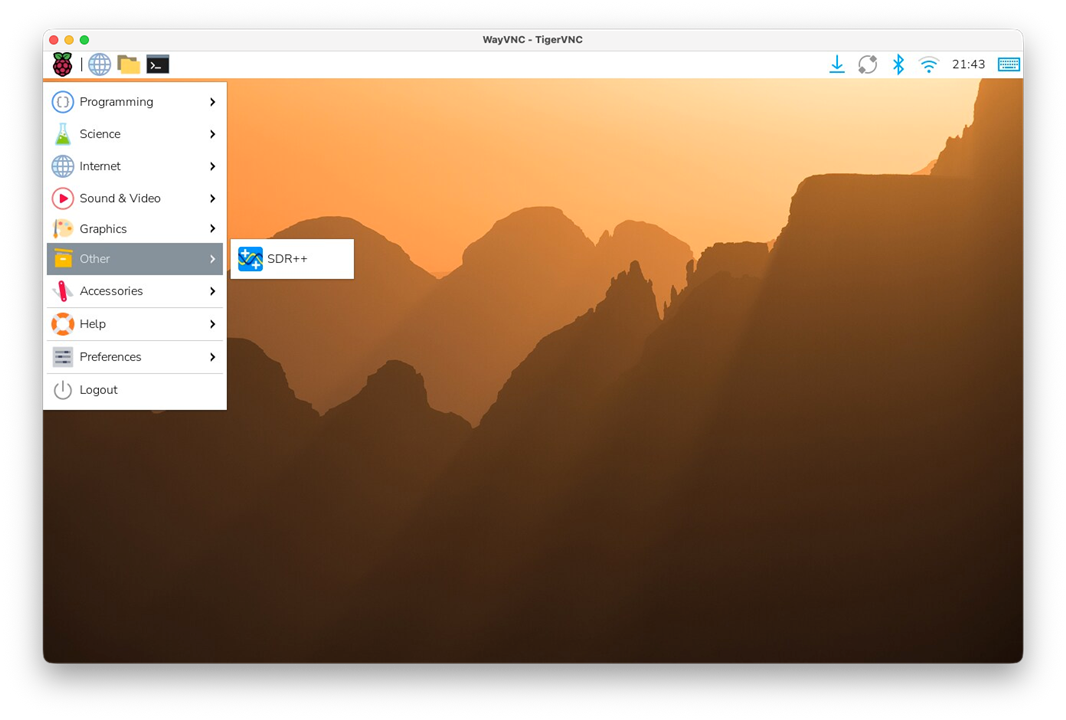
SDR++ was installed as a native application, including the main executable, libraries, plugins, band plans, themes and icons. So, unlike the first attempt with the precompiled package, I now had a working SDR++ installation on the CM5. It even was added to the Raspberry Pi OS 'Other' Menu.
First tests with the RTL-SDR
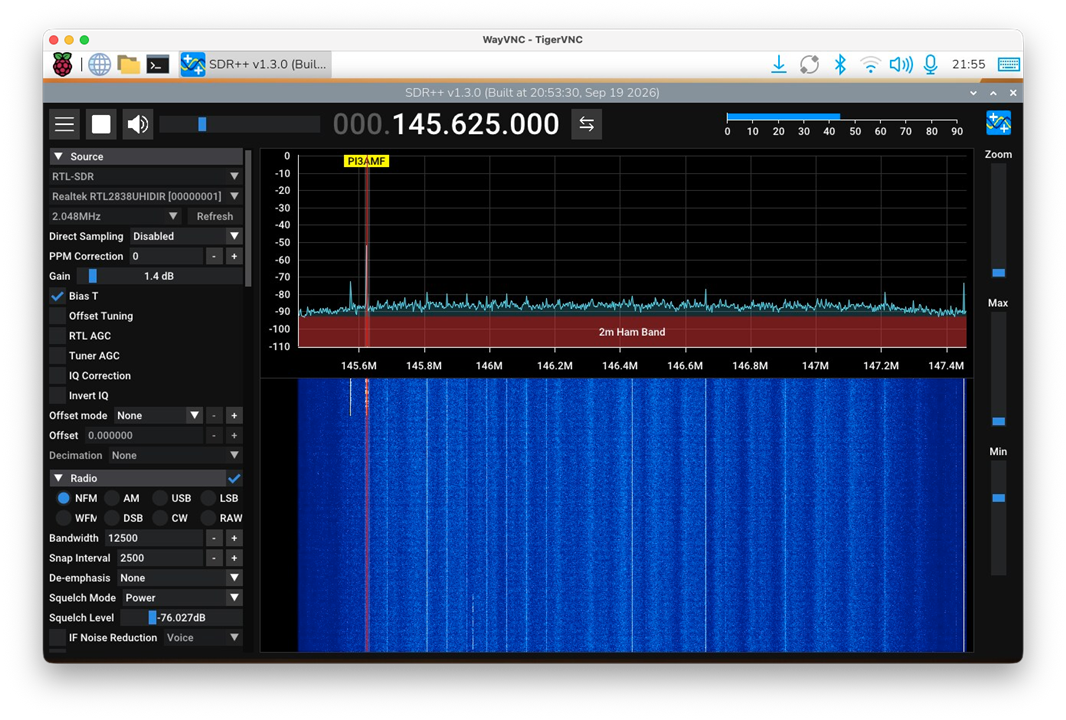
The first and most important test was with the RTL-SDR. This worked very well. SDR++ started normally, the RTL-SDR was recognised and I could use the CM5 as an SDR receiver without any obvious problems.
This is probably the most interesting result of this part of the RoadTest. The CM5 has no problem running a modern SDR application such as SDR++, while simultaneously driving the 1280 × 800 display. The combination makes for a surprisingly capable little SDR platform.
The first USRP test
I also tried the same installation with my USRP B205mini-i. For this first test, however, the result was not successful. Although UHD was found during the SDR++ configuration and the USRP source was included in the build, I was not able to get the B205mini-i working with SDR++.
For now I will leave it at that. The USRP deserves a separate investigation, and I will report on that in a later article rather than mixing the troubleshooting into this first SDR++ test.
Bottom line
Getting SDR++ onto the CM5 required a little more work than simply installing a precompiled package, mainly since I needed USRP support that was not availible in the precompiled package. Building SDR++ from source proved to be a straightforward and quick alternative.
Once installed, the result was encouraging. SDR++ runs very well on the CM5 and the RTL-SDR works great. The first attempt with the USRP B205mini-i was unsuccessful, but I will investigate that separately.
Combined with the optical USB tuning knob, the CM5 is starting to look much more like a real standalone SDR platform rather than simply a Raspberry Pi running an SDR application. That makes this a promising direction for the remainder of the RoadTest.