


Recap: I am building a wireless vitals sensor node (heart rate, SpO₂, temperature) that reports over BLE into Home Assistant as a smart way to keep watch over our loved ones, built up in three phases — DK bring-up, a custom miniaturized nRF52832 PCB, then a Matter over Thread proof of concept.
Past Posts
- VitaRF - Part 1 - The Plan
- VitaRF - Part 2 - Interface MAX30102 on NRF52
- VitaRF - Part 3 - Interfacing MAX30208 on NRF52
- VitaRF - Part 4 - Sending Sensor Data to Home Assistant via BLE on NRF52
I still have not started on the PCB design as I had promised. Why? Because I received the nRF54L15 DK as a prize from the How To Build A Smart Home Device With Matter webinar, and the excitement of trying out the new nRF54 eclipsed the responsible side of my brain, which kept shouting: the PCB takes time to manufacture! So I made a compromise - I would put off the PCB design for just one day. In my defense, I have been using the nRF52 series for nearly 10 years and never had a solid reason to buy a development kit for the newer series.
Why Matter over Thread at all
BLE broadcasting works as I showed in my previous post, but it is one-way. Matter is the standards-based version of the same idea: any Matter controller can talk to the device, it can be commissioned by scanning a code, and Thread means it sits on a low-power mesh instead of needing to be in BLE range of one particular box.
The parts, for this phase:
- nRF54L15 DK (Nordic product page) - the Matter device itself. The sensor node.
- nRF52840 DK (Nordic product page) - not a Matter device at all. It runs OpenThread's "radio co-processor" firmware, which turns it into nothing but an 802.15.4 radio that a computer drives over USB. That is what gives Home Assistant's side a Thread radio.
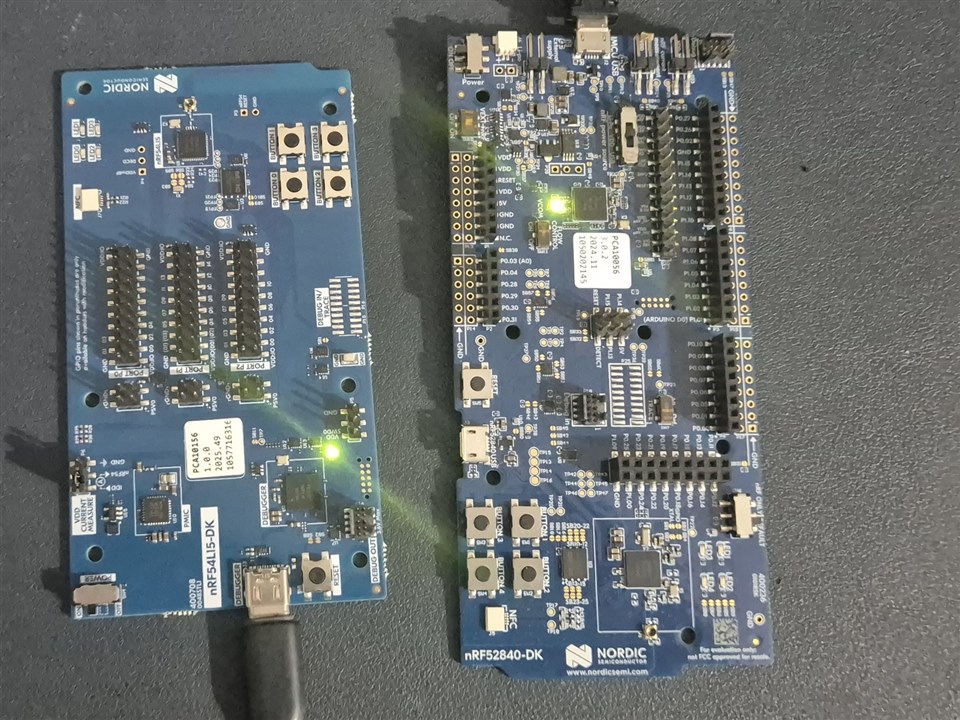
Toolchain: the nRF5 SDK is out
Everything so far in this project used the legacy nRF5 SDK 17.1.0. That SDK has no nRF54 support at all - no device headers, no SoftDevice. This part needed the nRF Connect SDK (NCS), which is based on Zephyr. I installed v3.4.1 with Nordic's standalone nrfutil and its sdk-manager. The installation procedure is well documented at https://nrfconnectdocs.nordicsemi.com/ncs/latest/nrf/installation/install_ncs.html.
ralphjy commented over at the webinar page that the SDK was nearly 10 GB. I was genuinely shocked when I heard that, and I wished he were joking, as my laptop did not have that much free space. So I had to do this on my desktop, which means I can't do any development on the go.
The firmware: two stock samples, no code changes
Normally, the first thing I flash to test a toolchain install is Blinky. But how lucky I was to find that there was a matter folder in the samples. It turned out that I did not need to write a single line of code for this post. Both boards run unmodified NCS samples:
- nRF54L15 DK:
nrf/samples/matter/temperature_sensor- Matter over Thread, configured as a sleepy end device - nRF52840 DK:
nrf/samples/openthread/coprocessor- the RCP (Radio Co-Processor). Its serial link to the host runs at 1,000,000 baud with hardware flow control, which matters later.
Check out the samples here: https://github.com/nrfconnect/sdk-nrf/tree/v3.4-branch/samples (Important: use the v3.4 branch.)
# run from inside the NCS workspace, through the toolchain launcher
west build -p auto -b nrf54l15dk/nrf54l15/cpuapp -d build_54l15_temp_sensor nrf/samples/matter/temperature_sensor
west build -p auto -b nrf52840dk/nrf52840        -d build_52840_rcp         nrf/samples/openthread/coprocessor
west flash -d build_54l15_temp_sensor --dev-id <serial of the 54L15 DK>
west flash -d build_52840_rcp         --dev-id <serial of the 52840 DK>
I am using the --dev-id argument only because I had both DKs plugged in at the same time.
Using nRF Connect to validate Matter?
When I scan with nRF Connect on my phone, the device shows up as MatterTemperature, and its GATT database has exactly three services: Generic Attribute, Generic Access, and an "Unknown Service" with UUID 0xFFF6. As far as I can tell from the spec, 0xFFF6 is the Matter BLE commissioning service, which means I am on track.
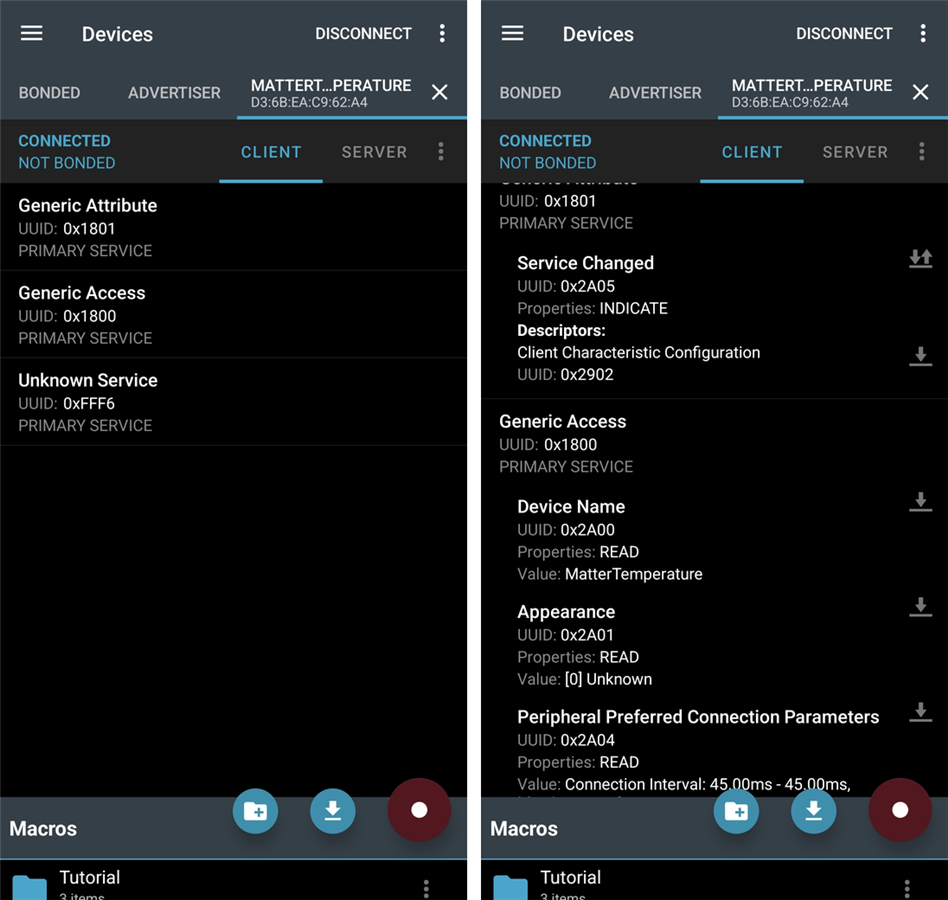
The DK also prints its own setup payload on its serial console at boot, which is handy:
SetupQRCode: [MT:M1TJ342C00KA0648G00]
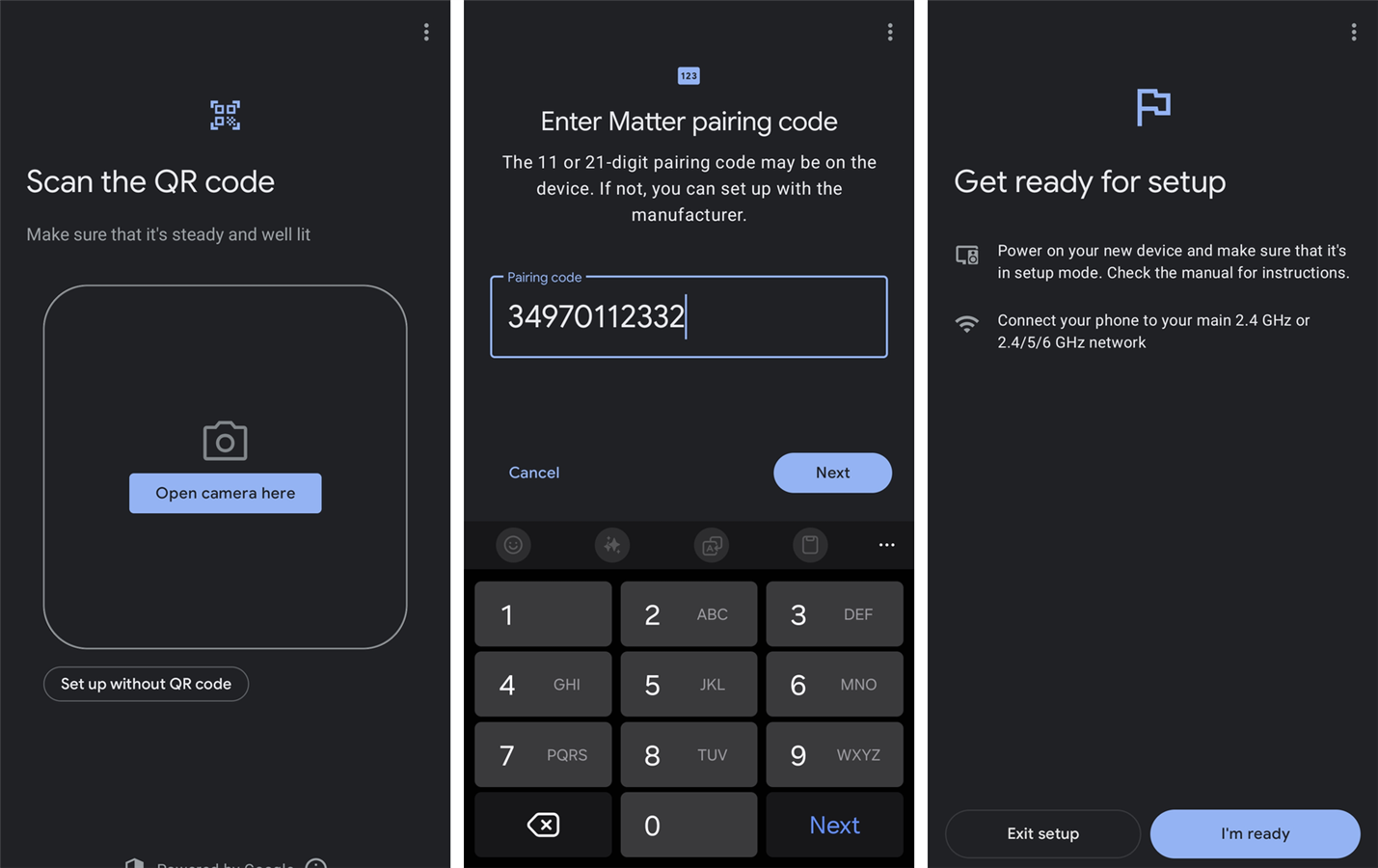
Manual pairing code: [34970112332]
The Thread side
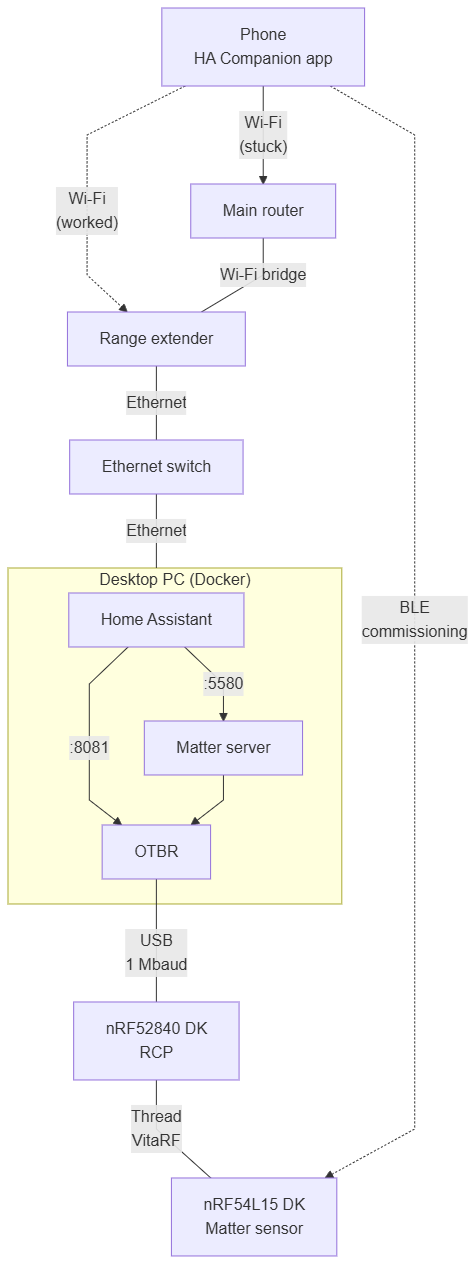
To have a Thread network at all, something has to be the border router. I ran the official OpenThread Border Router (OTBR) Docker image on my desktop PC with the nRF52840 DK plugged into it over USB, following the openthread.io Docker guide loosely.
The container needed two host settings to forward network traffic:
sudo sysctl -w net.ipv6.conf.all.forwarding=1 net.ipv4.ip_forward=1
sudo modprobe ip6_tables ip6table_filter
Without the modules the container just dies with Failed to start firewall service. Then:
docker run -d --name otbr --restart unless-stopped --network host --privileged --dns=127.0.0.1 \
  -v /dev/ttyACM3:/dev/ttyACM3 openthread/otbr:latest \
  --radio-url "spinel+hdlc+uart:///dev/ttyACM3?uart-baudrate=1000000&uart-flow-control" \
  --backbone-interface eno1 --debug-level 4
/dev/ttyACM3 is the nRF52840 DK's serial port (yours may differ).
Then I formed the network:
docker exec otbr ot-ctl dataset init new
docker exec otbr ot-ctl dataset networkname VitaRF
docker exec otbr ot-ctl dataset commit active
docker exec otbr ot-ctl ifconfig up
docker exec otbr ot-ctl thread start
docker exec otbr ot-ctl state     # -> leader
leader, on channel 14. The Thread network is called VitaRF, because of course it is.
Home Assistant side: Matter server and the OTBR integration
Post 4's Home Assistant is on the UNO Q. For this phase I ran a second one, in Docker on the same desktop as the border router, so everything talks over localhost. It is Home Assistant Container again, which has no add-on store, so Matter needs its own container - the python-matter-server - that Home Assistant connects to:
docker run -d --name matter-server --restart unless-stopped --network host \
  --security-opt apparmor=unconfined -v /home/arvind/homeassistant/matter:/data \
  ghcr.io/home-assistant-libs/python-matter-server:stable \
  --storage-path /data --paa-root-cert-dir /data/credentials --primary-interface eno1
docker run -d --name homeassistant --restart unless-stopped --network host --privileged \
  -e TZ=Asia/Kolkata -v /home/arvind/homeassistant/config:/config \
  ghcr.io/home-assistant/home-assistant:stable
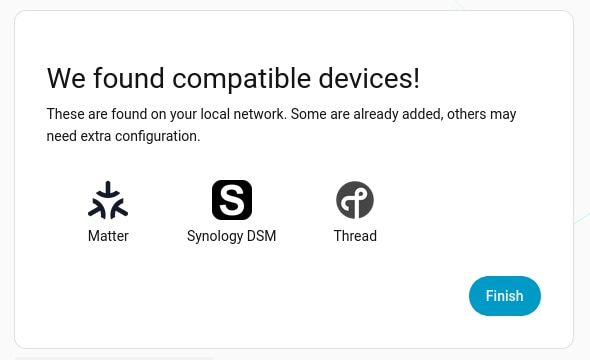
--primary-interface eno1 is there because the Docker bridges on my machine were otherwise confusing the mDNS discovery. During onboarding Home Assistant already noticed there were Matter and Thread things around:
Then I added two integrations by hand: Matter, pointed at the server (ws://localhost:5580/ws), and Open Thread Border Router, pointed at the OTBR's REST API on http://127.0.0.1:8081. That second one works with a plain localhost address only because everything shares the host network.
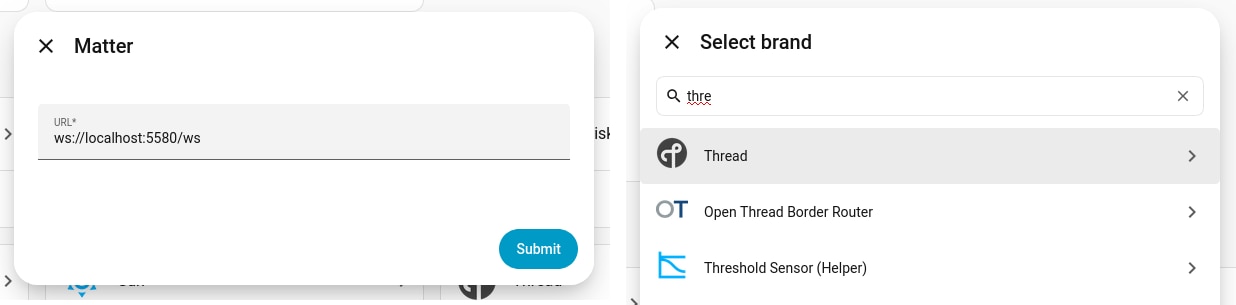
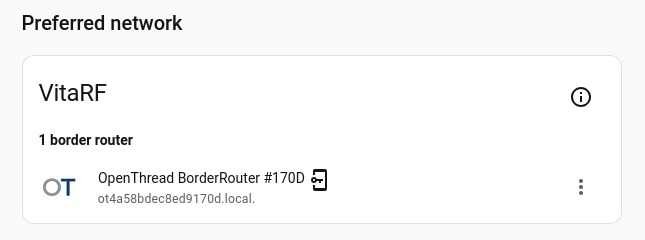
Once the OTBR integration is in, the Thread page shows the VitaRF network as the preferred one, with my border router under it:
Commissioning from the phone
Commissioning goes through the Home Assistant Companion app on my phone: Companion app -> Matter panel -> Add device:
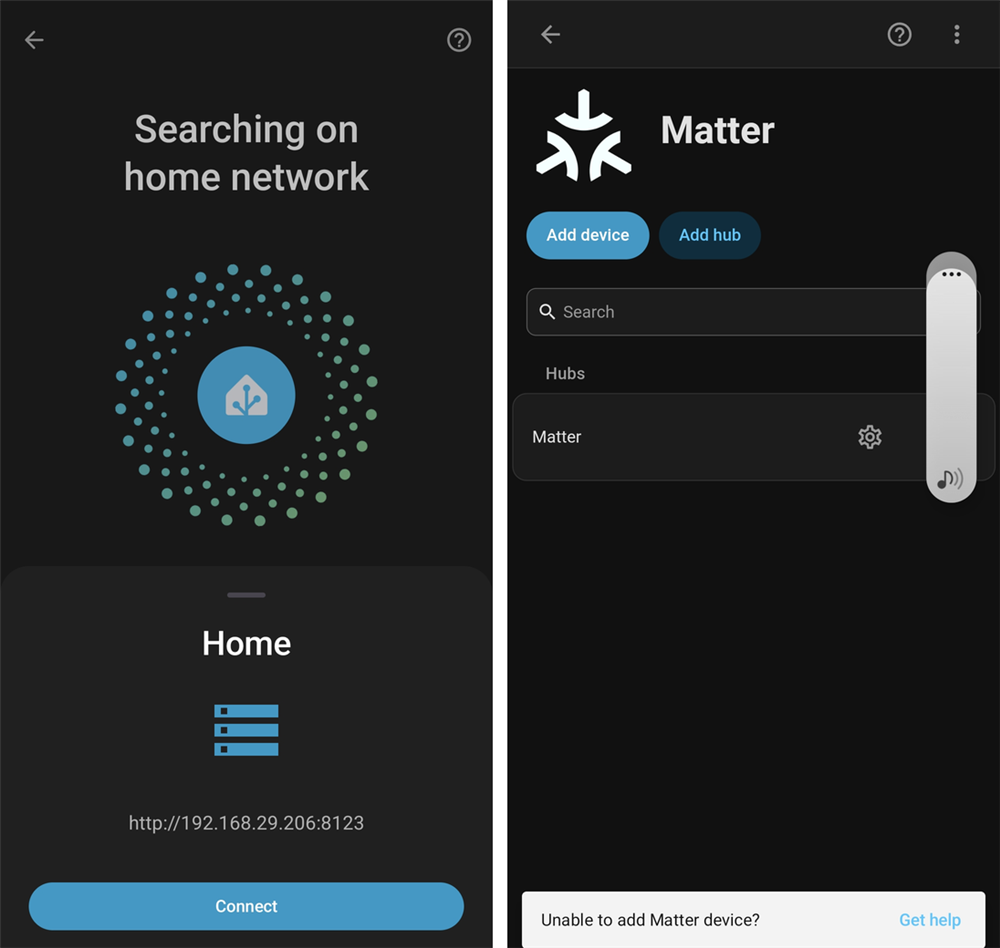
Then I scanned the QR code (or use "Set up without QR code" and type the manual pairing code).
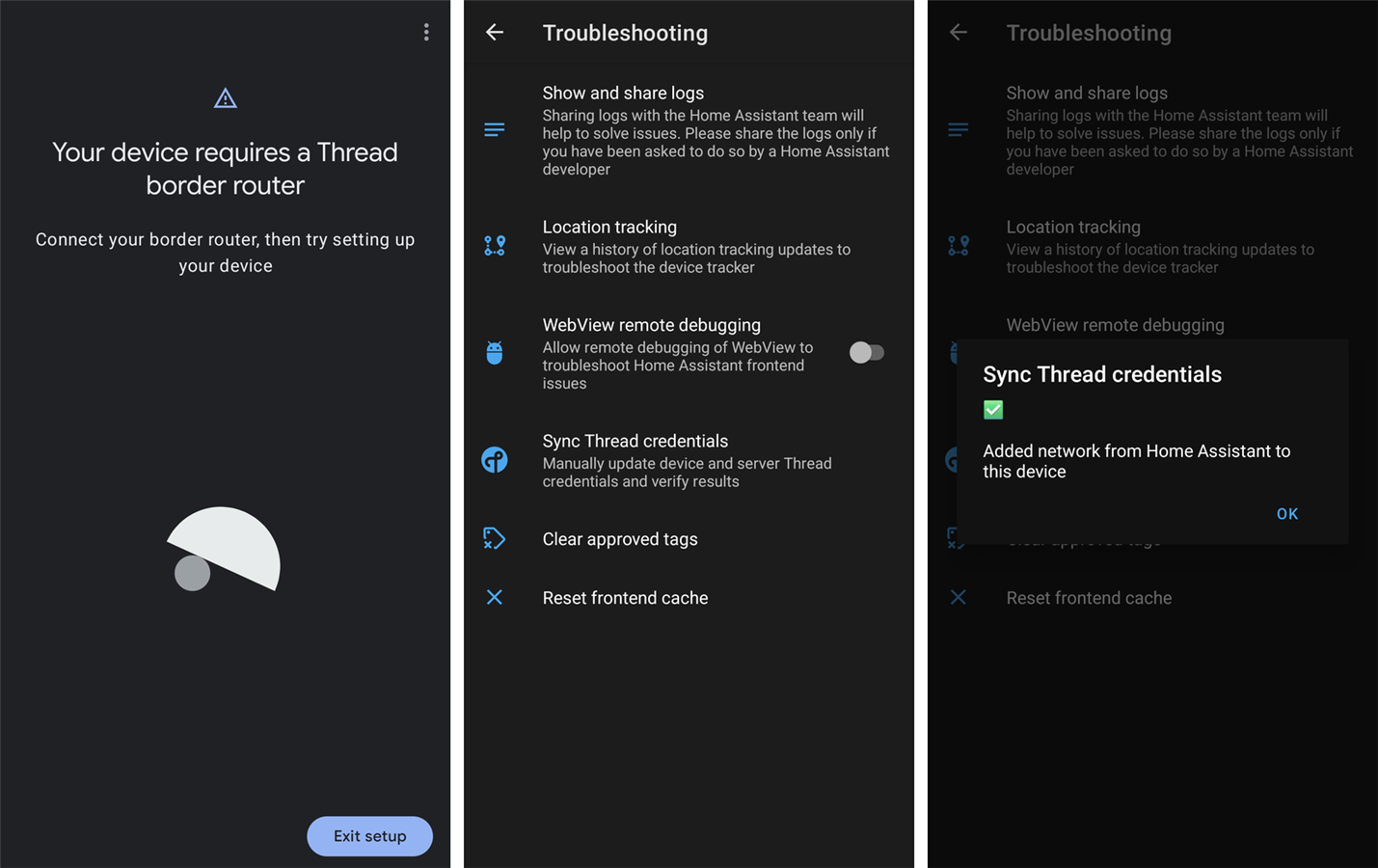
First error: "requires a Thread border router"
After the pairing code the phone said "Your device requires a Thread border router", even though I had one running. Home Assistant knew about the border router, but the phone did not have the Thread network's credentials. The fix was in the Companion app: Settings -> Companion app -> Troubleshooting -> Sync Thread credentials, which pushes the preferred network from Home Assistant to the phone. It confirms with "Added network from Home Assistant to this device":
Second error, and the part I can't fully explain
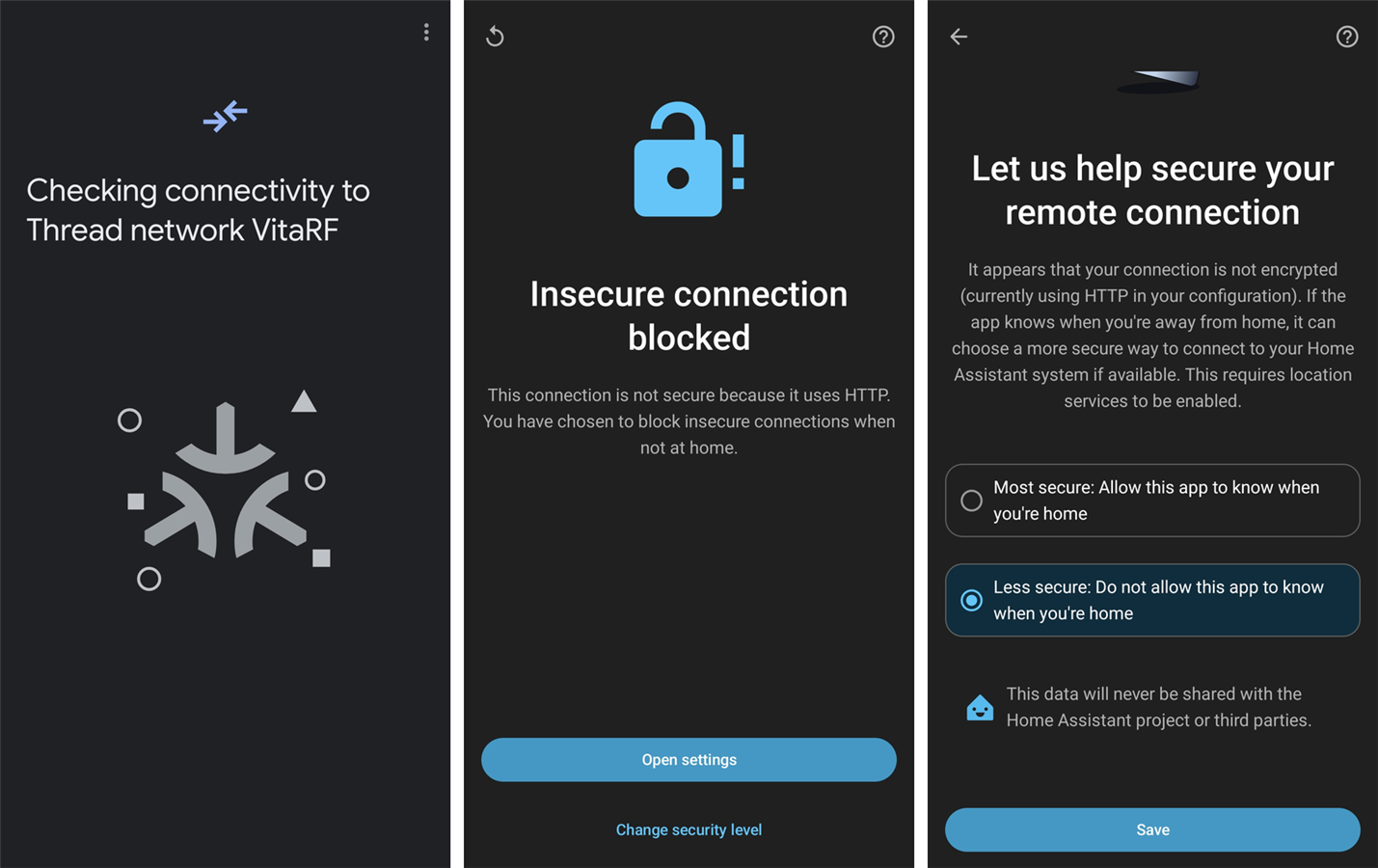
After that, the pairing got further and then stalled on "Checking connectivity to Thread network VitaRF". The animation kept running for a long time, five minutes or more, and nothing else happened. This is the part I could not resolve just by looking at the phone, so I checked what I could from the computer side:
ot-ctlsaid the border router wasleaderand its border routing was running.- The PC could ping the phone, and the PC could see mDNS from other Wi-Fi devices.
- Nothing about the phone showed up in the OTBR or Home Assistant logs, so the phone never got as far as talking to the border router.
So the network path looked healthy from my side and the phone still hung inside that Google screen, which does not write anything to the Companion app's log (I checked - it logs the handoff and then goes silent until I cancel).
I suspected a network issue I was not aware of. My phone is connected to the main router's Wi-Fi, but my desktop reaches the main router via an Ethernet switch and a range extender that bridges the main router's Wi-Fi to the switch.
So I tried connecting my phone to my range extender's Wi-Fi while the screen said "Checking connectivity...". I immediately got a different screen: "Insecure connection blocked". My Home Assistant is served over plain http:// on the local network, and the app was refusing to use it there. It offered an "Open settings" button, which led to a "Let us help secure your remote connection" page, where I changed the option from "Most secure" to "Less secure: do not allow this app to know when you're home", and hit Save:
After that, it worked. I made two changes, and I don't know which one was the fix. It could be that the phone needed to be on the same side of the extender as my PC for the Thread discovery to work, or it could be that the blocked http connection was what had been silently hanging the earlier attempts, or both.
It works
"Device connected", then Home Assistant asks where to put it (I picked Living Room), and the device page shows a Matter Temperature Sensor by Nordic Semiconductor ASA, firmware 3.4.1+0, with a temperature reading:
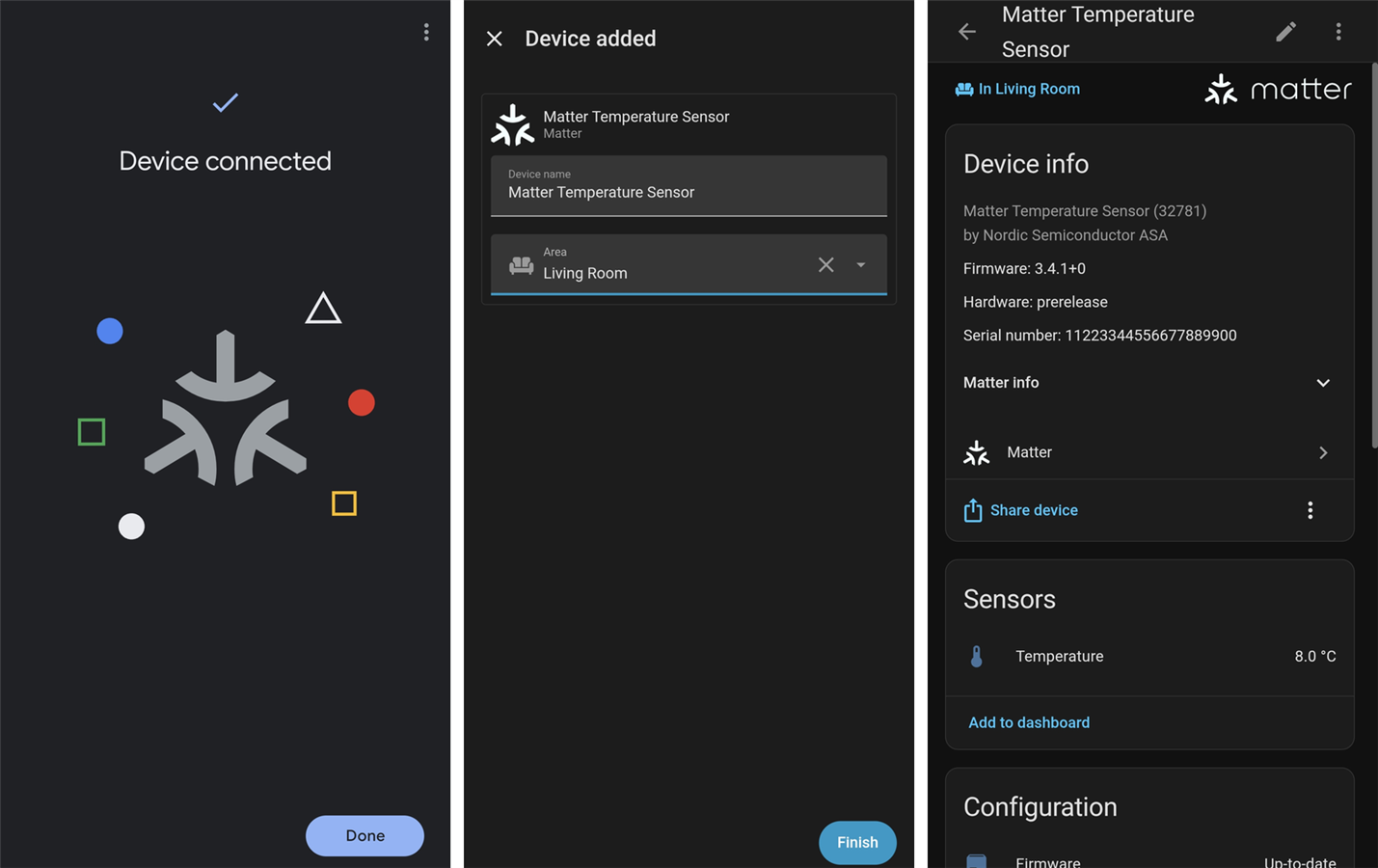
That 8.0 C is the sample's simulated ramp, not the room. I also asked the Matter server directly and it reports the node as available, on the VitaRF Thread network, with the value changing over time (I saw it go 3 C, 7 C, then 11 C between checks), so it is updating live.
Final notes
The path is proven end to end: nRF54L15 (Matter, Thread) -> nRF52840 (RCP) -> OpenThread Border Router -> Matter server -> Home Assistant, commissioned from the phone. Being an absolute novice in Thread, Matter and Home Assistant, I relied quite heavily on Claude to help me bring up the OpenThread Border Router and the kernel + firewall settings it needed. On the coding side, I used the samples as-is. Technically, I learnt very little, but this was more about getting started on my journey into the nRF54. I need to learn Zephyr and how the nRF Connect SDK is organized, and dive deeper into Thread and Matter - a journey that will continue well beyond this design challenge.

