

Join Milos as he tackles a familiar problem: it’s the holiday season, there’s lots of delicious food and candy everywhere, and it’s too cold to go out much. To help with that, Milos created a Smart Cookie Jar that keeps you true to your word. The jar locks itself with all those treats inside and won’t open until you reach your running goal!
In Milos' own words:
“It’s the holiday season… But if you want to get to that candy, we’ll make something that will make you run first.”
Watch the Project
What's the Idea
Milos first built this project more than six years ago, back before he owned a 3D printer. He’s rebuilt it now to make it smaller and more refined, taking advantage of 3D printing and modern microcontrollers.
The original mechanism was hand-cut from 4 mm plywood; the small push rods used sheet metal salvaged from a gutter, there was plenty of room for improvement.
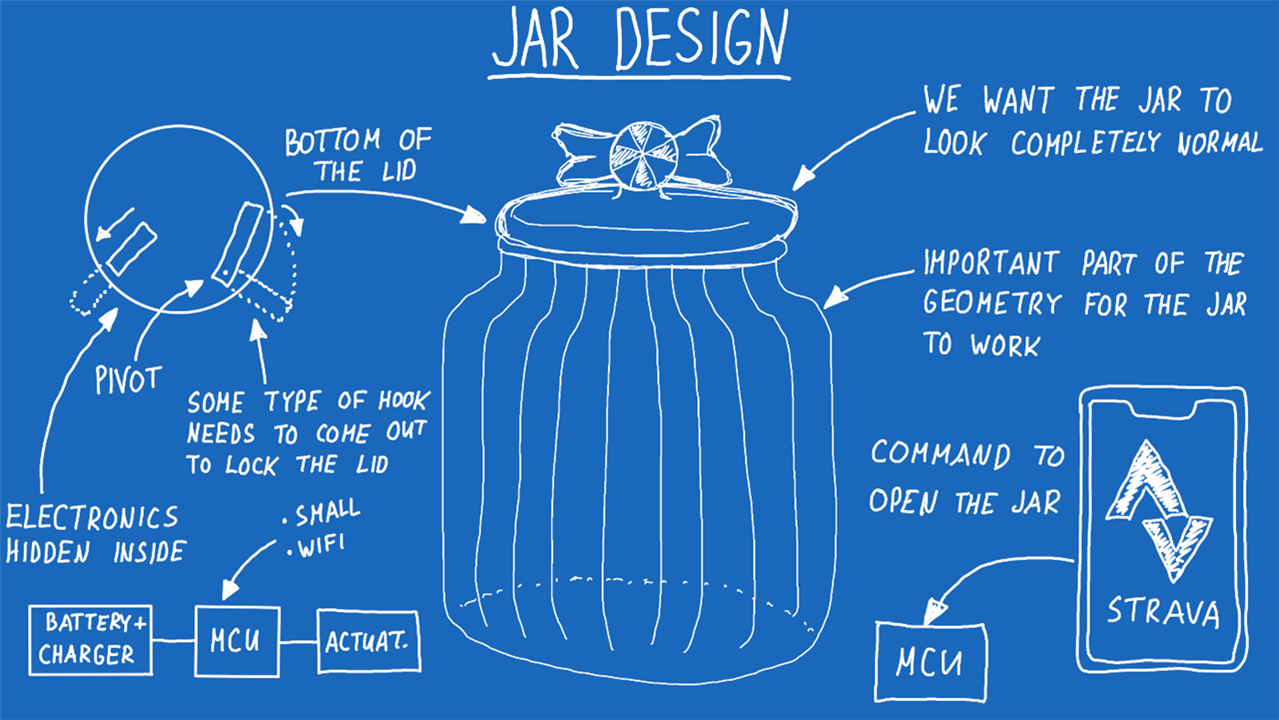
This time he decided to use an established fitness app (Strava) to get activity data instead of a crude step counter app. The design brief was simple: the jar must look like an ordinary jar from the outside, no obvious electronics, just a jar full of candy.

Enacting the Mechanism
Milos began with the mechanism because it is the most critical part of the system. Instead of linear pistons in the original, the new lid uses small gears with swinging arms that extend to lock the lid in place. The whole mechanism is designed to be 3D printed and to use a very small servo (the common SG90).
The mechanism is compact and straightforward to assemble. All electronics are contained inside the lid: an ESP32-S3 microcontroller (for Wi-Fi), a battery, and a battery charger module. Optionally, you can add a power switch.
A quote from the video where Milos describes the mechanism:
“In the centre we have the servo horn… and around that we have the three pistons that move linearly. So they’re connected together using this small pushrod… For the new version, I want to go with gears.”
MR20 - Cookie Jar V2 - Video V1
The new lid packs everything tightly; from the outside (when unlocked) there’s no visual clue that anything special is inside — just candy.

Setting up the Software
The jar uses the Strava API to determine whether the running goal has been achieved. Milos chose Strava because he uses it personally and it offers a straightforward developer API.
As Milos says:
“To create a small web server on the ESP32, which will just grab the JSON packages from the Strava app so we can actually see my latest activity here.”
Strava flow (summary)
-
Create a Strava API application (Settings → My API Application) and note
client_idandclient_secret. -
Build and open the authorise URL to obtain the temporary
code. -
Exchange the
codeforaccess_tokenandrefresh_token(the example cURL is shown below). -
Copy the tokens into the Arduino sketch and flash the ESP32-S3. The code refreshes tokens automatically as needed.
-
Open the device web page and choose Show last activity to verify the device returns your latest Strava activity with HTTP 200.
The video also explains the UI / user-flow: set a distance goal (for example, 6 km) and the jar unlocks when recent activity meets the goal.
“It will just give you the name of your last activity, the distance you ran… ”
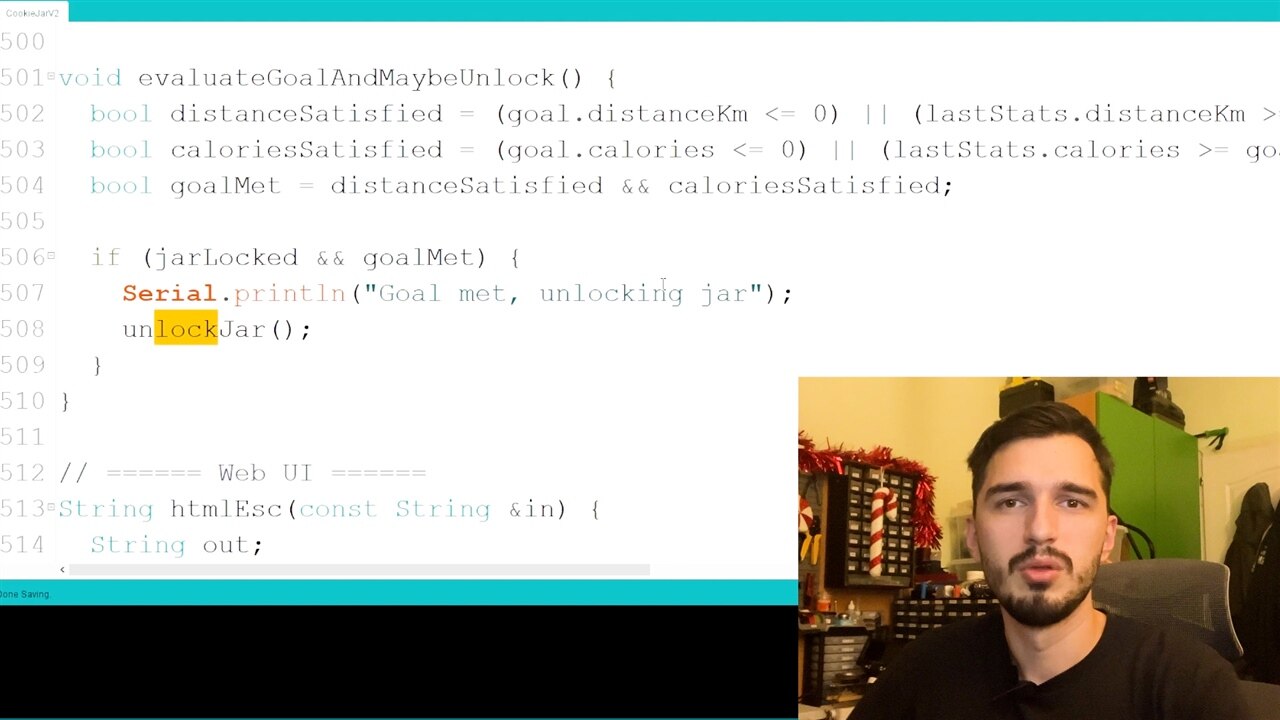
Key code excerpts (from CookieJarV2.ino)
Below are short, focused excerpts from the project code to explain the important behaviours. These are included to show how the software actually operates.
Configuration constants (Wi-Fi, Strava tokens and servo settings) - set these before flashing:
// Wi-Fi credentials
const char *WIFI_SSID = "YOUR-SSID";
const char *WIFI_PASSWORD = "YOUR-PASSWORD";

// Strava tokens and keys (example placeholders)
const char *STRAVA_CLIENT_ID = "YOUR_STRAVA_CLIENT_ID";
const char *STRAVA_CLIENT_SECRET = "YOUR_STRAVA_CLIENT_SECRET";
const char *STRAVA_ACCESS_TOKEN = "YOUR_STRAVA_ACCESS_TOKEN";
const char *STRAVA_REFRESH_TOKEN = "YOUR_STRAVA_REFRESH_TOKEN";

// Servo configuration
const int PIN_SERVO = 3; // ESP32 GPIO (confirm for your board)
const int SERVO_LOCK_ANGLE = 0;
const int SERVO_UNLOCK_ANGLE = 110;
const int SERVO_PULSE_DELAY_MS = 800;
Servo motion helper - the code attaches the servo, moves to the angle, waits, and detaches. Detaching stops the constant PWM “holding” signal, saving battery and stopping buzzing:
void moveServoTo(int angle) {
  jarServo.attach(PIN_SERVO);
  delay(100);
  jarServo.write(angle);
  delay(SERVO_PULSE_DELAY_MS);
  jarServo.detach();
}
This corresponds with Milos’s on-camera note about saving power and avoiding servo buzzing:
“One important thing to point here is that I do attach and detach, because if you just move a servo to a position you will continue sending it the signal… You just do the detach which does stop sending the signal out, in order to save a bit of power, because this is a battery-powered project after all.”
Strava fetch (sketch of approach) - the code ensures Wi-Fi, calls the Strava API, parses activities and records the last activity details. The project polls Strava periodically (every five minutes by default):
bool fetchStravaLatestActivity() {
  ensureWiFi();
  if (WiFi.status() != WL_CONNECTED) {
    lastError = "WiFi disconnected";
    return false;
  }

  // HTTP call to Strava /athlete/activities or other endpoint
  // Parse JSON, extract last activity id, name, distance (m -> km), calories etc.
  // Update lastActivity struct and hasLastActivity flag
  ...
  return true; // or false on error
}
The sketch includes a regular poll loop:
const unsigned long STRAVA_POLL_INTERVAL_MS = 5UL * 60UL * 1000UL; // 5 minutes

// inside loop():
unsigned long now = millis();
if (now - lastPollMs >= STRAVA_POLL_INTERVAL_MS || now < lastPollMs) {
  lastPollMs = now;
  ActivityStats stats;
  if (fetchStravaToday(stats)) {
    lastStats = stats;
  } else if (fetchStravaLatestActivity()) {
    lastStats.distanceKm = lastActivity.distanceKm;
    lastStats.calories = lastActivity.calories;
    lastStats.fresh = true;
  }
  evaluateGoalAndMaybeUnlock();
}
evaluateGoalAndMaybeUnlock() is the function that takes the gathered activity stats and decides whether to call moveServoTo(SERVO_UNLOCK_ANGLE) (unlock) or moveServoTo(SERVO_LOCK_ANGLE) (lock).
Step-by-step: Strava auth/setup (short checklist)
-
Create a Strava API app in your Strava account and note the
client_idandclient_secret. -
Build the authorisation URL (replace
CLIENT_IDandREDIRECT_URI):
https://www.strava.com/oauth/authorize?client_id=CLIENT_ID&response_type=code&redirect_uri=http://localhost/exchange_token&approval_prompt=auto&scope=read,activity:read,activity:read_all -
Open the URL in a browser, approve the app, capture the returned
code(e.g....?code=YOUR_CODE). -
Exchange the
codefor tokens (on your PC) — example cURL:
curl -X POST https://www.strava.com/api/v3/oauth/token \
  -d client_id=CLIENT_ID \
  -d client_secret=CLIENT_SECRET \
  -d code=YOUR_CODE \
  -d grant_type=authorization_code
-
Set
STRAVA_CLIENT_ID,STRAVA_CLIENT_SECRET,STRAVA_ACCESS_TOKENandSTRAVA_REFRESH_TOKENin theCookieJarV2sketch. -
Flash the ESP32-S3 and test by opening the device’s web page → “Show last activity”. You should see your latest Strava activity with HTTP 200.
Final assembly and test
Once assembled and flashed:
-
Lock the jar, set your target distance via the device web UI, go for your run, and wait for the device to poll Strava and evaluate your activity.
-
The sketch will automatically refresh tokens if required and will periodically check for new activities.
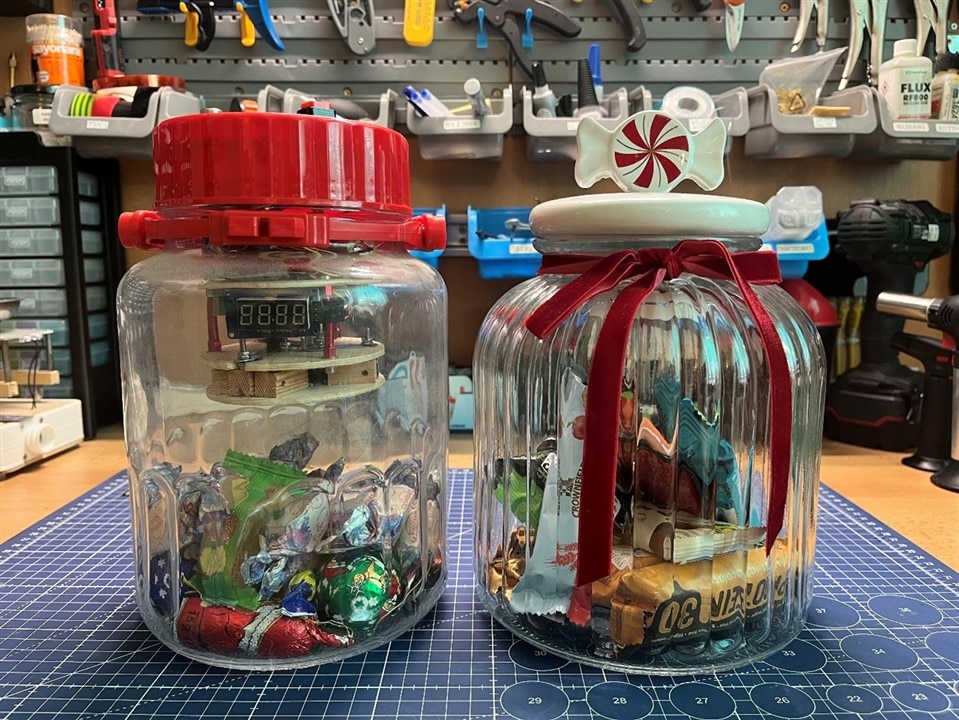
Milos demonstrates this flow in the video and finishes by going for a run to show the jar unlocking when the goal is met. He notes that the jar, when seen from the outside, looks like an ordinary jar of candy — the mechanism is hidden inside the lid.
“If you look at it from outside, it just looks like a jar full of candy bars… you won’t even know that there are some electronics inside.”
MR20 - Cookie Jar V2 - Video V1
Resources
-
Cookie Jar v1 Writeup: https://community.element14.com/challenges-projects/project14/theholidayspecial19/b/blog/posts/project-cookie-jar
-
Strava developer docs: https://developers.strava.com/docs/getting-started/
-
Code and files: Episode 694 Supporting Files
Bill of Materials
| Product Name | Manufacturer | Quantity | Buy Kit |
|---|---|---|---|
| XIAO ESP32S3 | SEEED STUDIO | 1 | Buy Now |
| SG90 Servo | DFROBOT | 1 | Buy Now |
| Battery Charger | DFROBOT | 1 | Buy Now |
Additional Parts
| Product Name | Manufacturer | Quantity |
|---|---|---|
| Glass Cookie Jar | ||
| 1S LION Battery | ||
| 3D Printing Filament like PLA |
-

DAB
-
Cancel
-
Vote Up
0
Vote Down
-
-
Sign in to reply
-
More
-
Cancel
-

milosrasic98
in reply to DAB
-
Cancel
-
Vote Up
0
Vote Down
-
-
Sign in to reply
-
More
-
Cancel
Comment-

milosrasic98
in reply to DAB
-
Cancel
-
Vote Up
0
Vote Down
-
-
Sign in to reply
-
More
-
Cancel
Children