element14 Community
element14 Community
    Register Log In
  • Site
  • Search
  • Log In Register
  • Community Hub
    Community Hub
    • What's New on element14
    • Feedback and Support
    • Benefits of Membership
    • Personal Blogs
    • Members Area
    • Achievement Levels
  • Learn
    Learn
    • Ask an Expert
    • eBooks
    • element14 presents
    • Learning Center
    • Tech Spotlight
    • STEM Academy
    • Webinars, Training and Events
    • Learning Groups
  • Technologies
    Technologies
    • 3D Printing
    • FPGA
    • Industrial Automation
    • Internet of Things
    • Power & Energy
    • Sensors
    • Technology Groups
  • Challenges & Projects
    Challenges & Projects
    • Design Challenges
    • element14 presents Projects
    • Project14
    • Arduino Projects
    • Raspberry Pi Projects
    • Project Groups
  • Products
    Products
    • Arduino
    • Avnet & Tria Boards Community
    • Dev Tools
    • Manufacturers
    • Multicomp Pro
    • Product Groups
    • Raspberry Pi
    • RoadTests & Reviews
  • About Us
  • Store
    Store
    • Visit Your Store
    • Choose another store...
      • Europe
      •  Austria (German)
      •  Belgium (Dutch, French)
      •  Bulgaria (Bulgarian)
      •  Czech Republic (Czech)
      •  Denmark (Danish)
      •  Estonia (Estonian)
      •  Finland (Finnish)
      •  France (French)
      •  Germany (German)
      •  Hungary (Hungarian)
      •  Ireland
      •  Israel
      •  Italy (Italian)
      •  Latvia (Latvian)
      •  
      •  Lithuania (Lithuanian)
      •  Netherlands (Dutch)
      •  Norway (Norwegian)
      •  Poland (Polish)
      •  Portugal (Portuguese)
      •  Romania (Romanian)
      •  Russia (Russian)
      •  Slovakia (Slovak)
      •  Slovenia (Slovenian)
      •  Spain (Spanish)
      •  Sweden (Swedish)
      •  Switzerland(German, French)
      •  Turkey (Turkish)
      •  United Kingdom
      • Asia Pacific
      •  Australia
      •  China
      •  Hong Kong
      •  India
      • Japan
      •  Korea (Korean)
      •  Malaysia
      •  New Zealand
      •  Philippines
      •  Singapore
      •  Taiwan
      •  Thailand (Thai)
      • Vietnam
      • Americas
      •  Brazil (Portuguese)
      •  Canada
      •  Mexico (Spanish)
      •  United States
      Can't find the country/region you're looking for? Visit our export site or find a local distributor.
  • Translate
  • Profile
  • Settings
microbit
  • Learn
  • Learning Center
  • STEM Academy
  • microbit
  • More
  • Cancel
microbit
Documents Join The micro:bit Summer Code Club Challenge!
  • Blog
  • Forum
  • Documents
  • Events
  • Polls
  • Files
  • Members
  • Mentions
  • Sub-Groups
  • Tags
  • More
  • Cancel
  • New
Join microbit to participate - click to join for free!
Actions
  • Share
  • More
  • Cancel
Engagement
  • Author Author: jlucas
  • Date Created: 11 Apr 2019 1:49 PM Date Created
  • Last Updated Last Updated: 17 Sep 2019 1:34 PM
  • Views 7558 views
  • Likes 13 likes
  • Comments 61 comments
Related
Recommended

Join The micro:bit Summer Code Club Challenge!

image
imagemicro:bit Summer Code Club Challenge

About Summer Code Club | micro:bit | STEM Academy


WINNERS HAVE NOW BEEN SELECTED! SEE THEM HERE:


micro:bit Summer Code Club Challenge - Winners Announced!


Back in Autumn 2018, the element14 community ran the Great micro:bit Education Giveaway - a program dedicated to helping educators around the world to introduce coding to the classroom using the micro:bit.


From code clubs in New Zealand to creative design projects in Romania and gaming workshops in the USA, our giveaway inspired successful applicants to pursue a wide range of exciting projects with their students.


With summer around the corner, we're excited to announce the next phase of our micro:bit education mission - the Summer Code Club Challenge!


In association with Kitronik, we're challenging our members to set up their own summer code clubs in their local communities. Whether you're a teacher, a parent or somebody with a passion for STEM, simply tell us about your summer code club plans and we'll supply successful applicants with the kits they'll need to run a full course of exciting and engaging projects for children and young adults.


How it works


If you think you've got what it takes to set up a summer code club in your local community, leave a comment underneath this blog post. Let us know where, when and how you plan to run your code club, how many students you anticipate attending and why you think you'd be a good candidate.


Applications close at 23.59 on Friday 7th June 2019, after which successful parties will receive a batch of micro:bit devices and Kitronik Inventor Kits, providing all the components you'll need to develop a full curriculum of simple experiments - including LEDs, jump wires, resistors and an easy-to-follow tutorial book. The number of devices and kits you will receive will be appropriate to the anticipated attendance of your code club. We will consider applications for clubs of all sizes. Established code clubs and first time instructors are all welcome to apply for this program.


Requirements


Selected applicants will be required to publish a minimum of three blogs posts to the element14 community, documenting the progress of their code club and their project work. Please include images and video where appropriate, but be sure to obtain the express permission of parents of any minors who are filmed or photographed.  See the terms and conditions attached at the bottom of this document.


The Summer Gaming Challenge


At the conclusion of your summer code club, we would like participants to work with their students to develop a simple interactive game using the micro:bit and the resources provided by the element14 community and Kitronik. Please publish details of this game as part of your blog posting. At the end of the summer, our panel of judges will select one gaming project for special recognition and a prize package of 10x Raspberry Pi 3 Model B+ Starter Kits, to help your students to take their coding to the next level.


Two additional projects will also be awarded a runners-up prize consisting of micro:bit project and development kits from Binary Bots, Kitronik and more.


Important Dates


Enrollment BeginsMonday 13th May 2019
Enrollment EndsFriday 7th June 2019
Contestants AnnouncedMonday 10th June 2019
All Blogs DueMonday 30th September 2019
Summer Gaming Challenge Winners AnnouncedMonday 9th September 2019


The Kit


Successful applicants will receive micro:bit club packs and Kitronik Inventor's Kits appropriate to the size of their code clubs.


micro:bit Club pack


image

Perfect for sharing the micro:bit with friends, the micro:bit club is a 10 pack containing all the pieces needed to enjoy micro:bit in STEM groups, coding clubs, school classes and more.


Contains:


10x BBC micro:bits

10x USB cables

10x Battery holders

20x AA batteries


Kitronik Inventor's Kits


image


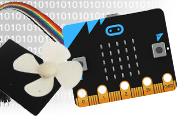
The Kitronik Inventor's Kit is the perfect way to get started with programming and hardware interaction with the micro:bit. This affordable package includes a variety of experiments, designed to familiarise the user with the many features and functionality of the micro:bit itself. The kit contains all the items you'll need to complete ten simple experiments, plus an easy-to-follow tutorial book to guide the user through the programming process.


Projects include dimming an LED using a potentiometer, using a transistor to drive a motor, using analogue inputs with an LDR and much more. No previous experience is required to get started with the Kitronik Inventor's Kit, making it ideal for introducing new students to the fundamentals of programming and creating circuits. There's no soldering required - all you need is a micro:bit, a couple of screwdrivers and a micro USB cable to set up any of the featured experiments in a matter of minutes.


Contains:


1 x Mounting Plate.

1 x Potentiometer & Finger Adjust Spindle.

2 x Plastic Spacer 10mm.

1 x Sticky Fixer for Battery Pack.

1 xSmall Prototype Breadboard.

1 xTerminal Connector.

4 xPush Switch.

1 xMotor.

1 xTransistor.

2 xRed 5mm LED.

2 xOrange 5mm LED.

2 xYellow 5mm LED.

2 xGreen 5mm LED.

1 xRGB 5mm LED.

1 xFan Blade.

5 x2.2KΩ Resistor.

5 x10KΩ Resistor.

5 x47Ω Resistor.

1 xEdge Connector Breakout Board for BBC micro:bit.

1 xMiniature LDR.

10 xMale to Male Jumper Wires.

10 xMale to Female Jumper Wires.

1 x470uF Electrolytic Capacitor.

1 xPiezo Element Buzzer.

4 xPan Head M3 Machine Screw.


Our goal for the micro:bit Summer Code Club challenge is to help teachers, parents and STEM ambassadors all over the world to promote coding and digital literacy in their local communities. Whether you're a code club veteran or an aspiring educator who just needs the resources to get your dream summer club off the ground, we'd love to help out - so apply today and start spreading the power of coding to the next generation!


micro:bit Resources


http://microbit.org/guide/


10 micro:bit Projects in 10 Days


An Introduction to Computer Science with BBC micro:bit: The Full Curriculum


BBC micro:bit Poster | Free Download for your Classroom


micro:bit Basics for Teachers

Attachments:
imagemicrobit-summer-code-club-challenge-termsconditions.pdf
  • join the micro:bit summer code club challenge
  • microbit
  • summer_code_club
  • stem projects
  • Share
  • History
  • More
  • Cancel
  • Sign in to reply

Top Comments

  • balearicdynamics
    balearicdynamics over 6 years ago +7
    The place where the club will run: Ghent (Belgium) Reference: The Art-a-Tronic interactive exhibition will close the first two months session at Depot 09 (in Ghent, too) on next May 31. The exhibition…
  • drsujit
    drsujit over 6 years ago +6
    We have been running the Cambourne Electronics and Robotics Club (CERC) in Cambridge with more than 100 kids registered in the age group of 7-14 years since September 2017. CERC meets every fortnight to…
  • gusmerckel
    gusmerckel over 6 years ago +4
    Hi everyone, I'm Gus Merckel, Programm Director at Jacaranda Education (jacarandaeducation.org), an NGO that works with 21st Century Learning and Maker Ed. We are also Growth Leaders from the Code Club…
Parents
  • cuc_fab_lab
    cuc_fab_lab over 6 years ago

    Location: Urbana Neighborhood Connections Center - Digital Learning Garage, Urbana, Illinois, United States

    Dates: Late June through the end of July 2019

    Age Ranges: 10-14

    Number of Participants: Maximum 30, split into two groups of 15


    image

    Background: The Urbana Neighborhood Connections Center partners with the Champaign-Urbana Community Fab Lab to offer digital literacy and educational programming for youth ages 10-14. UNCC is an after-school center that provides educational, social-emotional, spiritual and recreational enrichment to an estimated 150-175 youth in the Urbana community. UNCC’s current participants are over 95% African American and over 80% from low income families. The CU Community Fab Lab is an organization that enables access to digital design and maker experiences for all ages in the Champaign-Urbana Community. The goals of our partnership are to teach digital literacy with a STEAM focus, reinforce basic computing skills and academic achievement, and promote learning strategies such as problem solving, persistence, curiosity, collaboration, and design thinking.


    Summary of Programming - The Fab Lab runs a weekly after-school program for students age 10 - 14 at the Digital Learning Garage within the UNCC facility during the course of the school year. Each week, instructors develop curriculum that builds students’ design and technology skills through a variety of softwares and tools. In the past semester, students have engaged with subjects such as the chemistry behind bath bombs, converting photographs to 3D prints, coding sound-reactive lights, screen-printing t-shirts, and digital embroidery.


    image


    What micro:Bits has to offer- Through our programming at UNCC, we have developed an established group of youth who regularly engage in design and maker-oriented programming. In these programs they gain experience with technology, creative expression, collaboration, and problem solving that they do not get in their public school settings. A large focus of our work is in developing the skills and characteristics that contribute to success in any environment- i.e. persistence, resilience,  adaptability, and the ability to problem-solve, think creatively, and overcome the fear of failure.


    image

    One challenge we’ve repeatedly noticed during coding-centric activities is the significant differences in experience with programming, as well as in basic computer literacy. For many students, syntax and typing the code lines are a huge obstacle in navigating these programs and creating functional code. Therefore, we believe that the interface and hardware of micro:Bits will be more understandable and versatile for our students. This will aid them in moving confidently from the concepts (what the code is doing) to the code syntax itself, and will encourage them to write more code from scratch.


    The additional advantage of micro:Bits is that its UI allows users to toggle between block and JavaScript views. Being able to compare the two different styles of code will further aid in comprehension of code reading and writing. We’ve noticed that discouragement and frustration is a major enthusiasm destroyer. When the student is confident in their comprehension, they are more engaged and willing to take risks and be creative. The less barriers to them actualizing their ideas, the easier it is for them to execute their ideas. There’s nothing more confidence boosting than making something as you imagined it and being able to say, “I made that and it’s cool!”


    Micro:Bits Program Proposals: Escape Room in a Box


    Our proposed program will have participants using traditional codes, cyphers, and puzzles in collaboration with micro:Bits to create an “Escape Room in a Box.” Students will be divided into

    two different groups, and each group will construct their own series of puzzles to be solved. Each puzzle will utilize one or more micro:Bits. In creating their puzzles, they will learn how to code the micro:Bits, including, but not limited to:

    • Sending and Receiving radio signals for the micro:Bits to show clues across the room
    • Utilizing the compass capabilities on the micro:Bits  to make puzzles that require artifacts to be turned in specific directions, or placed in a certain array.
    • Building circuits with switches, so the micro:Bit can check voltage across the pins for a “completed” circuit and reveal the next clue.
    • Creating button sequences to reveal a secret number or code on the LED matrix
    • Using the light sensor to detect if an area has been covered up, triggering the next step
    • Measuring movement with the accelerometer; i.e. shake an object quickly to trigger a clue reveal.

    Alongside this, participants will work on crafting the stories and themes that make up the “Escape Room”, play-testing puzzles and games, and focusing on the flow of the player through the experience. At the end, the groups will switch and compete to try and solve the opposite group’s puzzles in the allotted time frame. 


    You don't have permission to edit metadata of this video.
    Edit media
    x
    image
    Upload Preview
    image

    image

    image

    • Cancel
    • Vote Up +3 Vote Down
    • Sign in to reply
    • More
    • Cancel
Comment
  • cuc_fab_lab
    cuc_fab_lab over 6 years ago

    Location: Urbana Neighborhood Connections Center - Digital Learning Garage, Urbana, Illinois, United States

    Dates: Late June through the end of July 2019

    Age Ranges: 10-14

    Number of Participants: Maximum 30, split into two groups of 15


    image

    Background: The Urbana Neighborhood Connections Center partners with the Champaign-Urbana Community Fab Lab to offer digital literacy and educational programming for youth ages 10-14. UNCC is an after-school center that provides educational, social-emotional, spiritual and recreational enrichment to an estimated 150-175 youth in the Urbana community. UNCC’s current participants are over 95% African American and over 80% from low income families. The CU Community Fab Lab is an organization that enables access to digital design and maker experiences for all ages in the Champaign-Urbana Community. The goals of our partnership are to teach digital literacy with a STEAM focus, reinforce basic computing skills and academic achievement, and promote learning strategies such as problem solving, persistence, curiosity, collaboration, and design thinking.


    Summary of Programming - The Fab Lab runs a weekly after-school program for students age 10 - 14 at the Digital Learning Garage within the UNCC facility during the course of the school year. Each week, instructors develop curriculum that builds students’ design and technology skills through a variety of softwares and tools. In the past semester, students have engaged with subjects such as the chemistry behind bath bombs, converting photographs to 3D prints, coding sound-reactive lights, screen-printing t-shirts, and digital embroidery.


    image


    What micro:Bits has to offer- Through our programming at UNCC, we have developed an established group of youth who regularly engage in design and maker-oriented programming. In these programs they gain experience with technology, creative expression, collaboration, and problem solving that they do not get in their public school settings. A large focus of our work is in developing the skills and characteristics that contribute to success in any environment- i.e. persistence, resilience,  adaptability, and the ability to problem-solve, think creatively, and overcome the fear of failure.


    image

    One challenge we’ve repeatedly noticed during coding-centric activities is the significant differences in experience with programming, as well as in basic computer literacy. For many students, syntax and typing the code lines are a huge obstacle in navigating these programs and creating functional code. Therefore, we believe that the interface and hardware of micro:Bits will be more understandable and versatile for our students. This will aid them in moving confidently from the concepts (what the code is doing) to the code syntax itself, and will encourage them to write more code from scratch.


    The additional advantage of micro:Bits is that its UI allows users to toggle between block and JavaScript views. Being able to compare the two different styles of code will further aid in comprehension of code reading and writing. We’ve noticed that discouragement and frustration is a major enthusiasm destroyer. When the student is confident in their comprehension, they are more engaged and willing to take risks and be creative. The less barriers to them actualizing their ideas, the easier it is for them to execute their ideas. There’s nothing more confidence boosting than making something as you imagined it and being able to say, “I made that and it’s cool!”


    Micro:Bits Program Proposals: Escape Room in a Box


    Our proposed program will have participants using traditional codes, cyphers, and puzzles in collaboration with micro:Bits to create an “Escape Room in a Box.” Students will be divided into

    two different groups, and each group will construct their own series of puzzles to be solved. Each puzzle will utilize one or more micro:Bits. In creating their puzzles, they will learn how to code the micro:Bits, including, but not limited to:

    • Sending and Receiving radio signals for the micro:Bits to show clues across the room
    • Utilizing the compass capabilities on the micro:Bits  to make puzzles that require artifacts to be turned in specific directions, or placed in a certain array.
    • Building circuits with switches, so the micro:Bit can check voltage across the pins for a “completed” circuit and reveal the next clue.
    • Creating button sequences to reveal a secret number or code on the LED matrix
    • Using the light sensor to detect if an area has been covered up, triggering the next step
    • Measuring movement with the accelerometer; i.e. shake an object quickly to trigger a clue reveal.

    Alongside this, participants will work on crafting the stories and themes that make up the “Escape Room”, play-testing puzzles and games, and focusing on the flow of the player through the experience. At the end, the groups will switch and compete to try and solve the opposite group’s puzzles in the allotted time frame. 


    You don't have permission to edit metadata of this video.
    Edit media
    x
    image
    Upload Preview
    image

    image

    image

    • Cancel
    • Vote Up +3 Vote Down
    • Sign in to reply
    • More
    • Cancel
Children
  • darrell.little
    darrell.little over 6 years ago in reply to cuc_fab_lab

    So glad to see this program in Urbana, IL - best of luck with the Summer Code Club Challenge!

      - former Central Illinois Resident

    • Cancel
    • Vote Up +1 Vote Down
    • Sign in to reply
    • More
    • Cancel
element14 Community

element14 is the first online community specifically for engineers. Connect with your peers and get expert answers to your questions.

  • Members
  • Learn
  • Technologies
  • Challenges & Projects
  • Products
  • Store
  • About Us
  • Feedback & Support
  • FAQs
  • Terms of Use
  • Privacy Policy
  • Legal and Copyright Notices
  • Sitemap
  • Cookies

An Avnet Company © 2025 Premier Farnell Limited. All Rights Reserved.

Premier Farnell Ltd, registered in England and Wales (no 00876412), registered office: Farnell House, Forge Lane, Leeds LS12 2NE.

ICP 备案号 10220084.

Follow element14

  • X
  • Facebook
  • linkedin
  • YouTube