element14 Community
element14 Community
    Register Log In
  • Site
  • Search
  • Log In Register
  • Community Hub
    Community Hub
    • What's New on element14
    • Feedback and Support
    • Benefits of Membership
    • Personal Blogs
    • Members Area
    • Achievement Levels
  • Learn
    Learn
    • Ask an Expert
    • eBooks
    • element14 presents
    • Learning Center
    • Tech Spotlight
    • STEM Academy
    • Webinars, Training and Events
    • Learning Groups
  • Technologies
    Technologies
    • 3D Printing
    • FPGA
    • Industrial Automation
    • Internet of Things
    • Power & Energy
    • Sensors
    • Technology Groups
  • Challenges & Projects
    Challenges & Projects
    • Design Challenges
    • element14 presents Projects
    • Project14
    • Arduino Projects
    • Raspberry Pi Projects
    • Project Groups
  • Products
    Products
    • Arduino
    • Avnet & Tria Boards Community
    • Dev Tools
    • Manufacturers
    • Multicomp Pro
    • Product Groups
    • Raspberry Pi
    • RoadTests & Reviews
  • About Us
  • Store
    Store
    • Visit Your Store
    • Choose another store...
      • Europe
      •  Austria (German)
      •  Belgium (Dutch, French)
      •  Bulgaria (Bulgarian)
      •  Czech Republic (Czech)
      •  Denmark (Danish)
      •  Estonia (Estonian)
      •  Finland (Finnish)
      •  France (French)
      •  Germany (German)
      •  Hungary (Hungarian)
      •  Ireland
      •  Israel
      •  Italy (Italian)
      •  Latvia (Latvian)
      •  
      •  Lithuania (Lithuanian)
      •  Netherlands (Dutch)
      •  Norway (Norwegian)
      •  Poland (Polish)
      •  Portugal (Portuguese)
      •  Romania (Romanian)
      •  Russia (Russian)
      •  Slovakia (Slovak)
      •  Slovenia (Slovenian)
      •  Spain (Spanish)
      •  Sweden (Swedish)
      •  Switzerland(German, French)
      •  Turkey (Turkish)
      •  United Kingdom
      • Asia Pacific
      •  Australia
      •  China
      •  Hong Kong
      •  India
      • Japan
      •  Korea (Korean)
      •  Malaysia
      •  New Zealand
      •  Philippines
      •  Singapore
      •  Taiwan
      •  Thailand (Thai)
      • Vietnam
      • Americas
      •  Brazil (Portuguese)
      •  Canada
      •  Mexico (Spanish)
      •  United States
      Can't find the country/region you're looking for? Visit our export site or find a local distributor.
  • Translate
  • Profile
  • Settings
Raspberry Pi
  • Products
  • More
Raspberry Pi
Raspberry Pi Forum Raspberry Pi 2 Not booting
  • Blog
  • Forum
  • Documents
  • Quiz
  • Events
  • Polls
  • Files
  • Members
  • Mentions
  • Sub-Groups
  • Tags
  • More
  • Cancel
  • New
Join Raspberry Pi to participate - click to join for free!
Featured Articles
Announcing Pi
Technical Specifications
Raspberry Pi FAQs
Win a Pi
Raspberry Pi Wishlist
Actions
  • Share
  • More
  • Cancel
Forum Thread Details
  • State Verified Answer
  • Replies 23 replies
  • Answers 2 answers
  • Subscribers 678 subscribers
  • Views 5336 views
  • Users 0 members are here
  • raspberry
  • pi
  • 2
  • raspberry_pi
  • not
  • booting
Related

Raspberry Pi 2 Not booting

Former Member
Former Member over 10 years ago

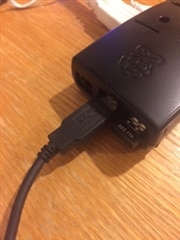
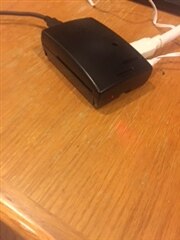
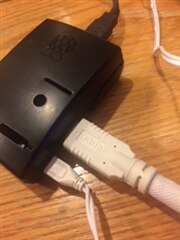
When I power on the Pi, the HDMI attached monitor shows a screen with shades of various colors and I have no clue where to go from there.  The keyboard is attached to one USB port and the a Wi Pi to another.  Of course the power cable is connected and the SD card (with the OS) is installed.  Ive gone through the Start Up video but the things that are suppose to be happening are not.  This is my first experience with the Raspberry Pi.  But I have years of experience using Microsoft and OS X.  Can someone kindly help this Pi newbie get started?imageimage


imageimage

  • Sign in to reply
  • Cancel
Parents
  • johnbeetem
    0 johnbeetem over 10 years ago

    I recommend checking the RasPi Troubleshooting Wiki: http://elinux.org/R-Pi_Troubleshooting#Coloured_splash_screen


    According to the Wiki, the screen you're seeing means that the GPU is running correctly, but the Linux kernel isn't.  You may have the wrong version, or there's a problem with your SD card.  Adding the boot delay might fix it, so try that first.

    • Cancel
    • Vote Up 0 Vote Down
    • Sign in to reply
    • Verify Answer
    • Reject Answer
    • Cancel
  • Former Member
    0 Former Member over 10 years ago in reply to johnbeetem

    I sadly, adding "Boot_delay=1"  make no difference.  Corrently, I have the A/C adapter plugged into a Power Strip.  Maybe it needs to be plugged to the wall outlet.

    • Cancel
    • Vote Up 0 Vote Down
    • Sign in to reply
    • Verify Answer
    • Cancel
  • royleith
    0 royleith over 10 years ago in reply to Former Member

    Hi Mel,


    Which image are you using? Have you updated to one published this year? Are you still getting the multicoloured square (this indicates an old, incompatible image).


    Only modify the line in config.txt that I indicated. Anything else you want to change is best done by raspi-config.


    My A/C adapter is plugged into a power strip which is plugged into a power strip which is plugged into a power strip which is plugged into a wall outlet. I don't think it causes any problems.

    • Cancel
    • Vote Up 0 Vote Down
    • Sign in to reply
    • Verify Answer
    • Cancel
Reply
  • royleith
    0 royleith over 10 years ago in reply to Former Member

    Hi Mel,


    Which image are you using? Have you updated to one published this year? Are you still getting the multicoloured square (this indicates an old, incompatible image).


    Only modify the line in config.txt that I indicated. Anything else you want to change is best done by raspi-config.


    My A/C adapter is plugged into a power strip which is plugged into a power strip which is plugged into a power strip which is plugged into a wall outlet. I don't think it causes any problems.

    • Cancel
    • Vote Up 0 Vote Down
    • Sign in to reply
    • Verify Answer
    • Cancel
Children
  • Former Member
    0 Former Member over 10 years ago in reply to royleith

    How do I know which image I am using?  The SD card I ordered is suppose to have all the files preloaded.

    • Cancel
    • Vote Up 0 Vote Down
    • Sign in to reply
    • Verify Answer
    • Cancel
  • Gough Lui
    0 Gough Lui over 10 years ago in reply to Former Member

    Seeing as the files in your card's root directory are dated from 2014, it seems that your card may have been a NOOBs card with an image from prior to the launch of the Raspberry Pi 2 and thus cannot be booted on the new Raspberry Pi 2.


    You should download a new NOOBs image from the Raspberry Pi foundation and write that to the card following the instructions here. There's a good chance that this will make it work.

    • Cancel
    • Vote Up 0 Vote Down
    • Sign in to reply
    • Reject Answer
    • Cancel
  • Former Member
    0 Former Member over 10 years ago in reply to Gough Lui

    Thank you everyone.  Your replies taught me a lot. And the Winner is [Drum Roll] ...  Gough Lui.


    The SD  card that someone at Newark Element 14 told me was what I needed for the Raspberry Pi 2 Model B does NOT work.  Beware of SKU 68X3795.  The Pi 2 freezes on the splash screen and does not boot.  It took three days and help from Gough Lui before I worked up the courage to wipe clean the SD card from Element 14, using the recommended Format program.  Then I  downloaded the correct software from the Internet and everything worked beautifully.


    If anyone is in the same place I was, follow Gough's excellent instructions.

    • Cancel
    • Vote Up +1 Vote Down
    • Sign in to reply
    • Verify Answer
    • Cancel
  • HarrySatt
    0 HarrySatt over 10 years ago in reply to Gough Lui

    Hi

    I tried all the tricks you all show but nothing works. I tried with different power supplys up to 3A and 3 different microSD cards with the newest NOOBS 1.4.1 from 15.5.2015. NO success. Also ordered two more RaspPIs. All have the same behavior. I ordered last week and also two original raspian microSD which did not work and I formated them and zipped NOOBS 1.4.1 after downloading directly to the microSD. No success.Very frustrating. Can not get over the problem with the colour splash screen. No idea. Some help?

    • Cancel
    • Vote Up 0 Vote Down
    • Sign in to reply
    • Verify Answer
    • Cancel
element14 Community

element14 is the first online community specifically for engineers. Connect with your peers and get expert answers to your questions.

  • Members
  • Learn
  • Technologies
  • Challenges & Projects
  • Products
  • Store
  • About Us
  • Feedback & Support
  • FAQs
  • Terms of Use
  • Privacy Policy
  • Legal and Copyright Notices
  • Sitemap
  • Cookies

An Avnet Company © 2025 Premier Farnell Limited. All Rights Reserved.

Premier Farnell Ltd, registered in England and Wales (no 00876412), registered office: Farnell House, Forge Lane, Leeds LS12 2NE.

ICP 备案号 10220084.

Follow element14

  • X
  • Facebook
  • linkedin
  • YouTube