element14 Community
element14 Community
    Register Log In
  • Site
  • Search
  • Log In Register
  • Community Hub
    Community Hub
    • What's New on element14
    • Feedback and Support
    • Benefits of Membership
    • Personal Blogs
    • Members Area
    • Achievement Levels
  • Learn
    Learn
    • Ask an Expert
    • eBooks
    • element14 presents
    • Learning Center
    • Tech Spotlight
    • STEM Academy
    • Webinars, Training and Events
    • Learning Groups
  • Technologies
    Technologies
    • 3D Printing
    • FPGA
    • Industrial Automation
    • Internet of Things
    • Power & Energy
    • Sensors
    • Technology Groups
  • Challenges & Projects
    Challenges & Projects
    • Design Challenges
    • element14 presents Projects
    • Project14
    • Arduino Projects
    • Raspberry Pi Projects
    • Project Groups
  • Products
    Products
    • Arduino
    • Avnet & Tria Boards Community
    • Dev Tools
    • Manufacturers
    • Multicomp Pro
    • Product Groups
    • Raspberry Pi
    • RoadTests & Reviews
  • About Us
    About the element14 Community
  • Store
    Store
    • Visit Your Store
    • Choose another store...
      • Europe
      •  Austria (German)
      •  Belgium (Dutch, French)
      •  Bulgaria (Bulgarian)
      •  Czech Republic (Czech)
      •  Denmark (Danish)
      •  Estonia (Estonian)
      •  Finland (Finnish)
      •  France (French)
      •  Germany (German)
      •  Hungary (Hungarian)
      •  Ireland
      •  Israel
      •  Italy (Italian)
      •  Latvia (Latvian)
      •  
      •  Lithuania (Lithuanian)
      •  Netherlands (Dutch)
      •  Norway (Norwegian)
      •  Poland (Polish)
      •  Portugal (Portuguese)
      •  Romania (Romanian)
      •  Russia (Russian)
      •  Slovakia (Slovak)
      •  Slovenia (Slovenian)
      •  Spain (Spanish)
      •  Sweden (Swedish)
      •  Switzerland(German, French)
      •  Turkey (Turkish)
      •  United Kingdom
      • Asia Pacific
      •  Australia
      •  China
      •  Hong Kong
      •  India
      •  Japan
      •  Korea (Korean)
      •  Malaysia
      •  New Zealand
      •  Philippines
      •  Singapore
      •  Taiwan
      •  Thailand (Thai)
      •  Vietnam
      • Americas
      •  Brazil (Portuguese)
      •  Canada
      •  Mexico (Spanish)
      •  United States
      Can't find the country/region you're looking for? Visit our export site or find a local distributor.
  • Translate
  • Profile
  • Settings
Azure Sphere Starter Kit
  • Products
  • Dev Tools
  • Avnet & Tria Boards Community
  • Azure Sphere Starter Kit
  • More
  • Cancel
Azure Sphere Starter Kit
Documents Home Is Where the Hack Is Challenge, with Avnet Azure Sphere
  • Blog
  • Forum
  • Documents
  • Events
  • Polls
  • Files
  • Members
  • Mentions
  • Sub-Groups
  • Tags
  • More
  • Cancel
  • New
Join Azure Sphere Starter Kit to participate - click to join for free!
Actions
  • Share
  • More
  • Cancel
Engagement
  • Author Author: danzima
  • Date Created: 11 Mar 2020 3:28 PM Date Created
  • Last Updated Last Updated: 24 Jun 2020 3:22 PM
  • Views 6869 views
  • Likes 19 likes
  • Comments 47 comments
Related
Recommended

Home Is Where the Hack Is Challenge, with Avnet Azure Sphere

image

Home Is Where the Hack Is

About Challenge | Requirements  | The Giveaway  | The Kit | Dates  | Prizes | Terms | Winners | Azure Sphere Kit | Azure Homepage image


SEE THE WINNERS OF THE CHALLENGE!


See all the great projects submitted here!


The Challenge


There are numerous smart home products on the market today, but why buy when you can D.I.Y.? We want you to use your electronics skills to build a smart home prototype based around the Avnet Azure Sphere MT3620 kit. This board is great for these kinds of applications, with built-in ambient light, temperature, and barometric pressure sensors, along with numerous expansion possibilities, including sockets for MikroElektronika click boards that open up a whole world of sensors, wireless connectivity options, and more.


Example applications for this challenge could include smart thermostats, systems that sense health hazards common to the home (carbon monoxide, VOCs, etc), smart devices to help care for your pet and plant friends, and many more.


So get cracking on your project ideas, because after all, home is where the hack is!


The Giveaway


We're hoping that we have many community members with MT3620 kits on hand, since we conducted our amazing Sensing the World Design Challenge last year, but we are also offering some free gear to help you get started.


APRIL 20th, 2020 UPDATE: ALL MT3620 KITS HAVE BEEN CLAIMED


We're offering 5 MT3620MT3620 kits to members who propose great project ideas. Just post your proposal in the comments below on this document, and each week we will review the submissions and, if we dig yours, we will reach out to you to arrange to ship a kit. These 5 kits are offered on a first come, first served basis, based on when the comments are posted and the quality of the proposals, so get your submissions in now! Each contestant may receive only one (1) Azure Sphere board.


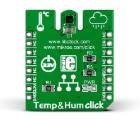
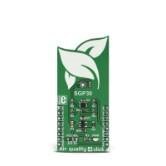
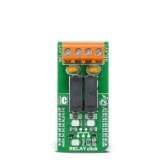
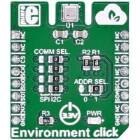
We are also offering the following MikroE click boards to upgrade your kit! You may choose one (1) from the following list, and you may receive it in addition to the MT3620 kit if you are chosen, but you may not receive multiple Azure Sphere boards or multiple click boards. Be sure to detail how you plan to use the click board in your project when you leave your comment!


Temperature & Humidity ClickAir Quality 4 ClickRelay Click
imageimageimage
(ALL CLAIMED): Buy NowBuy Now(ALL CLAIMED): Buy NowBuy Now(ALL CLAIMED): Buy NowBuy Now


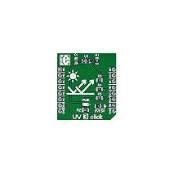
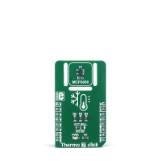
Environment ClickUV 3 ClickThermo 7 Click
imageimageimage
(ALL CLAIMED): Buy NowBuy Now(ALL CLAIMED): Buy NowBuy Now

(ALL CLAIMED): Buy NowBuy Now


The Kit


image


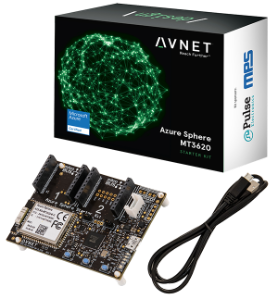
The Avnet Azure Sphere MT3620 Starter KitAzure Sphere MT3620 Starter Kit supports prototyping of secure, end-to-end IoT implementations using Microsoft’s Azure Sphere. The small form-factor carrier board includes a production-ready MT3620 Sphere module with WiFi connectivity, along with multiple expansion interfaces for easy integration of off-the-shelf sensors, displays, motors, relays, and more. The downloadable getting started tutorial guides developers through the development steps from board setup to application coding.


The production-ready Sphere MT3620 module is based on the MT3620 SoC, which includes built-in Microsoft security, WiFi connectivity, and the combined versatility and power of an Arm Cortex-A7 processor with the low overhead and real-time guarantees of two Arm Cortex-M4F microcontrollers. A suite of on-chip peripherals, real-time clock, Flash, and RAM are also available. In addition to the MT3620, the 33 x 22 mm module includes a dual-band WiFi chip antenna and system clock. Up to 27 configurable GPIOs and three configurable serial ports (UART, I2C, or SPI) are provided as I/Os on the module.


The carrier board connects the Sphere module I/Os to two MikroE Click sockets, an I2C Grove connector, a connector supporting the addition of a 128 x 64 OLED graphical display, a 3D accelerometer, 3D Gyro, temperature sensor, and an ambient light sensor. Debugging is accomplished through a USB-to-UART interface, which also provides the necessary 5V power for the board.


User applications for the embedded Sphere controller are developed in C using Microsoft’s Visual Studio IDE and the Azure Sphere SDK. Visual Studio provides a development environment for compiling and debugging application code. The combination of Visual Studio, the versatile carrier card, and the production ready Sphere module delivers a powerful starting point for IoT developers interested in learning, prototyping, and deploying Azure Sphere based solutions.


To help you get started with your Azure Sphere KitAzure Sphere Kit, we have three element14 bloggers who have written detailed instructions for startup: Brian Willess's Out-of-Box demo, Cabe Atwell's Getting Started guide, and Workshopshed's Blog Series.


Important Dates


Challenge BeginsApril 3, 2020
Free Kit Proposals ChosenWeekly
Projects DueJune 10, 2020
Winners AnnouncedJune 24, 2020


The Requirements


Contestants must use the Avnet MT3620 kit as the basis of their project, but they may add further components as they choose. They do NOT need to connect to Azure cloud services with their build. If contestants do choose to incorporate Azure cloud services in their project, it will add value to their submission in the eyes of the judges, but it is not required for their projects to be considered for prizes.


Contestants will be required to post a blog fully documenting their completed, working project in the Azure Sphere space.

Blogs must include:

  • bill of material
  • code
  • photos and/or video
  • clear instructions and other relevant information so that a user following along could recreate their project.

If they post additional high-quality blogs about their build process, that will add to the credibility of their project and the judges will review those blogs, but it is not required. Here are some examples of high-quality blogs written by previous design challenge winners: RFID Fingerprint Skeleton Key, Bluetooth Smart Doorbell, and Raspberry Pi IoT Alarm Clock.


There is no application process for this Design Challenge. However, members who need a kit will have the chance to win one of 5 free MT3620 kits if they propose an interesting project in the comments on this document. This offer will be on a first come, first served basis, based on the comments they leave on the contest page. The same will apply to the above-mentioned offer of free MikroE click boards to enhance their projects.


Challenge is now closed


Judging


The projects will be judged on their ingenuity, how well they achieve their stated purpose, and on how thoroughly the project is documented in your blog. Choose great project ideas that are also achievable within the allotted time frame, including the time you'll need to document what you've built. So maybe an Azure Sphere-based cold fusion reactor isn't the best idea, for multiple reasons?


The challenge judges will include element14 staff, top members of element14 who are not participating in the challenge, and guest judges from Avnet.


Prizes


image

1 Grand PrizeMicrosoft Surface Laptop 3, 13.5" screen, Intel Core i7 Processor, 16GB RAM, 512GB SSD OR
Keysight DSOX1204A Digital OscilloscopeKeysight DSOX1204A Digital Oscilloscope AND Keysight 34450A Bench Digital MultimeterKeysight 34450A Bench Digital Multimeter OR
DJI Mavic 2 Pro Quadcopter with Fly More Combo Kit
2 Runner-Up PrizesMicrosoft Surface Pro 7, Intel Core i5, 8GB RAM, 128GB SSD AND Sonos One Smart Speaker


See attached Terms and Conditions below

Attachments:
imageHIWTHI Challenge Terms and Conditions 3-30-20.pdf
  • home is where the hack
  • azure sphere design challenge
  • Share
  • History
  • More
  • Cancel
  • Sign in to reply

Top Comments

  • wanfp97
    wanfp97 over 6 years ago +5
    I would like to propose for a Smart Pet Home and hoping that I would get sponsored a Avnet Azure Sphere MT3620 Starter Kit and a MIKROE-2467- Environment Click. Below is my proposal for Smart Pet Home…
  • soleakun
    soleakun over 6 years ago +5
    Every home should do home composting and i want to do a smart home composter that can optimize the process with IoT measurement with MT3620 I would like to equip my home composting machine with temperature…
  • divyalekha
    divyalekha over 6 years ago +5
    Great pleasure for being part of this challenge! Name of the program - SMART INCUBATOR. Prerequisites - Microsoft's Asure sphere - Temperature and humidity click (OR) -Air quality 4 click - glass or wood…
  • hiijam
    hiijam over 6 years ago in reply to wyt168

    GYM IS NOT A HOME THING.

    YOU BETTER TRY FOR THE SAKE OF YOUR'S HOME 

    • Cancel
    • Vote Up 0 Vote Down
    • Sign in to reply
    • More
    • Cancel
  • timseitz
    timseitz over 6 years ago

    I have been needing to learn to use visual studio for work and think this is a great opportunity!
    I have been wanting to build a smart home interface that can track and notify of motion and temperature. The motion sensor can be linked with IFTTT and provide alert if it detects motion while away. I would use the temperature sensor to control window fans when temperature changes based on the outdoor temperature. This would use IFTTT to get outdoor temperature and turn on a smart plug for the fan. I already have the Azure Sphere kit and a pir sensor. So all I need is the Thermo 7 click or temperature and humidity humidity Click.

    • Cancel
    • Vote Up +2 Vote Down
    • Sign in to reply
    • More
    • Cancel
  • sanyaade
    sanyaade over 6 years ago

                                                                                                            AZURE-SPHERE FOR STEAM

                                                                                                Robotics & Coding Environment for the Rookies


    Introduction:


    I have seen this interesting project but I think there is more time to participate on this project.


    The target age group for this project will be 6-16yr old kids. We want to keep them engage during Covid-19 lock down and beyond


    So what would I be doing:

    • Take on my previous Azure Sphere project to next level:
    • Create a series for teaching kids algorithms and visual programming around Scratch and Microsoft MakeCode (https://www.microsoft.com/en-us/makecode )
    • This series of hands-on project that explore use of technologies for the delivery of STEAM based pedagogy for age 6+.
    • The series will focus on azure sphere MT3620 board selected hardware
    • Extend my initial develop on Python IDE programming environment around MakeCode blocks for programming MT3620 in MicroPython and Mu Editor
    • Combine various aspect of STEAM [Science, Technology, Engineering, ART and Mathematics]. Think about Art, Design and Technology but at wider, easily accessible scope from novice to intermediate but could be used also by experts in the field.
    • Resource for building simple Robots that use MT3620 as brain, motor-shield and using local resources can be re-used to deliver pedagogy resources at the lowest cost per learner.
    • GitHub repository for the code, IDE, etc...

    Kid will then create App that could interact with their Robot in MIT AppInventor.  Each part of the series will short, standalone that could be easily expanded by learners.

    Unlike my other series this series will include challenges and stretches for learner like modifying hardware, assembly parts, coding hardware or modifying a given code or translating algorithms into equivalent code.

    MicroPython: Micropython is a lean Python language compatible that is geared towards embedded systems and small devices where the Python language cannot be used. These are memory constrained small embedded devices from as small as 256KB-Flash/64 kilobyte of ram. You get it more lean if you strip micropython down a little or just use the core module only.

    image

    • I had have MicroPython/Zephyr running on MT3620
    • Also I have done RT-Thread with Micropython running on MT3620
    • I will be doing some booklet on hands-on for the kids

    BOM:

    • Azure Sphere MT3620  x 1
    • L293D or equivalent  x 1
    • DC Gear Motor  x 2
    • Breadboard x 1
    • Battery holder 4xAA (x 1)
    • UltraSonic Range Sensor x 1
    • Robot Chassis x 1 (could be 3D printed, Plastic/PVC cutout, etc..)
    • DuPont wires, Wires
    • Pliers/Cutter x 1


    Please out for more and come back as the project continues to get updates and showcases/demos


    See you here soon!


    God blesses!!!


    Best regards,
    Sanyaade

    • Cancel
    • Vote Up +3 Vote Down
    • Sign in to reply
    • More
    • Cancel
  • dang74
    dang74 over 6 years ago

    Arcade/Barcade IOT Solution:


    In recent years barcades have popped up in cities around the world.  As this portmanteau implies, these establishments serve up beverages along with a side of nostalgia.  My idea for the challenge is to develop an IOT solution for this type of business.


    An Azure Sphere starter-kit board will be installed inside each arcade cabinet where it will monitor the health status of each machine and of course count the coin credits.  The board's WIFI connectivity would allow this data to be broadcast to the cloud.


    The starter-kit board would utilize two CLICK boards:


    A) The AIR QUALITY 5 board would detect the hydrocarbons of any burning electronics so that a warning can be issued.

    B) The PIXIE CLICK board is a mixed signal module that can be configured to provide ADC and digital I/O functionality.  It will be used for the following:


    1) Count coin credits

    2) Monitor voltages of the +5V and +12V rails that supply the arcade board

    3) Monitor the current of the +5V and +12V rails

    4) Monitor ambient temperature inside the cabinet

    5) Detect when the coin door is open


    Additionally the starter-kit's on-board Gyro/Accelerometer sensing capability will be used to detect any rough handling of the arcade cabinet.


    The data collected in the cloud can be leveraged to produce detailed analytics to facilitate the following:


    1) Tracking an arcade machine's popularity over time

    2) Identify patterns in business to help determine appropriate staffing levels for any given night of the week

    3) Ability to compare year-on-year or month-on-month business growth

    4) Identify what types of games are popular, thus providing insights into future purchases

    5) Helps to identify underperforming games that are ready to retire


    To help develop this concept my preferred CLICK board from the available options is the AIR QUALITY 4 board.


    A "back of the envelope" drawing for this concept can be seen in the attached image:image

    • Cancel
    • Vote Up +3 Vote Down
    • Sign in to reply
    • More
    • Cancel
  • divyalekha
    divyalekha over 6 years ago

    Great pleasure for being part of this challenge!


    Name of the program -  SMART INCUBATOR.

    Prerequisites - Microsoft's Asure sphere

                             - Temperature and humidity click

                      (OR)      -Air quality 4 click

                            - glass or wood made rectangular shape container.

                           - 12v electric heater.


    Ideology of the program-HELLO THERE!  My idea is to build a smart incubator for hatching eggs or else may use the same as for  baby incubating machine as like as we see in hospitals. Sound's cool know! Let's go further.


    At first hatching eggs with Smart INCUBATOR:

    The period of egg hatching takes about 21 days as a normal period. With having perfect humidity and temperature. And which is produced  by the 12 volt electric heater and some water and all together will form a normal incubator.

          And it's all about smart things come happen we may control temperature and humidity by sensing the conditions inside the box, I mean container. Sensing with our beloved Asure sphere followed by a CLICK board I.e TEMPERATURE AND HUMIDITY CLICK BOARD. As we know azure sphere also contains a sensor to measure temp. Which may used to sense the temperature of outer environments. That's help to maintain the temperature and humidity by regulating the electric heater


    At 2nd's thought i.e BABY INCUBATING MACHINE

    The newborn babies incubator machine consist of temperature and humidity control operations and air quality sensing instruments which we made possible by attaining the great dev. board like TEMPERATURE AND HUMIDITY CLICK board for measuring temperature and humidity in the box container and also with AIR QUALITY 4 CLICK board we may measure quality of air, that indicates good sign for baby's breath health and we may have regulations in the curresponding instruments like room air purifier, ACs.. to change the qualities of air...   By doing this we may attain some cost effective solution from hospitals and used for longer periods of time.................


    Required materials- MS's Azure Sphere , Air quality 4 click or Temperature and Humidity Click.

            Thanking you!

    • Cancel
    • Vote Up +5 Vote Down
    • Sign in to reply
    • More
    • Cancel
  • Marmotus_ee
    Marmotus_ee over 6 years ago

    Just a note to anyone planning on using the UV 3 Click module... The Vishay site shows the VEML6070 sensor as "Not recommended for new designs." If you're just looking to do a one-off for this contest, using it is fine, but if you think you might want to create a product, you should find a different sensor.

    • Cancel
    • Vote Up +2 Vote Down
    • Sign in to reply
    • More
    • Cancel
  • wyt168
    wyt168 over 6 years ago

    Hi, Daniel:

    Here's my project proposal: Azure Smart Gym

    The most important feature of Azure Sphere is the hardware security subsystem (Pluto) baked into the hardware (in the MediaTek MT3620 MCU). Hence it allows secure communication between the device and the IoT cloud and user authentication.

    In this project, I will use an MikroE NFC Tag 4 Click for proximity detection and 2FA (2 factor authentication) user authentication by using the iPhone's NFC for handshaking. This would:

    1. eliminate the cumbersome and time consuming login process (typing in user id/password).

    2. ensure that the data logged between user sessions are attributed to the correct user.

    The user credential thus generated can also be used for authentication to the Azure IoT server to store user data (those collected from the weight machine, and encrypted using the keys from Pluto) in the cloud (for retrieval and presentation by client devices such as smartphones. However I don't think there is time for this in this project).

    The user performance data are collected by using IR sensors embedded on the weight machine to monitor the amount of weights lifted and repetitions. I need to come up with a scheme to multiplex the sensor data collected since there are likely dozens of IR emitter/receiver pairs embedded on the machine, see diagram below:


    image


    BOM:

    1. Azure Sphere MT3620 Starter Kit

    2. MikroE NFC Tag 4 Click

    3. MikroE IR Click (multiple)

    • Cancel
    • Vote Up +4 Vote Down
    • Sign in to reply
    • More
    • Cancel
  • thepenguinmaster
    thepenguinmaster over 6 years ago

    I would like to propose the following project for this challenge and giveaway:


    The Smart Toilet Paper Monitor


    With the recent events, there have been many adjustments to daily life, but one thing has not changed. Going to the restroom and finding out at the worst time, that you have no toilet paper. Wouldn't it have been nice to know prior to relieving yourself?


    Not only do we face the normal battles of day to day life with Covid, but we also face shortages of common products like toilet paper. A smart monitor for such a thing would not only help such dire situations as being stuck on the toilet, but also help monitor household TP usage.


    The device could monitor the current state of a toilet paper roll using one of a few methods, Range sensing, weight, color (only detects when out), or spin count. Each method would likely need to be calibrated with first roll use using a specialized Toilet paper calibration method. The device can take one of a few forms, either a device that is attached above the roll, or is a smart TP roller that counts spins. Either solution would likely be battery powered. A prototype can be easily made from 3d prints and either custom printed PCB's or a wifi connected platform (rpi, esp, MT3620 etc). The device would be simple and yet effective. An MT3620 would be useful in getting this project prototype started.


    Although this may sounds like a joke, a simple text message or notification (sent form Azure) could easily prevent trying to get someones attention, or the dreaded waddle to the nearest TP storage location.


    Consumption monitoring also has a valuable roll (pun intended image) in the solution. Knowing how much TP is consumed per day/week/month can help provide insights on how much you really need. This can help prevent hoarding and panic buying. Knowing that you need X number of rolls for a 3 month time-span would help endure a pandemic by knowing exactly how many valuable rolls will be needed, which will in turn reduce panic buying, and could alleviate the dreaded TP shortage of 2020. Pandemics aside, consumption monitoring would be a very nice addition to the project.


    Sometimes, it is the small problem that causes the largest inconvenience. This is something we overlook, but when we do, it comes to haunt us while we are most vulnerable.


    Although this may contain some humor, it is a serious project.

    • Cancel
    • Vote Up +4 Vote Down
    • Sign in to reply
    • More
    • Cancel
  • danzima
    danzima over 6 years ago in reply to skruglewicz

    Hi Stephen, great proposal, check your community direct messages!

    • Cancel
    • Vote Up +2 Vote Down
    • Sign in to reply
    • More
    • Cancel
  • danzima
    danzima over 6 years ago in reply to redcharly

    Great proposal, please check your community direct messages!

    • Cancel
    • Vote Up +2 Vote Down
    • Sign in to reply
    • More
    • Cancel
<>
element14 Community

element14 is the first online community specifically for engineers. Connect with your peers and get expert answers to your questions.

  • Members
  • Learn
  • Technologies
  • Challenges & Projects
  • Products
  • Store
  • About Us
  • Feedback & Support
  • FAQs
  • Terms of Use
  • Privacy Policy
  • Legal and Copyright Notices
  • Sitemap
  • Cookies

An Avnet Company © 2026 Premier Farnell Limited. All Rights Reserved.

Premier Farnell Ltd, registered in England and Wales (no 00876412), registered office: Farnell House, Forge Lane, Leeds LS12 2NE.

Follow element14

  • X
  • Facebook
  • linkedin
  • YouTube