element14 Community
element14 Community
    Register Log In
  • Site
  • Search
  • Log In Register
  • Community Hub
    Community Hub
    • What's New on element14
    • Feedback and Support
    • Benefits of Membership
    • Personal Blogs
    • Members Area
    • Achievement Levels
  • Learn
    Learn
    • Ask an Expert
    • eBooks
    • element14 presents
    • Learning Center
    • Tech Spotlight
    • STEM Academy
    • Webinars, Training and Events
    • Learning Groups
  • Technologies
    Technologies
    • 3D Printing
    • FPGA
    • Industrial Automation
    • Internet of Things
    • Power & Energy
    • Sensors
    • Technology Groups
  • Challenges & Projects
    Challenges & Projects
    • Design Challenges
    • element14 presents Projects
    • Project14
    • Arduino Projects
    • Raspberry Pi Projects
    • Project Groups
  • Products
    Products
    • Arduino
    • Avnet & Tria Boards Community
    • Dev Tools
    • Manufacturers
    • Multicomp Pro
    • Product Groups
    • Raspberry Pi
    • RoadTests & Reviews
  • About Us
    About the element14 Community
  • Store
    Store
    • Visit Your Store
    • Choose another store...
      • Europe
      •  Austria (German)
      •  Belgium (Dutch, French)
      •  Bulgaria (Bulgarian)
      •  Czech Republic (Czech)
      •  Denmark (Danish)
      •  Estonia (Estonian)
      •  Finland (Finnish)
      •  France (French)
      •  Germany (German)
      •  Hungary (Hungarian)
      •  Ireland
      •  Israel
      •  Italy (Italian)
      •  Latvia (Latvian)
      •  
      •  Lithuania (Lithuanian)
      •  Netherlands (Dutch)
      •  Norway (Norwegian)
      •  Poland (Polish)
      •  Portugal (Portuguese)
      •  Romania (Romanian)
      •  Russia (Russian)
      •  Slovakia (Slovak)
      •  Slovenia (Slovenian)
      •  Spain (Spanish)
      •  Sweden (Swedish)
      •  Switzerland(German, French)
      •  Turkey (Turkish)
      •  United Kingdom
      • Asia Pacific
      •  Australia
      •  China
      •  Hong Kong
      •  India
      •  Japan
      •  Korea (Korean)
      •  Malaysia
      •  New Zealand
      •  Philippines
      •  Singapore
      •  Taiwan
      •  Thailand (Thai)
      •  Vietnam
      • Americas
      •  Brazil (Portuguese)
      •  Canada
      •  Mexico (Spanish)
      •  United States
      Can't find the country/region you're looking for? Visit our export site or find a local distributor.
  • Translate
  • Profile
  • Settings
Azure Sphere Starter Kit
  • Products
  • Dev Tools
  • Avnet & Tria Boards Community
  • Azure Sphere Starter Kit
  • More
  • Cancel
Azure Sphere Starter Kit
Documents Home Is Where the Hack Is Challenge, with Avnet Azure Sphere
  • Blog
  • Forum
  • Documents
  • Events
  • Polls
  • Files
  • Members
  • Mentions
  • Sub-Groups
  • Tags
  • More
  • Cancel
  • New
Join Azure Sphere Starter Kit to participate - click to join for free!
Actions
  • Share
  • More
  • Cancel
Engagement
  • Author Author: danzima
  • Date Created: 11 Mar 2020 3:28 PM Date Created
  • Last Updated Last Updated: 24 Jun 2020 3:22 PM
  • Views 6871 views
  • Likes 19 likes
  • Comments 47 comments
Related
Recommended

Home Is Where the Hack Is Challenge, with Avnet Azure Sphere

image

Home Is Where the Hack Is

About Challenge | Requirements  | The Giveaway  | The Kit | Dates  | Prizes | Terms | Winners | Azure Sphere Kit | Azure Homepage image


SEE THE WINNERS OF THE CHALLENGE!


See all the great projects submitted here!


The Challenge


There are numerous smart home products on the market today, but why buy when you can D.I.Y.? We want you to use your electronics skills to build a smart home prototype based around the Avnet Azure Sphere MT3620 kit. This board is great for these kinds of applications, with built-in ambient light, temperature, and barometric pressure sensors, along with numerous expansion possibilities, including sockets for MikroElektronika click boards that open up a whole world of sensors, wireless connectivity options, and more.


Example applications for this challenge could include smart thermostats, systems that sense health hazards common to the home (carbon monoxide, VOCs, etc), smart devices to help care for your pet and plant friends, and many more.


So get cracking on your project ideas, because after all, home is where the hack is!


The Giveaway


We're hoping that we have many community members with MT3620 kits on hand, since we conducted our amazing Sensing the World Design Challenge last year, but we are also offering some free gear to help you get started.


APRIL 20th, 2020 UPDATE: ALL MT3620 KITS HAVE BEEN CLAIMED


We're offering 5 MT3620MT3620 kits to members who propose great project ideas. Just post your proposal in the comments below on this document, and each week we will review the submissions and, if we dig yours, we will reach out to you to arrange to ship a kit. These 5 kits are offered on a first come, first served basis, based on when the comments are posted and the quality of the proposals, so get your submissions in now! Each contestant may receive only one (1) Azure Sphere board.


We are also offering the following MikroE click boards to upgrade your kit! You may choose one (1) from the following list, and you may receive it in addition to the MT3620 kit if you are chosen, but you may not receive multiple Azure Sphere boards or multiple click boards. Be sure to detail how you plan to use the click board in your project when you leave your comment!


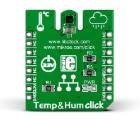
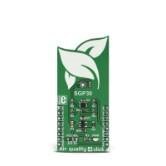
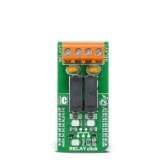
Temperature & Humidity ClickAir Quality 4 ClickRelay Click
imageimageimage
(ALL CLAIMED): Buy NowBuy Now(ALL CLAIMED): Buy NowBuy Now(ALL CLAIMED): Buy NowBuy Now


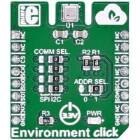
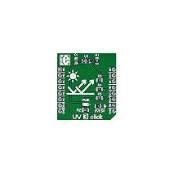
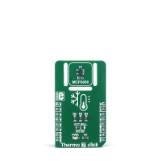
Environment ClickUV 3 ClickThermo 7 Click
imageimageimage
(ALL CLAIMED): Buy NowBuy Now(ALL CLAIMED): Buy NowBuy Now

(ALL CLAIMED): Buy NowBuy Now


The Kit


image


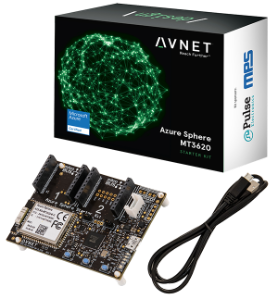
The Avnet Azure Sphere MT3620 Starter KitAzure Sphere MT3620 Starter Kit supports prototyping of secure, end-to-end IoT implementations using Microsoft’s Azure Sphere. The small form-factor carrier board includes a production-ready MT3620 Sphere module with WiFi connectivity, along with multiple expansion interfaces for easy integration of off-the-shelf sensors, displays, motors, relays, and more. The downloadable getting started tutorial guides developers through the development steps from board setup to application coding.


The production-ready Sphere MT3620 module is based on the MT3620 SoC, which includes built-in Microsoft security, WiFi connectivity, and the combined versatility and power of an Arm Cortex-A7 processor with the low overhead and real-time guarantees of two Arm Cortex-M4F microcontrollers. A suite of on-chip peripherals, real-time clock, Flash, and RAM are also available. In addition to the MT3620, the 33 x 22 mm module includes a dual-band WiFi chip antenna and system clock. Up to 27 configurable GPIOs and three configurable serial ports (UART, I2C, or SPI) are provided as I/Os on the module.


The carrier board connects the Sphere module I/Os to two MikroE Click sockets, an I2C Grove connector, a connector supporting the addition of a 128 x 64 OLED graphical display, a 3D accelerometer, 3D Gyro, temperature sensor, and an ambient light sensor. Debugging is accomplished through a USB-to-UART interface, which also provides the necessary 5V power for the board.


User applications for the embedded Sphere controller are developed in C using Microsoft’s Visual Studio IDE and the Azure Sphere SDK. Visual Studio provides a development environment for compiling and debugging application code. The combination of Visual Studio, the versatile carrier card, and the production ready Sphere module delivers a powerful starting point for IoT developers interested in learning, prototyping, and deploying Azure Sphere based solutions.


To help you get started with your Azure Sphere KitAzure Sphere Kit, we have three element14 bloggers who have written detailed instructions for startup: Brian Willess's Out-of-Box demo, Cabe Atwell's Getting Started guide, and Workshopshed's Blog Series.


Important Dates


Challenge BeginsApril 3, 2020
Free Kit Proposals ChosenWeekly
Projects DueJune 10, 2020
Winners AnnouncedJune 24, 2020


The Requirements


Contestants must use the Avnet MT3620 kit as the basis of their project, but they may add further components as they choose. They do NOT need to connect to Azure cloud services with their build. If contestants do choose to incorporate Azure cloud services in their project, it will add value to their submission in the eyes of the judges, but it is not required for their projects to be considered for prizes.


Contestants will be required to post a blog fully documenting their completed, working project in the Azure Sphere space.

Blogs must include:

  • bill of material
  • code
  • photos and/or video
  • clear instructions and other relevant information so that a user following along could recreate their project.

If they post additional high-quality blogs about their build process, that will add to the credibility of their project and the judges will review those blogs, but it is not required. Here are some examples of high-quality blogs written by previous design challenge winners: RFID Fingerprint Skeleton Key, Bluetooth Smart Doorbell, and Raspberry Pi IoT Alarm Clock.


There is no application process for this Design Challenge. However, members who need a kit will have the chance to win one of 5 free MT3620 kits if they propose an interesting project in the comments on this document. This offer will be on a first come, first served basis, based on the comments they leave on the contest page. The same will apply to the above-mentioned offer of free MikroE click boards to enhance their projects.


Challenge is now closed


Judging


The projects will be judged on their ingenuity, how well they achieve their stated purpose, and on how thoroughly the project is documented in your blog. Choose great project ideas that are also achievable within the allotted time frame, including the time you'll need to document what you've built. So maybe an Azure Sphere-based cold fusion reactor isn't the best idea, for multiple reasons?


The challenge judges will include element14 staff, top members of element14 who are not participating in the challenge, and guest judges from Avnet.


Prizes


image

1 Grand PrizeMicrosoft Surface Laptop 3, 13.5" screen, Intel Core i7 Processor, 16GB RAM, 512GB SSD OR
Keysight DSOX1204A Digital OscilloscopeKeysight DSOX1204A Digital Oscilloscope AND Keysight 34450A Bench Digital MultimeterKeysight 34450A Bench Digital Multimeter OR
DJI Mavic 2 Pro Quadcopter with Fly More Combo Kit
2 Runner-Up PrizesMicrosoft Surface Pro 7, Intel Core i5, 8GB RAM, 128GB SSD AND Sonos One Smart Speaker


See attached Terms and Conditions below

Attachments:
imageHIWTHI Challenge Terms and Conditions 3-30-20.pdf
  • home is where the hack
  • azure sphere design challenge
  • Share
  • History
  • More
  • Cancel
  • Sign in to reply

Top Comments

  • wanfp97
    wanfp97 over 6 years ago +5
    I would like to propose for a Smart Pet Home and hoping that I would get sponsored a Avnet Azure Sphere MT3620 Starter Kit and a MIKROE-2467- Environment Click. Below is my proposal for Smart Pet Home…
  • soleakun
    soleakun over 6 years ago +5
    Every home should do home composting and i want to do a smart home composter that can optimize the process with IoT measurement with MT3620 I would like to equip my home composting machine with temperature…
  • divyalekha
    divyalekha over 6 years ago +5
    Great pleasure for being part of this challenge! Name of the program - SMART INCUBATOR. Prerequisites - Microsoft's Asure sphere - Temperature and humidity click (OR) -Air quality 4 click - glass or wood…
  • wanfp97
    wanfp97 over 6 years ago

    I would like to propose for a Smart Pet Home and hoping that I would get sponsored a Avnet Azure Sphere MT3620 Starter Kit and a MIKROE-2467- Environment Click.

    Below is my proposal for Smart Pet Home:


    With the improving living standard of the population over the world, there are increasingly number of households that lives with pets like dogs, cats and others. Most of them take great care of their pets, some even treat their pets like their family members. They feed their pets regularly, adjust the room temperature according to their pets needs and even play with their pets. However, there are situations where the pets’ owners could not be by the side of their pets. For instances, when the pets’ owners when to work or when they when for a vacation.


    To address this issue, Smart Pet Home and Pets' Cloud are proposed. Smart Pet Home is powered by Avnet Azure Sphere MT3620 Starter Kit connected to Azure cloud services to control the sleeping pod of the pet, food and water dispenser, ball launcher, laser pointer, air conditioner, web-cam and Bluetooth speakers so that the owner can interact with their pets even when they are not at home. Below is the block diagram of the Smart Pet Home system and the proposed user interface for the cloud connected mobile application named Pets' Cloud.

    image                                               Block diagram of Smart Pet Home system.                                                                                                  imagePets' Cloud user interface.


    The sleeping pod of the pet is equipped with 3 small fans, 1 ultrasonic sensor and 1 Bluetooth speaker. The ultrasonic sensor is used to detect whether the pet is inside the sleeping pod and send the information to Azure cloud services through Avnet Azure Sphere MT3620 Starter Kit. Avnet Azure Sphere MT3620 Starter Kit will then turn on the fans attached to the sleeping pod if the pet is inside it to ensure a good ventilation of the sleeping pod. In the meantime, the owner will be able to know that his or her pet is sleeping through the smart phone application, Pets' Cloud that connects to the Azure cloud services. The owner will then be able to play lullaby for his or her pet through the Bluetooth speaker connected to the Azure cloud services. Pets' Cloud also enable the owner to have the information of the sleeping duration of his or her pet. The owner can then choose to wake the pet up through the Bluetooth speaker if the pet had slept too much that day.

    imageimage

                                      Proposed Sleeping Pod design                                                                                                        Proposed user interface for Pets' Cloud         


    Next, with the help of the cloud-controlled food and water dispenser, the owner will be able to feed the pet anytime and anywhere. The food and water dispenser are equipped with 2 servo motors, 1 water pump, 1 Bluetooth speaker and 1 web cam. The two servos motor are used to control the dispensation of the two different type of foods so that the pet can have a variety of food and get more balanced nutrition. Meanwhile, the water pump it used to control the dispensation of the water. The amount of the food and water dispensed can be controlled using the Pets' Cloud mobile application. The owner can call their pet to the food and water dispenser by using the Bluetooth speaker placed beside the dispenser. At the same time, the owner can enable to web cam connect to the Azure cloud services to know if the pet is eating the food or not.

    imageimage

                                                      Proposed Food Dispenser design                                                                  Proposed Water Dispenser design                   

                                                                     image

                                                                                                                       Proposed user interface for Pets' Cloud  


    The owner can also play with the pet with the help of the ball launcher and laser pointer. By using Pets' Cloud application with is connected to the Azure cloud services, the owner can launch the ball in the ball launcher so that the pet can try to fetch it. The ball launcher is equipped with 2 dc motors attached with tyres spinning at high speed and arranged side by side and also a servo motor to control the insertion of the ball. When the ball is inserted, it will contact with the 2 tyres spinning at high speed and be launched out. An ultrasonic sensor is also included in the ball launcher to detect whether the ball is in position or not. The laser pointer on the other hand is controlled by 2 servo motors, x and y-axis each to point at some spot to attract the attention of the pets. Together with the web cam, Bluetooth speaker, and the food and water dispenser connected to the Azure cloud services, the owner can interact more with his or her pet while playing with the pet. For example, the owner can praise the pet through the Bluetooth speaker and even treat the pet using the food and water dispenser whenever the pet successfully fetches and return the ball to the ball launcher.

         imageimage

                                                  Proposed Ball Launcher and Laser Pointer design                                                  Proposed user interface for Pets' Cloud  


    Besides, the owner can monitor the temperature of the room using the temperature sensor integrated in MIKROE-2467 - Environment Click Board which is connected to Avnet Azure Sphere MT3620 Starter Kit and also adjust the room temperature to meet the need of the pet. For instances, a slightly lower temperature may be favourable for the pets when they are sleeping or playing while maintaining constant temperature during other situations. The owner is able to control the air conditioner through Pets' Cloud mobile application. The Pets' Cloud mobile application will then communicate with the Avnet Azure Sphere MT3620 Starter Kit through Azure cloud services and finally the Avnet Azure Sphere MT3620 Starter Kit will control the temperature of the room by controlling the air conditioner using infrared transmitter.

                                                                               image

                                                                                                                                      Proposed user interface for Pets' Cloud  

    Lastly, MIKROE-2467 - Environment Click Board can be used to monitor the environment of the house when the owner is not around. If the MIKROE-2467 - Environment Click Board detect abnormal situations, for example, when the house is in fire, the temperature and gas sensors in MIKROE-2467 - Environment Click Board can detect a surge in temperature and dangerous gas, the Avnet Azure Sphere MT3620 Starter Kit will then notify the owner through Azure cloud services and at the same time unlock the door and evacuate the pets by using buzzer to create loud sound and at the same time guide the pets to the exit by pointing laser and launching ball to the direction of door. Water system can also connected to the system to help in extinguishing the fire.


    • Cancel
    • Vote Up +5 Vote Down
    • Sign in to reply
    • More
    • Cancel
  • Attila Tőkés
    Attila Tőkés over 6 years ago

    I would like to use the UV 3 Click board in an E-ink based Calendar & Info Panel project.


    The environmental sensors from the Avnet MT3620 along with the UV light / radiation sensor of the UV 3 Click board will be used to  data from outside the house. A battery powered panel based on an 3-color (white + black + red) e-ink display placed inside the house ill display a calendar, weather data, environmental data and other useful information.

    I already have the the E-ink Display and Avnet MT3620 kit, so I would only need a UV 3 Click board.

    • Cancel
    • Vote Up +1 Vote Down
    • Sign in to reply
    • More
    • Cancel
  • cmelement14
    cmelement14 over 6 years ago

    My project name: Supplemental Air Quality Controller for ecobee


    Proposal: I am pretty happy with ecobee to control my home temperature, but it doesn't really have a sensor for indoor air quality. I would like to use an Avnet MT3620 kit an Air Quality 4 Click to monitor the indoor air quality. If the air quality is deteriorated,  Avnet MT3620 kit can communicate with the ecobee through its APIs to start/stop the ventilation system. Thus the air quality is optimized while keeping the utility cost as less as possible.


    Kits:  Avnet MT3620 + Air Quality 4 Click

    • Cancel
    • Vote Up +3 Vote Down
    • Sign in to reply
    • More
    • Cancel
  • ankur608
    ankur608 over 6 years ago

    Awesome. Project AZURE...re-initiated.

    Though, I like the tagline 'Home is..Where the HACK is.'

    • Cancel
    • Vote Up 0 Vote Down
    • Sign in to reply
    • More
    • Cancel
  • fyaocn
    fyaocn over 6 years ago

    Very Interesting. I have been thinking of build one smart fridge. Here is the idea.

    Smart Fridge

    • Azure Sphere MT3620 kits and Thermo 7 click would be used. Azure IoT shall be used as cloud-end service.
    • Fridge is important at home, keep food and beverage fresh. But we can not remember every item within fridge, keep-traces-and-record is further away. Smart fridge would make normal fridge smarter.
    1. Keep trace of the temperature inside and outside of  the fridge,
    2. control on/off state of fridge to save energy,
    3. record the items stored in the fridge and storage-period in the fridge.
    4. Alert the expire date and refill the supply with wifi connection to backend Azure Cloud IoT
    • .I would build one Portable Fridge Box from scratch, with insulation and all neccessary cooling pad, 12V power plug ready for car-socket.


    • Cancel
    • Vote Up +3 Vote Down
    • Sign in to reply
    • More
    • Cancel
  • abiswas1993
    abiswas1993 over 6 years ago

    Name of the Project: Azure Air


    Background: Since the beginning of the lockdown everyone is staying inside. Sometimes it's suffocating and depressing. For the past few days, I have noticed that if I let some fresh air to the room by letting the window and patio door open I feel good. Moreover, human smelling sensory systems are sensitive to relative changes but get adapted overtime after staying indoors for a long time thus not sensitive to the gaseous changes indoor. Thus a quantitative data showing the Co2 and other chemical presence can sound an alarm to ventilate the room and let fresh air inside.


    Solution: Making a cloud-based air quality checking system for indoor air monitoring and triggering an alarm if fresh air is needed.


    Parts: i) Azure Sphere

    ii) Air Quality 4 Click

    • Cancel
    • Vote Up +2 Vote Down
    • Sign in to reply
    • More
    • Cancel
  • sami9974
    sami9974 over 6 years ago

    I want to make "Sphere Garden Farming". The Idea of this project is to control the water flow and lights via cloud. As main components for this project is Azure Sphere Kit ,MikroE Relay click board and complete this project by adding further required components. for overall control and presentation I will make mobile application to control over the cloud.

    • Cancel
    • Vote Up +2 Vote Down
    • Sign in to reply
    • More
    • Cancel
<
element14 Community

element14 is the first online community specifically for engineers. Connect with your peers and get expert answers to your questions.

  • Members
  • Learn
  • Technologies
  • Challenges & Projects
  • Products
  • Store
  • About Us
  • Feedback & Support
  • FAQs
  • Terms of Use
  • Privacy Policy
  • Legal and Copyright Notices
  • Sitemap
  • Cookies

An Avnet Company © 2026 Premier Farnell Limited. All Rights Reserved.

Premier Farnell Ltd, registered in England and Wales (no 00876412), registered office: Farnell House, Forge Lane, Leeds LS12 2NE.

Follow element14

  • X
  • Facebook
  • linkedin
  • YouTube