


Before applying for this roadtest, I read the documentation, in particular the sections related to SDR as it’s one of my pet peeves.
What I found is that the SDR applications are imported from a dedicated developer named Pavel Demin who is offering their work on GitHub here: https://github.com/pavel-demin/red-pitaya-notes
One of these applications, SDR receiver (https://pavel-demin.github.io/red-pitaya-notes/sdr-receiver/), announces these features:
The tunable frequency range covers from 0 Hz to 490 MHz.
Which is right into my usual 433.92MHz ballpark that I listen to with my RTLSDR Blog dongle and tools like SDR# and rtl_433.
This is why I said in my application that I would deeply test the SDR parts, both visually and using rtl_433.
One thing that I did not anticipate is that not all SDR apps offer the same tunable frequency and that the one discovered above is actually NOT present on the SD card image.
The communication between the software and the RedPitaya happens over the TCP/IP link and as such needs a standard protocol application. I went with the one I know best, which is Soapy.
The required support files are installed on Windows via PothosSDR which offers a very versatile platform for testing all things SDR related.
The most basic one is creating a waterfall visualization:
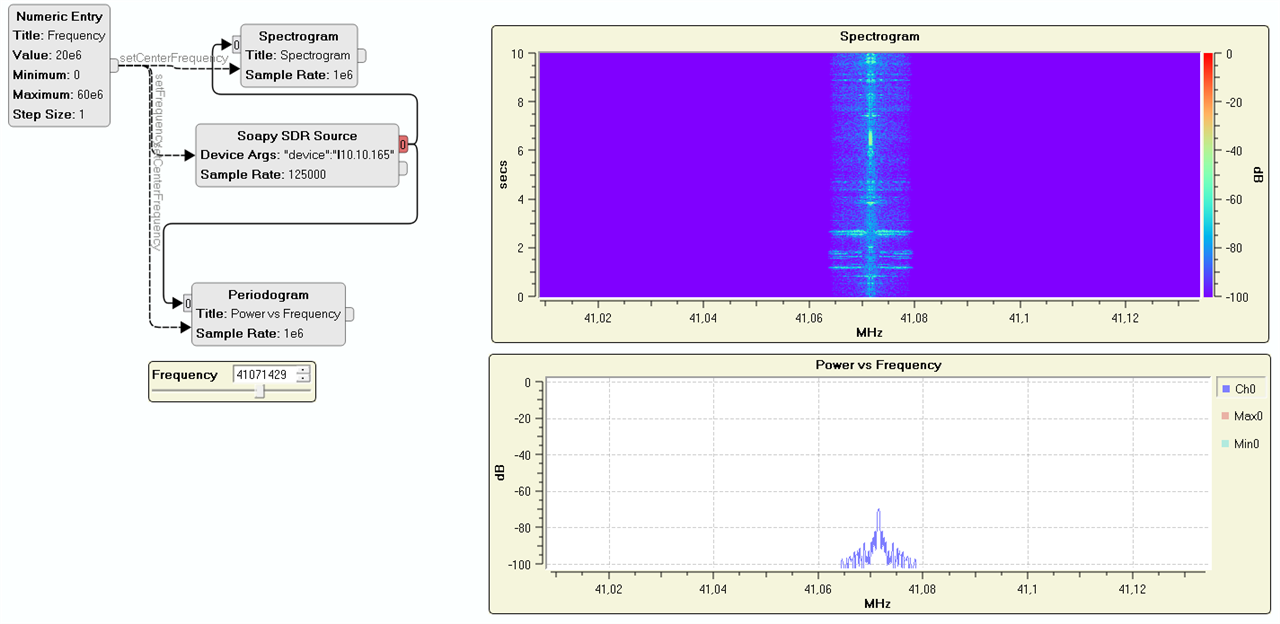
One thing that I noted is that PothosSDR keeps sending error messages in its log pane, complaining about SDR Play service being missing. Thing is, I don’t own a SDR Play device, so I don’t need to install any of their support software, but I sill don’t want to see all those error messages. The solution is to rename/remove the sdrPlaySupport.dll file in the Pothos SDR installation folder (C:\Program Files\PothosSDR\lib\SoapySDR\)
To find out which values to use for the device parameters, one has to use the SoapySDRUtil.exe binary from the bin folder like so:
SoapySDRUtil.exe --args="driver=redpitaya,addr=1.2.3.4" --rate=1250000 --direction=RX
If this gives you samples at near the required rate, you are all setup.
But another strange thing is that the Sps field in Pothos could not go above 125000 when the command line clearly allows for more!
The next step was to use rtl_433 which required downloading the specific “Soapy enabled” version from the project releases and placing it inside the PothosSDR bin folder.
You can use the same device string as before with rtl_433 like so:
rtl_433-rtlsdr-soapysdr.exe -d driver=redpitaya,addr=1.2.3.4 -f 40000000 -Y classic -s 125000 -vv
You will notice that one must use the IP address because none of these programs are actually mDNS enabled. The easiest method to get the address from the name, is to simply ping it:
ping -4 rp1234.local
Sadly, initial tests did not work because the RedPitaya Soapy plugin only supports CF32 format where CU8 is the one expected as discussed here: https://github.com/merbanan/rtl_433/discussions/3701
Converters appear not to kick in, so it was suggested to use SoapyRemote with a split approach:
In a first window, start
SoapySDRServer.exe --bind=127.0.0.1In a second one, start the test command line:
SoapySDRUtil.exe --args=" driver=remote,remote=127.0.0.1, remote:driver=redpitaya, remote:addr=10.10.10.165" --rate=1250000 --direction=RX
If that works, move to rtl_433:
rtl_433-rtlsdr-soapysdr.exe -d driver=remote,remote=127.0.0.1,remote:driver=redpitaya,remote:addr=1.2.3.4
Sadly, this did not help either because it all comes down to the fact that the RedPitaya SDR Soapy module only advertises and supports the CF32 format for the I/Q stream, when rtl_433 did not know what to do with it.
The rtl_433 author was kind enough to create the needed patch and it now accepts the CF32 format just fine. It just needed refinement with the real device at hand, as it seems the Soapy driver immediately returns when the buffers are empty, instead of respecting the configured timeout. That patch has been submitted for review and might land in the future.
However, no signal could be seen which I suppose is due to the 60MHz maximum frequency which is way lower than the default 433.92MHz frequency for rtl_433.
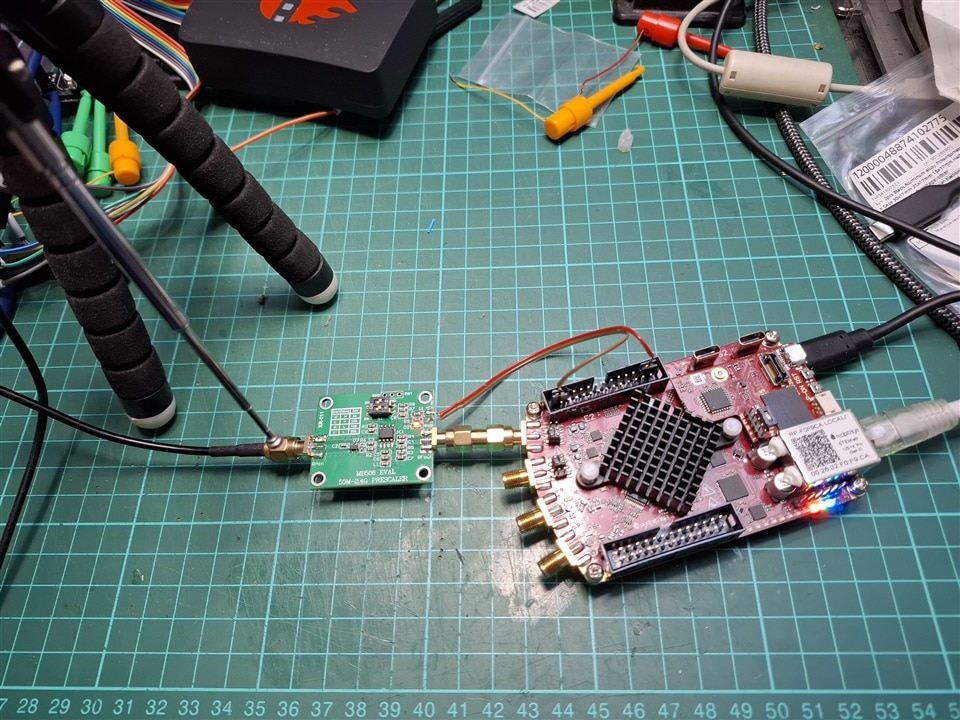
I thus ordered a MB506 frequency divider eval board so that I could “bring” the frequency of interest down into the RP supported range. Note that I would have preferred a “divide by 8” setup but the MB506 was the only one coming up at a reasonable price. 433.92 divided 64 gives 6.78 so this is the frequency to use later on.
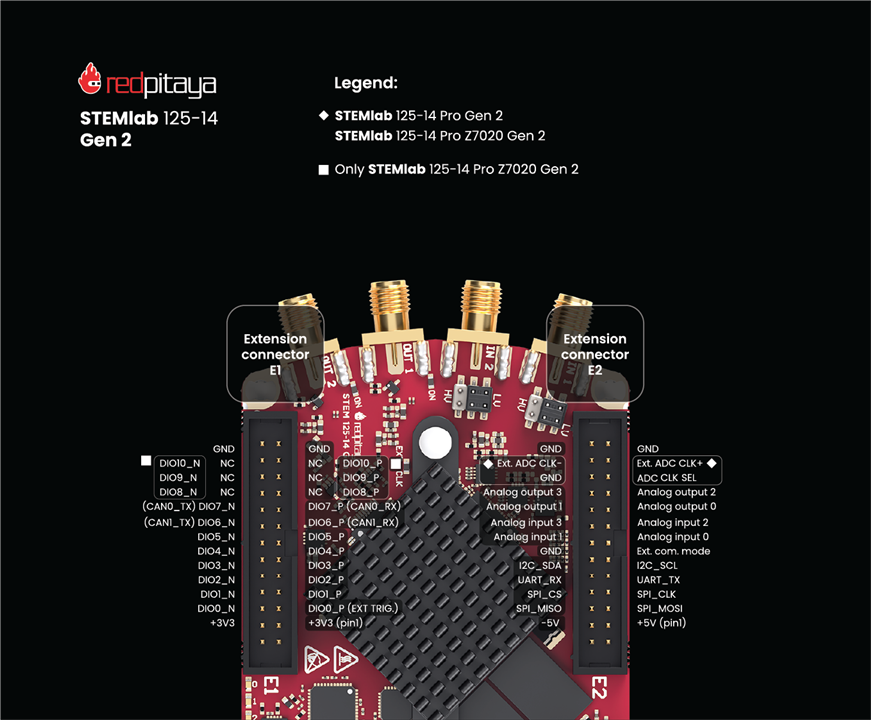
As this board needs a +5V supply, I looked at the documentation for the E1 and E2 connectors, and sure enough, there is such a power source here. However, the diagram inside the documentation is of so poor quality that I had to double check the signals position:
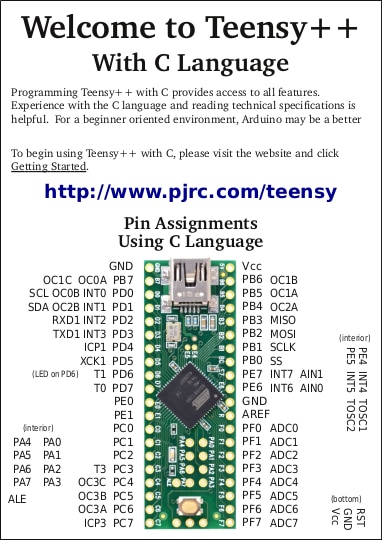
Even a Teensy++ 2.0 documentation that dates from over 10 years ago is better at aligning pin descriptions:
Once hooked up, there is something else that is also missing from the documentation: the recommended LV or HV jumper position. I mean, how do I know what’s needed here?
The MB506 datasheet talks about 1.6V peak to peak so I guess it’s HV but if I was not to use that board, what value could I expect from a regular antenna?
Here is the setup that I ended up with:
And using PothosFlow, here is what I see every time I press the transmit button on the temperature sensor:
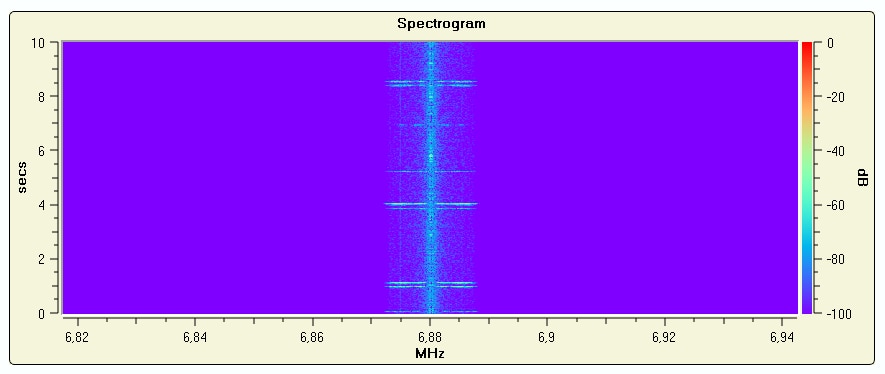
So, it seems there is something perceived by the SDR part, but sadly, this is not picked up by rtl_433, which is most likely because its too distorted. Note that I tried with LV and HV, the LV setting gives a stronger “color” on the graph but no change from rtl_433 point of view.
It does not come as a big surprise as it was hinted to me that the MB506 chip acts on the strongest signal it sees in its range, which in my case might well be the zigbee or wifi networks used in the house. I would thus need to add a passband filter in front of it, which, well, is a bit illogical if one is aiming at using an SDR that should do all this in software. At least now, I have RMA connectors!
I will not describe transmit here because colporteur already did it just fine, and also because its max frequency is 60MHz which once again is totally not usable for me. I understand that with a 125MHz core, it can only recreate up to 62.5MHz signals (Nyquist/Shannon laws) but that’s not suitable for my original intent of emitting on 433MHz to see if I could overcome my own legitimate sensors.
One thing that should be doable is to have an external carrier frequency generator, and use the signal from the RedPitaya to modulate that carrier. But what’s the point of a SDR if you have to process the signal with external addons?
This blog is part of 7-part series for my Red Pitaya STEMlab 125-14 PRO Gen 2 Starter Kit roadtest:
Blog 1 – Unboxing the Red Pitaya STEMlab 125-14 PRO Gen 2 Starter Kit
Blog 2 – First contact with the Red Pitaya STEMlab 125-14 PRO Gen 2
Blog 3 – Oscilloscope application in the Red Pitaya STEMlab 125-14 PRO Gen 2
Blog 4 – Logic analyzer application in the Red Pitaya STEMlab 125-14 PRO Gen 2
Blog 5 – Software defined radio with the Red Pitaya STEMlab 125-14 PRO Gen 2
Blog 6 – Developing for the Red Pitaya STEMlab 125-14 PRO Gen 2
Red Pitaya STEMlab 125-14 PRO Gen 2 roadtest report


