RoadTest: Engineers wanted to review the Red Pitaya STEMlab 125-14 PRO Gen 2 Starter Kit!
Author: obones
Creation date:
Evaluation Type: Development Boards & Tools
Did you receive all parts the manufacturer stated would be included in the package?: True
What other parts do you consider comparable to this product?: Digilent Analog Discovery 3, BusPirate
What were the biggest problems encountered?: Confusing documentation, difficult development environment
Detailed Review:
When I applied for this roadtest, as with any previous roadtest, I was confident that I could achieve what I promised, and that even if it would require efforts from my part, I could tackle that provided the amount of documentation that is available online.
I checked the various application details to figure out what the various inputs and outputs could be, and if, on paper, they could be used to achieve the goals I had set out:
I have detailed my adventures inside the following blog posts:
Blog 1 – Unboxing the Red Pitaya STEMlab 125-14 PRO Gen 2 Starter Kit
Blog 2 – First contact with the Red Pitaya STEMlab 125-14 PRO Gen 2
Blog 3 – Oscilloscope application in the Red Pitaya STEMlab 125-14 PRO Gen 2
Blog 4 – Logic analyzer application in the Red Pitaya STEMlab 125-14 PRO Gen 2
Blog 5 – Software defined radio with the Red Pitaya STEMlab 125-14 PRO Gen 2
Blog 6 – Developing for the Red Pitaya STEMlab 125-14 PRO Gen 2
This is the first time that I had so many materials to talk about, and I believe it’s because the device itself is quite versatile. You may not feel like reading all this, so here is the sad conclusion: I could not achieve any single of the announced goals.
What came out quite immediately is that despite the quantity of documentation, it’s not well organized and often confusing. I have been told it is “always up to date” but the version selector is of no help, there are no archived versions. This means that one cannot see the documentation in a version that applies to both their board and their operating system version.
As a result, I spent quite a lot of time wondering what’s real or not in the text I read.
I have only tried three of the applications present on the SD card, but they all appear to be more like demos/beta versions and are not up to a “finished product” quality. It’s even worse when it comes down to the SDR part, there are four different ones for the same apparent outcome, and none of them even mention Soapy support when it’s one of the most common protocols for remote SDR interfacing. Even weirder, one of those actually supports it!
Those SDR applications were originally created by a third-party developer for the previous generation of the Red Pitaya. A big thank you must be given to them, as they are still answering questions about their work. Sadly, though, the required changes to port those projects to the Gen 2 boards is done by Red Pitaya and appears not to be published in any form that would allow others to get inspiration from it!
The logic analyzer strongly encourages us to use the dedicated extension, but even with it, nothing comes out of the application. And once you open it, you have to wonder why it’s sold at such a hefty price tag.
Recompiling an application to target the RedPitaya Linux environment was not that difficult after clearing up the confusion about SDR related code, but the FPGA part is utterly confusing. The only thing that I could achieve was a hard reboot!
I know FPGA development is something different and that the learning curve is steep, but I did not envision it to be that hard. I’m not a beginner in all things related to development, but that one left me stumped, I don’t know how a newcomer could get anything done here.
And don’t count on LLMs, they are as confused as any human because they reflect the state of the online documentation!
There is a book called “Experimenting with Red Pitaya STEMlab Gen 2” by Dogan Ibrahim and published by Elektor. At 335 pages, it’s not a simple tutorial and from the publicly accessible table of contents, it seems to cover quite a complete range of possibilities. But would have it helped with what I’m trying here? After having spent so much time with the board, I’m not even sure.
The kit name contains “STEMLab” which hints that the board is a laboratory for science, technology, engineering, and mathematics. Well, it sure could be with all the hardware it brings to the table, but with little to no tutorial or hands-on courses, it’s giving me a taste of unfinished work rushed through the door and left alone to “fly out of the nest” like a recently born chick.
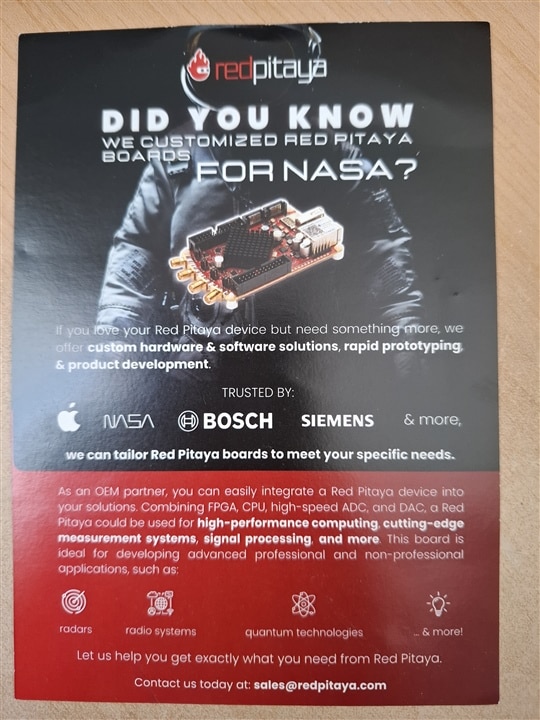
In the end, I feel the board is actually oriented towards consulting work done by RedPitaya itself for clients that have the wallet that allows such services as hinted by the flyer inside the box:
For electronics enthusiasts, it’s quite a hefty investment, both monetary and in terms of time to dedicate to it.
As a comparison point, if I look at Digilent Analog Discovery 3 that was roadtested here three years ago, it provides much of the same functionality for half the retail price and does not have those weird HV/LV jumpers to fiddle with. Sure, it does not offer the SDR part, but considering the recent discoveries in ESP32 or LR2021 chips with their raw I/Q modes, it’s difficult to justify the price difference.
Of course, if you are looking for a FPGA learning platform with a multi-channel analog frontend, and are willing to invest a lot of time digging around to unearth all there is to know about the different parts of the system, then the RedPitaya 125-14 Pro Gen 2 is the tool for you.


