


In this blog series, I build a Texas Instruments MSPM0 example with VS Code as IDE, and CMake as build infrastructure. In the next series of posts, I try to create a stepper motor project. It will be based on TI's stepper motor middleware.
TI has examples for several stepper motor drivers that I don't have. Those examples have firmware for the MSPM0, and a GUI to configure and test motors. They are a good starting point that I can adapt for the stepper drivers that I own.
The first attempt is to get that existing stepper middleware project going: drv8889-q1evm-gui-firmware. I will try to complete these 3 activities:
- run the example from TI's GUI Composer.
- compile MSPM0 firmware on CCS
- port the project to VS Code, where I'll do the development
GUI Composer example
TI's Gallery has the example that I want to start from: MSPM0L-DRV8889Q1-EVM-GUI.
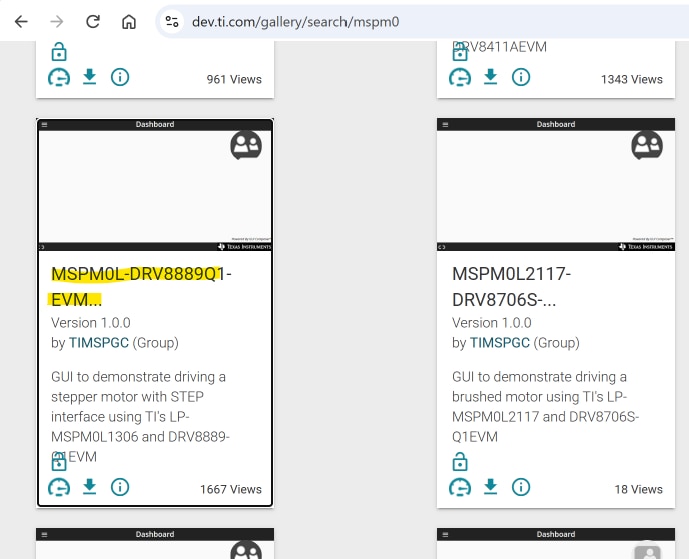
When you click the tile, it will open GUI Composer. From there you can run the GUI. First, plug in the the MSPM0L1306 LaunchPad.
Then run the GUI. It will connect to the LaunchPad, and load the firmware.
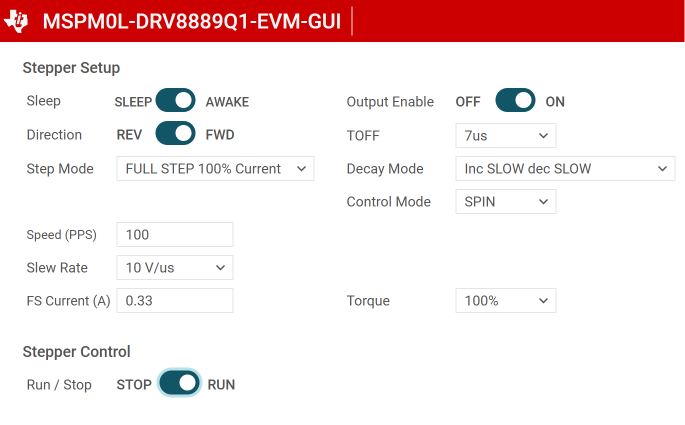
You can then configure the driver, and make the motor spin or step. Because I don't have the right hardware for this example, I tested it by probing the step pin output with an oscilloscope.
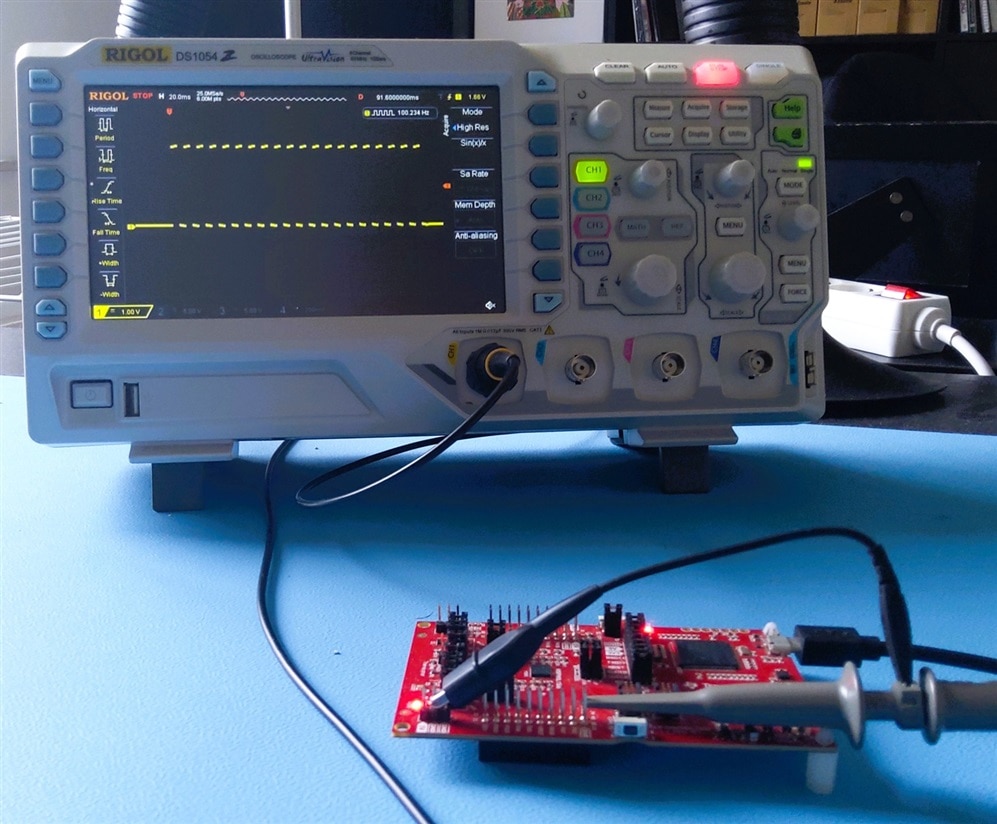
It works.
Compile example firmware with CCS
I used Code Composer Studio to download and inspect TI's firmware project. The project is available in Resource Explorer. You can import it from there.
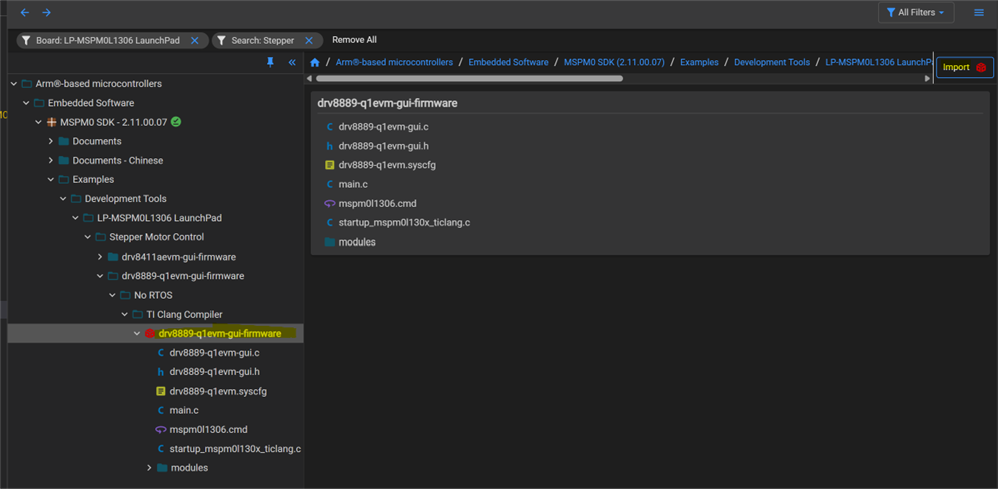
I first compiled and loaded the project. That worked perfectly. Then I inspected sources and project settings, to understand how the project is set up:
- most peripheral config is done via SysConfig
- it uses the middleware HAL and stepper driver drv8889-q1. They are copied from the MSPM0 SDK.
- the main function runs a GUI style loop.
- custom GUI code reacts on messages coming from the GUI Composer application, over UART using JTAG and direct variable binding between GUI and firmware.
- driverlib and IQMath libraries are used
Port to VS Code
I started from MSPM0 project with VS Code, CMake and GCC - part 6: empty "template" project , and reused these files from the CCS project:
- main
- GUI code
- sysconfig
I didn't copy over the module files. I adapted the CMake script, to find and include them in their SDK location during build.
In the original sysconfig file, project generation was disabled. TI does that in several of their examples, because they use other tools to prepare example projects.
I re-enabled that. Then I changed the setup, so that sysconfig generates the instructions to include the correct two libraries.
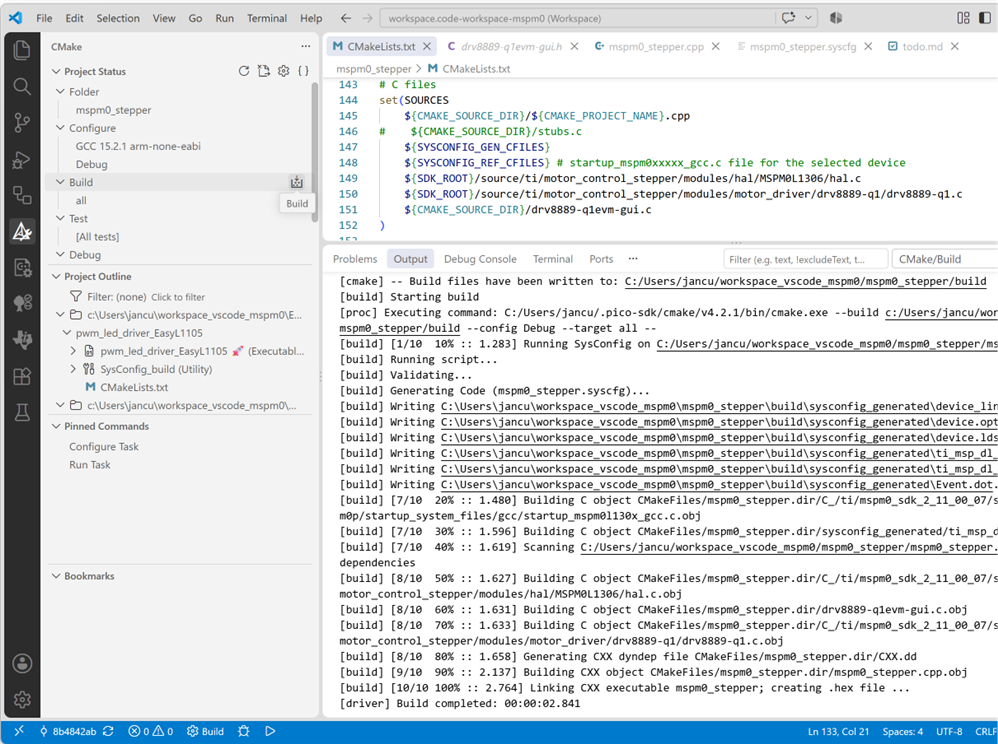
All worked fine. The VS Code project is attached.
In a next step, I'll try to make a testbed that sends commands to the UART, just like the GUI does.
Then test if I can make it generate the STEP and DIR signals. The ideal starting point for adaption to a different stepper motor IC.
VS Code project: mspm0_stepper_20260919.zip
(check this post for the expected VS Code workspace settings: MSPM0 project with VS Code, CMake and GCC - part 6: empty "template" project )
next post: MSPM0 project with VS Code, CMake and GCC - part 7b: middleware stepper motor control with A4988 stepper driver
part of the EasyL1105 series. all posts
-

Qbit
-
Cancel
-
Vote Up
0
Vote Down
-
-
Sign in to reply
-
More
-
Cancel
Comment-

Qbit
-
Cancel
-
Vote Up
0
Vote Down
-
-
Sign in to reply
-
More
-
Cancel
Children