


The MSPM0 microcontrollers are very low-cost, and friendly to use (lots of documentation and examples). For a project, I was using an ESP32, but I ran out of UARTs!
Ordinarily I would have considered purchasing I2C to UART chips, but I'm not entirely sure how necessary the interface will be, and I'd rather not stock up on such specialist parts and then later realize they are surplus to requirements!
Instead, I decided to convert an MSPM0 chip into such a device (it's called a mspm0_i2c_periph_expander on GitHub). And added a few more features while I was at it.
The result is an I2C-controlled part which I can drop into some projects if I need a simple UART, or up to three channels of 12-bit ADC, or when I'm interfacing to PWM or frequency-output sensors, or if I want to measure AC voltage or current. It's simple and fast to program.

This isn't an original idea; the Beaglebone People use an MSPM0 on one of their boards, in a similar way (but not with UART). I used the older MSP430 microcontroller series as an I2C peripheral occasionally too.
Here's a five-minute video explaining how to get going with the MSPM0, and a demonstration of the features in the mspm0_i2c_periph_expander.
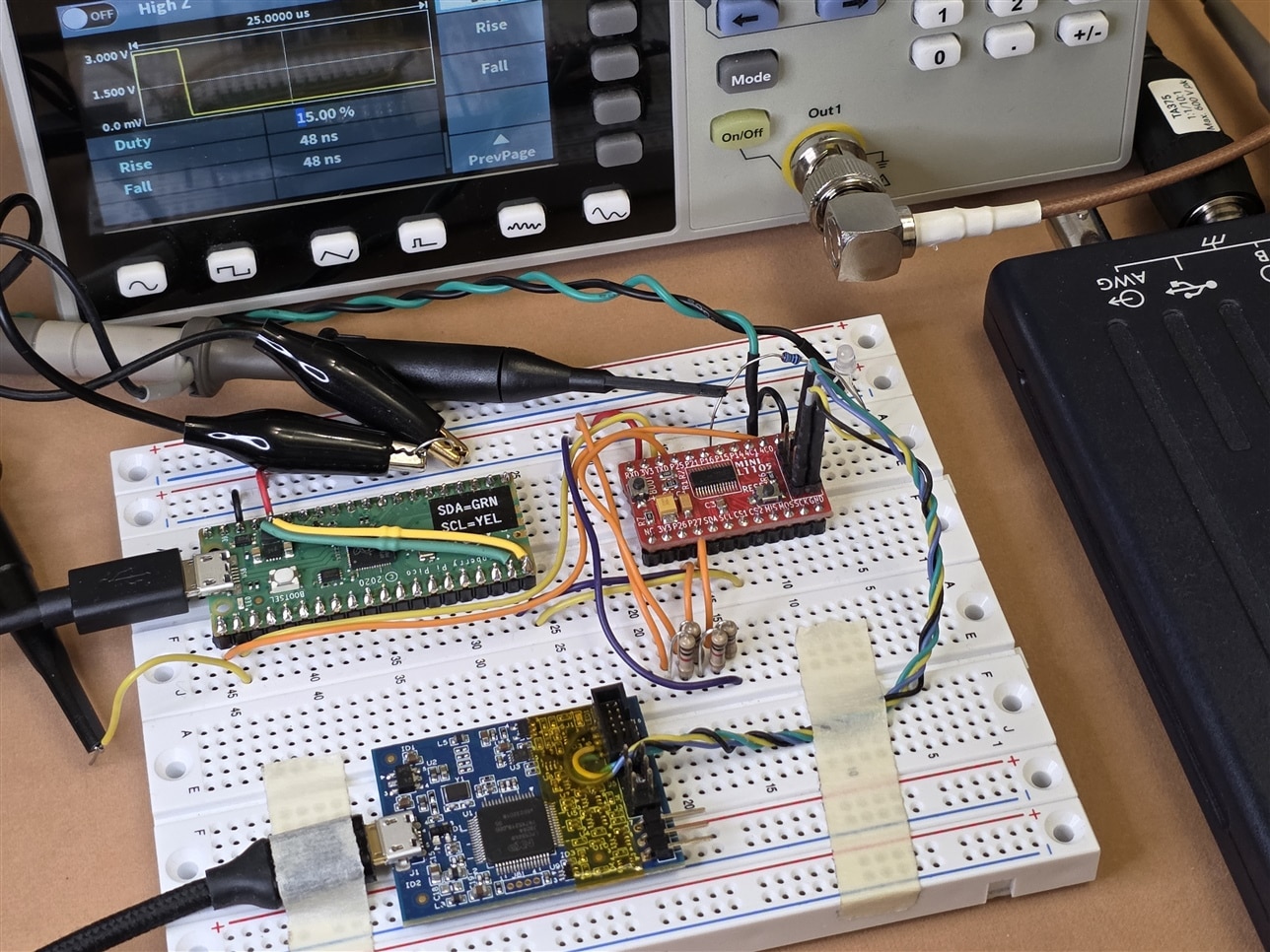
Testbed setup
Red = MSPM0 breakout board (miniL1105, documented here)
Green = Pi Pico acting as a (+) E-Z USB to I2C Adapter and UART Bridge - element14 Community
Blue = NXP MCU-Link Debug Probe
Oscilloscope: PicoScope 2000 series with PicoScope 7 software
Waveform Gen: Owon DGE1030 (although the PicoScope has one built-in too)
Summary
It's possible to convert an MSPM0 microcontroller into an I2C-controlled peripheral, to add extra features to the main processor in projects. If possible, it's worth considering emulating real devices so that existing drivers can be used, without reinventing the wheel too much. However, in my case, due to time limitations, this wasn't a hard requirement (and I don't plan to use this with Linux device drivers).
A couple of comments; Firstly, please note the code is still quite fresh, it's worth thoroughly testing it for your needs first, if you plan to use it.
Secondly, the GitHub page doesn't list precise steps on installing the environment to build software for the MSPM0. I figured that is already documented extensively by now, in the many blogs from Jan and myself, as well as the official TI documentation and so on (and I was short on time, hence the short video rather than a full blog). I didn't get time to test the build process on other platforms; I just used Windows 11.
What features would you add? Personally, I'm thinking of adding either tone/alert generation, or, perhaps a text LCD controller; or maybe keep it more general-purpose with say GPIO expander capability like PCF8574, but I don't have a need for any of these yet, so that may be some while.
Thanks for reading / watching!

