


|
I'm road testing the Keithley Bench Digital Multimeter DMM6500. In this blog, I verify the performance of an EEVBlog µCurrent via LabVIEW.
Note: this is not a real validation of the µCurrent . This is a showcase on how a DMM6500 can be used in such an exercise. For practical reasons I am using an oscilloscope to measure the DC output of the µCurrent. That is not a precision device. And there's way too much noise in my lab to make a meaningful measurement that way. But I don't have a second SCPI instrument that can measure voltage. The DMM6500 is measuring current and can't be easily moved around in this setup - due to the µCurrent input ground not isolated from the output. |
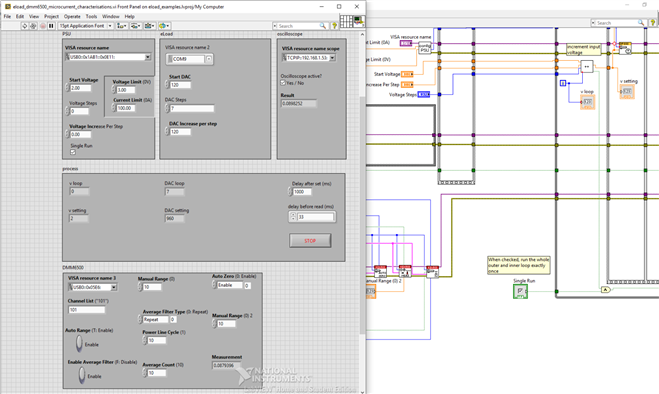
The flow I'm using here is an extension a a flow I used before in the LabVIEW Test Automation: Characterise an Instrument series.
If you want to have a look at the complete flow, you can download the LabVIEW project attached to this post.
The circuit is exactly the same as the manual measurement setup of the previous post.
Test Process: Control
The flow applies the exact same test conditions as the manual test.
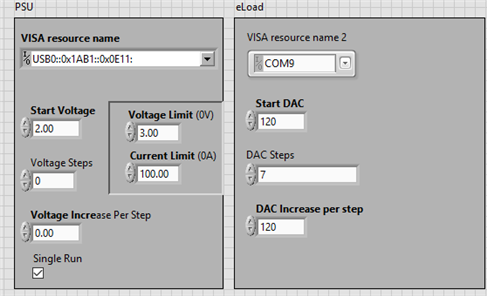
The PSU is set to 2 V.
The dc load cycles over those same DAC settings from 120 to 960, increasing the DAC value with 120 at each iteration.
Test Process: Measurements
In the setup, there is that one big difference (as stated in the header). Instead of a 121GW DMM to measure the µCurrent output, I use a Rigol DS1054Z.
The wobbly graph and greater differences are caused by that.
There are a number of measurements logged to a spreadsheet in this flow.
The ones we are interested in are the current reported by the DMM6500 and PSU, and the voltage reported by the oscilloscope.
1mV measured by the scope represents 1 mA flowing through the test setup.
Each increment in the DAC setting, these 3 values are logged. In less than a minute we have performed the same measurements as in the manual post.

the wobbles are not caused by the µCurrent. It's because I'm using an oscilloscope in a noisy environment to make DC measurements
The LabVIEW Process

I did not have to remove anything from my existing flow to specify the electronic load we design here on element14.
I only added the DMM6500 setup and measurements and added a column to the spreadsheet logger to write the DMM6500 measurement.
Connect to the DMM and set it for precise current measurements
I used Keithley's precision voltage example and just changed the volt objects to current objects.

The meter is set to DC Current, Using a repeat average filter, auto zero on, 10 power line cycles and 10 counts for average.
This type of measurement takes approx. 3.33 seconds here in my 50 Hz power line frequency.
Then, in the deepest nest of the control loop, where the flow takes the measurements, I added a measurement for the DMM6500 current:
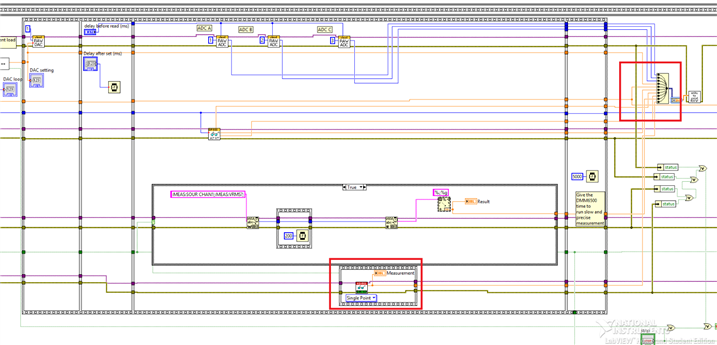
I also added the error handling to the already existing error handling construct.
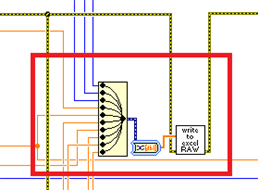
The output is added as an extra data point for the Merge Signals block. All that data is included in the spreadsheet logger.
Connection and resources are properly closed at the end of the flow.

Summary: the inclusion of the DMM6500 in an existing flow isn't difficult. The LabVIEW driver blocks are as you'd expect them.
And the instrument behaved stable during the exercise.
Top Comments