The ISTE (International Society for Technology in Education) conference is one of the biggest events of its kind in the world – a meeting of education and technology thought leaders, companies, teachers and students. It’s currently being held i...
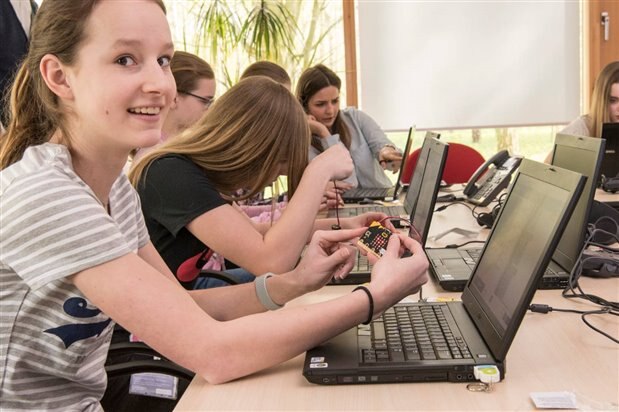
A group of Dutch students were given a crash course in programming at this year's Girlsday event in Eindhoven, Netherlands - with a little help from BBC micro:bit and the Dutch semiconductor manufacturer NXP. On Thursday 13 April 2017...
Hello All, I want to apologize for the long lapse between Pt. 1 and Pt. 2, finals have been a handful. But anyways to the content we go! Unfortunately it does not look like the Micro:Fit will have a watch/clock component, as I can not find ...
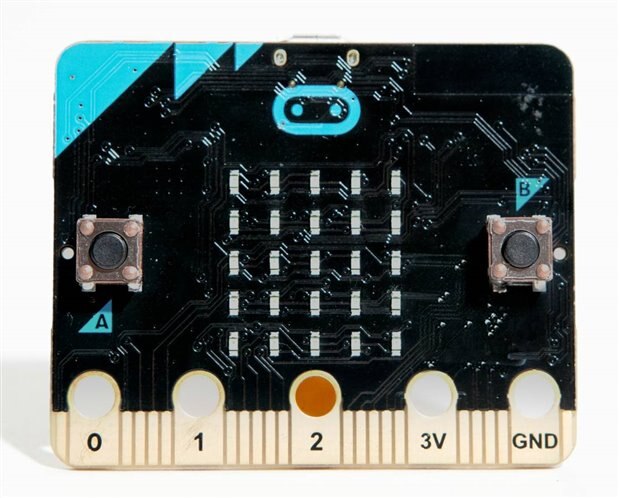
1、Here is the Pin mapping diagram2、Those pins are available as attributes on the module : microbit.pin0 - microbit.pin20.Pin 0, Pin 1, Pin 2 are used to control the servo,Test with the following code:from microbit import *while True: if p...
1. In normal case, there will be kinds of development platform like MDK or IAR, but for MicroBit, that is totally different, It is easy to use and understand even for kids, Here are 5 proposed development environment, both with Graphic Interface, Dra...
1、Parts of Servo-Controlled Platform has been ordered and shown as follows, it will be the rotary platform for Crossbow.and here is the SG90 servo to be controlled by MicroBit.
1. Micro:Bit is one unique board, not for its fully function and powerful feature, but for its easy to use and easy to learn even for Kids. My propose is to use minimum resources for a fun toy. A BLE controlled crossbow blot to fire a cotton ball sti...
Saturday I arrived to a very pleasant surprise, my Micro:Bit had arrived! I was so excited that I did a whole photo shoot of the unboxing and jumped right into getting some code up and running on it. THE PHOTO SHOOT:After this lovely display, it...
Introduction
Reading the Lines.
Getta moveon
The Motor Driver
Forming a chassis
Write the program
Create a track and test
Introduction The BBC Microbit is a small ARM based, user friendly, micro controller targeted towards co...
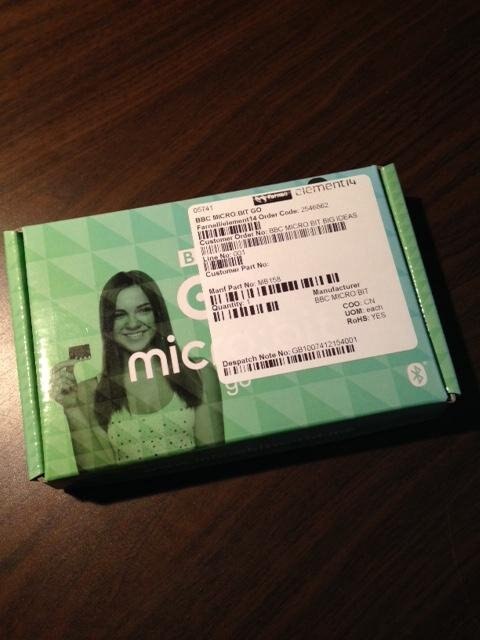
Just when I thought Friday couldn't get any better, a gift, for me, in the mail!IT'S HEEEEERE! My second BBC Micro:Bit, the "official" one that will be used in my alert button project. Thanks, element14, for sending it! This is the Micro:Bit "Go...
Updated 9/21/2016 to include an image and Bluez/BLE setup instructions for Raspbian "Jessie" on Raspberry Pi 3. Oh deary dear...this is not what I wanted to do on a Thursday afternoon. Some background: I recently won an opportunity to ...
Introduction Our 10 BBC micro:bit Projects in 10 Days series introduced the incredible creative potential of this unique pocket sized computer system. But we've really only scratched the surface. Now we want to hear your ideas. Th...
Since the launch of the BBC micro:bit project earlier this year, over 750,000 devices have been donated, with around 80% of UK secondary schools already registered for the program.The devices have been put to some truly inspiring uses, with over 4.5 ...
IntroductionThe BBC micro:bit is a compact microcontroller board populated with sensors and wireless connectivity. It also has several programming languages (graphical and text based) and is super-easy to use. No software or account is needed; just t...
About this project We end our 'ten projects' series with a very simple exercise that demonstrates how to make two BBC micro:bit devices communicate with each other. What you'll need 2 x BBC micro:bit devices1 x Micro USB1 x...
About this project This project demonstrates how the BBC micro:bit's functions can be enhanced with external devices, in this case a 3V buzzer that can be programmed to act as a security alarm. What you'll need 1 x BBC micro:bi...
About this project This project turns the BBC micro:bit into an electronic dice, programming the device to display a random number from 1-6 on the LED array when shaken. What you'll need 1 x BBC micro:bit1 x Micro USB1 x Computer or ta...
About this project In this project, students can learn how to turn their BBC micro:bit into a working compass by programming a simple script that displays the direction in which the device is facing on the LED array. What you'll need 1...
About this project This project guides pupils through the creation of a simple game played out on the BBC micro:bit's LED array. Players can earn points by using the A and B buttons to avoid falling hazards, similar to classic arcade games l...
About this project This project introduces the BBC micro:bit's camera functionality, allowing users to take a timed photo using the device. What you'll need 1 x BBC micro:bit1 x Micro USB1 x Computer or tablet2 x AAA Batteries & Ba...
About this project This project shows pupils how to introduce music and sound effects into their BBC micro:bit projects by teaching them how to write the tune 'Happy Birthday' using blocks of code. What you'll need 1 x BBC ...
About this project This project utilises the BBC micro:bit's input buttons and introduces some more complex commands, giving pupils the opportunity to create a simple countdown timer on their device. What you'll need 1 x BBC mi...
About this project In this simple introductory project, you can teach your pupils how to create flashing images using the BBC micro:bit's LED grid. This is a quick and accessible way to introduce new users to the basics of Microsoft Block Ed...