element14 Community
element14 Community
    Register Log In
  • Site
  • Search
  • Log In Register
  • Community Hub
    Community Hub
    • What's New on element14
    • Feedback and Support
    • Benefits of Membership
    • Personal Blogs
    • Members Area
    • Achievement Levels
  • Learn
    Learn
    • Ask an Expert
    • eBooks
    • element14 presents
    • Learning Center
    • Tech Spotlight
    • STEM Academy
    • Webinars, Training and Events
    • Learning Groups
  • Technologies
    Technologies
    • 3D Printing
    • FPGA
    • Industrial Automation
    • Internet of Things
    • Power & Energy
    • Sensors
    • Technology Groups
  • Challenges & Projects
    Challenges & Projects
    • Design Challenges
    • element14 presents Projects
    • Project14
    • Arduino Projects
    • Raspberry Pi Projects
    • Project Groups
  • Products
    Products
    • Arduino
    • Avnet & Tria Boards Community
    • Dev Tools
    • Manufacturers
    • Multicomp Pro
    • Product Groups
    • Raspberry Pi
    • RoadTests & Reviews
  • About Us
    About the element14 Community
  • Store
    Store
    • Visit Your Store
    • Choose another store...
      • Europe
      •  Austria (German)
      •  Belgium (Dutch, French)
      •  Bulgaria (Bulgarian)
      •  Czech Republic (Czech)
      •  Denmark (Danish)
      •  Estonia (Estonian)
      •  Finland (Finnish)
      •  France (French)
      •  Germany (German)
      •  Hungary (Hungarian)
      •  Ireland
      •  Israel
      •  Italy (Italian)
      •  Latvia (Latvian)
      •  
      •  Lithuania (Lithuanian)
      •  Netherlands (Dutch)
      •  Norway (Norwegian)
      •  Poland (Polish)
      •  Portugal (Portuguese)
      •  Romania (Romanian)
      •  Russia (Russian)
      •  Slovakia (Slovak)
      •  Slovenia (Slovenian)
      •  Spain (Spanish)
      •  Sweden (Swedish)
      •  Switzerland(German, French)
      •  Turkey (Turkish)
      •  United Kingdom
      • Asia Pacific
      •  Australia
      •  China
      •  Hong Kong
      •  India
      •  Japan
      •  Korea (Korean)
      •  Malaysia
      •  New Zealand
      •  Philippines
      •  Singapore
      •  Taiwan
      •  Thailand (Thai)
      •  Vietnam
      • Americas
      •  Brazil (Portuguese)
      •  Canada
      •  Mexico (Spanish)
      •  United States
      Can't find the country/region you're looking for? Visit our export site or find a local distributor.
  • Translate
  • Profile
  • Settings
Photography
  • Challenges & Projects
  • Project14
  • Photography
  • More
  • Cancel
Photography
Documents Project14 | Photography: We're Giving Away Raspberry Pi HQ Camera Kits for Projects that Use Them!
  • Blog
  • Forum
  • Documents
  • Members
  • Mentions
  • Sub-Groups
  • Tags
  • More
  • Cancel
  • New
Join Photography to participate - click to join for free!
Actions
  • Share
  • More
  • Cancel
Engagement
  • Author Author: tariq.ahmad
  • Date Created: 12 May 2021 9:12 PM Date Created
  • Last Updated Last Updated: 21 Nov 2021 9:16 PM
  • Views 9240 views
  • Likes 20 likes
  • Comments 99 comments
Related
Recommended

Project14 | Photography: We're Giving Away Raspberry Pi HQ Camera Kits for Projects that Use Them!

image

Photography                                               Submit an EntrySubmit an Entry


Monthly Themes   | Monthly Poll   |  Back to homepage image


image

In the Comments Below: Let Us Know What Projects You Want to Do Around Photography!


If Your Project Proposal Involves a Raspberry Pi HQ Camera Kit You Could Win a Free Kit!


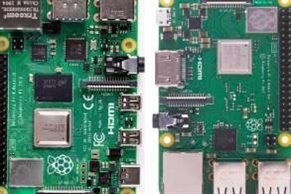
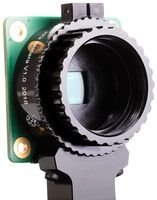
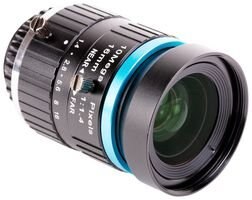
Raspberry Pi HQ Kit
imageimageimage
Buy NowBuy NowBuy NowBuy NowBuy NowBuy Now


“When words become unclear, I shall focus with photographs. When images become inadequate, I shall be content with silence.”— Ansel Adams


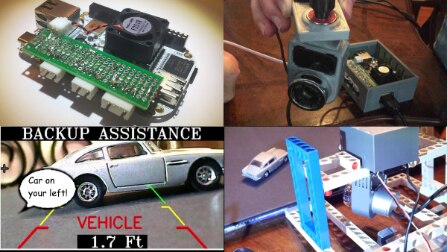
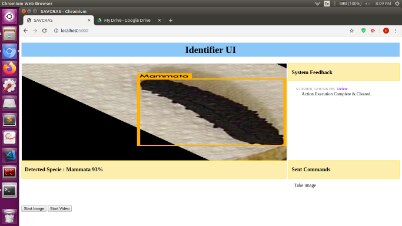
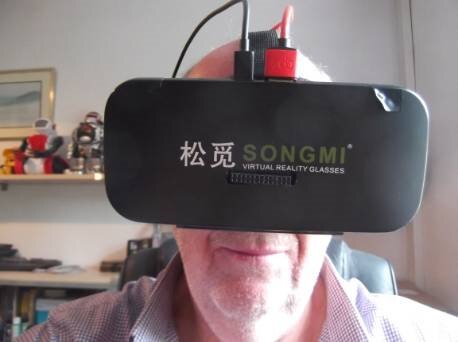
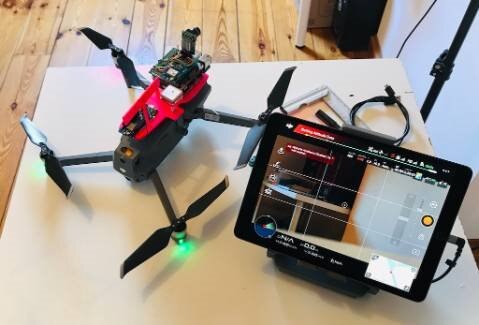
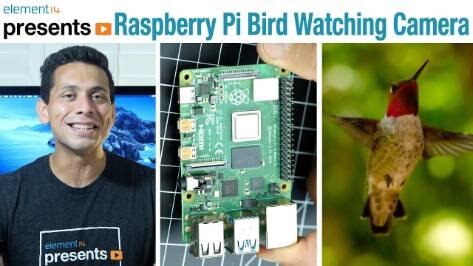
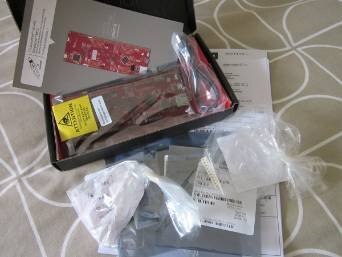
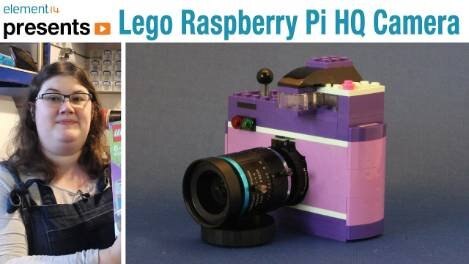
The theme this month is Photography  and it comes from dougw .   His idea was to build any projects involving photos.  You could do projects involving stop action photography by combining timers and photography to create stop action photography video projects or any number of projects involving image processing and cameras.  You could do TinyML projects using OpenMV as covered in Build Powerful Wildlife & Livestock Trackers with OpenMV and Edge Impulse, a computer vision project involving AI such as the drone project in Arduino Day Workshop: NanoDrone II: AI and Computer Vision with LoRa (Win a PSoC6 and a Pair of MKR 1300 Boards!) ,  training a neural network such as in LDR Camera #10 : The Artificial Neural Network (SimonnV5) and LDR Camera #8 : Fully Working Camera , using advanced vision and frame manipulation for obstacle avoidance such as in BBAI Seein' Around Corners, Talkin', IoT Exploitin' Backup Car Cam with Onboard Vision AI ,  FPGA such as in SecuCam #2: Hardware Accelerated Motion Detection with the PYNQ-Z2, robotic automation such as Episode 489: Build An FPV Rover with Raspberry Pi , augmented reality such as ARBot #5 : The Final Working (after a fashion) System , and even a Lego Camera such as Episode 465: Lego Raspberry Pi HQ Camera.   There's a lot scope to these projects so share your project ideas below and help inspire one another to get as creative as possible!  If your project idea involves the Raspberry Pi HQ Camera then we'll send you a Raspberry Pi 4 B,  a Raspberry Pi HQ module, and a 12 MP lens to help you turn your idea into a reality.  We're giving away up to 5 Raspberry Pi HQ kits as a promotion.  You can still use whatever hardware you like but we'll pick a few project proposals to send kits to!


Here are some projects to inspire you:
 

Photography:  Project Ideas
Episode 465: Lego Raspberry Pi HQ CameraRaspberry Pi HQ Camera - Review by  dougw
imageimage
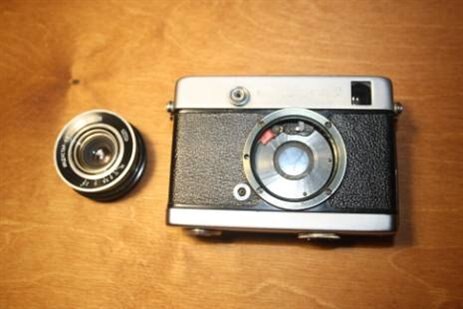
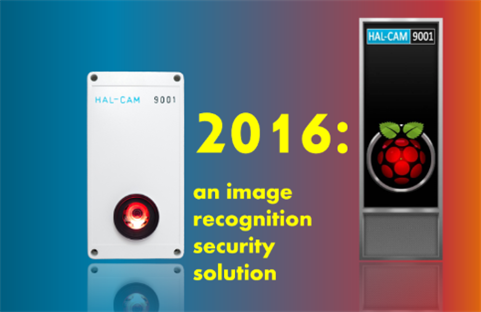
Lens from an old camera for a digital camera and macro photography. by maxpowerrHAL-CAM 9001 – Building a New Security Camera by shabaz
imageimage
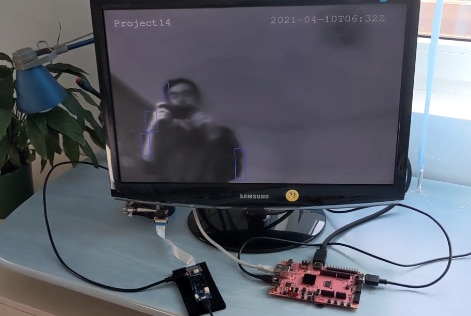
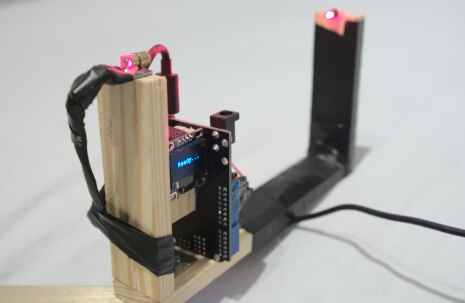
SecuCam #2: Hardware Accelerated Motion Detection with the PYNQ-Z2 by Attila TőkésLaser Shutter Tester by  sokol07
imageimage
Episode 489: Build An FPV Rover with Raspberry PiBBAI Seein' Around Corners, Talkin', IoT Exploitin' Backup Car Cam with Onboard Vision AI by  Sean_Miller
imageimage
Vehicle Speed Camera - Beaglebone AI by  gam3t3chLDR Camera #8 : Fully Working Camera
imageimage
Poop Buster with Beaglebone AI by  weiwei2BBAI-Dried Sea Cucumber Species Identifier by  kurst811
imageimage
Driver State Monitor with OpenCV and BeagleBone AI by  vlasov01ARBot #3 : The Augmented Reality Headset by  dubbie
imageimage
Arduino Day Workshop: NanoDrone II: AI and Computer Vision with LoRa (Win a PSoC6 and a Pair of MKR 1300 Boards!)R2-D2 Arcade Live by balearicdynamics
imageimage
Episode 484: Raspberry Pi Bird Watching CameraEpisode 382: Modding a Super 8 Camera into a Digital
imageimage


Your Chance to Win


Be Original
Stick to the Theme
  • You could come up with a clever name that make's your project memorable!
    • This project is your baby! Part of the fun of bringing something new into the world is coming up with a name.
  • Your project could introduce something new or that is not commercially available or affordable!
  • If you have an idea for a project that doesn't fit the current theme then submit your idea in the comments section of the monthly poll.
List the Steps
Submit Video Proof
  • Provide the steps you took to complete your project (text, video, or images).
    • This could be a step by step how-to-guide, vlog, schematics, coding, napkin drawings, voice narration, or whatever you think will be useful!
  • If it doesn't work that's fine, this is more about the journey than the end product.
  • A short video is all that is required but you can shoot as much video as you like.
  • You are encouraged to be creative and have as much fun as possible!


Your Project Examples


Photography
Laser Shutter Tester by  sokol07BBAI Seein' Around Corners, Talkin', IoT Exploitin' Backup Car Cam with Onboard Vision AI by  Sean_Miller

You don't have permission to edit metadata of this video.
Edit media
x
image
Upload Preview
image

You don't have permission to edit metadata of this video.
Edit media
x
image
Upload Preview
image


Your Prizes


One Grand Prize Winner Wins a $200 Shopping Cart!Three First Place Winners Win a $100 Shopping Cart
  • One Grand Prize Winner Wins a $200 Shopping Cart!
  • 3 First Place Winners a $100 Shopping Cart!
imageimage


Some Terms & Conditions Apply:  How to Redeem Your Shopping Cart for Project14


Your Project, Your Ideas!


About Project14
Directions

Every month you'll have a new poll where you'll get to decide an upcoming project competition, based on your interests, that will take place a couple of months in advance. Themes are broad in scope so that everyone can participate regardless of skill set.


What are Monthly Themes?

  • Every month (around the 14th of each month) a new theme will be posted on Project14.
  • Submit your ideas (proposals) for your projects to get feedback from the rest of the community.
  • Submit a project entry in the Theme space once you start working on it.


What are Monthly Theme Polls?

  • Every month (around the 14th of each month) there is a project theme poll.
  • Vote on which project competition you want to see for the following upcoming theme.
    • The themes voted on during the previous poll decided the upcoming theme.
    • If you submit an idea for a theme that is not used then it can still be used in a future poll.
  • Themes comments and ideas from the comments section of the project theme poll.

Step 1: Log in or register on element14, it's easy and free.

Step 2: Post in the comments section below to begin a discussion on your idea. Videos, pictures and text are all welcomed forms of submission.

Step 3: Submit a blog post of your progress on your project by the end of the month.  You are free to submit as many blog entries as you like until the beginning of the next theme.


Be sure to include video proof of your project!


Visit:  Photography  or tag your project blog PhotographyCH


You have until July 14th End of Day to submit your completed project!


A jury consisting of your peers will judge project submissions!


In the Comments Below: Let Us Know What Projects You Want to Do Around Photography!


If Your Project Proposal Involves a Raspberry Pi HQ Camera Kit You Could Win a Free Kit!

  • photographych
  • Share
  • History
  • More
  • Cancel
  • Sign in to reply

Top Comments

  • tariq.ahmad
    tariq.ahmad over 5 years ago +13
    Congratulations to fyaocn , Attila Tőkés , michaelwylie , scottiebabe , and dixonselvan . You are the additional winners of the Raspberry Pi HQ camera kits. I know we weren't able to get these out as soon…
  • tariq.ahmad
    tariq.ahmad over 5 years ago +11
    Meant to post this here: Congratulations to amgalbu , hugohu , weiwei2 , 14rhb , and robogary your Raspberry Pi HQ Kits are on the way. Due to all the great entries, I have ordered additional kits and…
  • tariq.ahmad
    tariq.ahmad over 5 years ago in reply to hugohu +8
    Hi hugohu , I would expect within the next couple of weeks. Currently looking over the responses and will wait to finalize the announcement till I am in the office and can send out.
  • Sean_Miller
    Sean_Miller over 5 years ago in reply to 14rhb

    Just for reference, here's a one liner to stream your raspberry pi desktop and generated audio to YouTube.  It's just a command line thing, but can be called on demand from Python's os.system command.


    ffmpeg -f pulse -i alsa_output.platform-bcm2835_audio.analog-stereo.monitor -f x11grab -framerate 30 -video_size 720x480 -i :0.0 -f flv -b:v 1024K -framerate 30 -s 854x480 rtmp://a.rtmp.youtube.com/live2/streamkey

    • Cancel
    • Vote Up +2 Vote Down
    • Sign in to reply
    • More
    • Cancel
  • 14rhb
    14rhb over 5 years ago in reply to fyaocn

    Please try and progress your Pi Doorbell. I've seen a few tutorials on streaming video from the Pi but following the instructions without question often leaves me wondering what I have installed ! So perhaps a new approach is always appreciated. I guess the adapter is the key to using your lenses.


    Back to my comment - the proposed telephoto lens would make a great doorbell camera if your gate is a long way down the path image

    • Cancel
    • Vote Up +1 Vote Down
    • Sign in to reply
    • More
    • Cancel
  • beacon_dave
    beacon_dave over 5 years ago in reply to 14rhb

    "... Isn't Python fantastic - there's a library for almost anything..."


    Indeed, everything apart from the thing you are looking for usually image


    Spotted this video using OpenCV with Python to create image masks based upon HSV colour space from a live video camera.  

       https://www.youtube.com/watch?v=SJCu1d4xakQ

    It may be of interest for your chromakey idea.

    • Cancel
    • Vote Up +3 Vote Down
    • Sign in to reply
    • More
    • Cancel
  • Attila Tőkés
    Attila Tőkés over 5 years ago

    I would like to use the Raspberry Pi HQ Camera Kit to implement a hardware / software framework for "Controlled Time-Lapse Photography".


    The idea is to use the Raspberry Pi to control the HQ Camera in conjunction with other Hardware elements.


    Sensors can be used for precisly timed shots, while Actuators to control the camera / the positioning of a target object.


    On the Software side, a simple framework will allow to create simple "scripts" to read Sensors and control the Camera and Actuators to obtain a desired effect.


    Some use cases would be:

    • Rotating Stand for Object Photography
    • Steady 3D Printing Time-Lapses, with one shot triggerd for each layer at the same X/Y position
    • Nature Time-Lapses with Moving Camera
    • Astro-Photography with Controlled Timing and Positioning


    Along the Telephoto Lens included in the kit, I also plan to use the other C-Mount lenses for Macro and Wide angle shots.

    • Cancel
    • Vote Up +2 Vote Down
    • Sign in to reply
    • More
    • Cancel
  • feiticeir0
    feiticeir0 over 5 years ago

    Sounds Awesome. An opportunity to put OpenCV and bird watching to try and identify those beautiful creatures ! Project submitted !

    • Cancel
    • Vote Up +2 Vote Down
    • Sign in to reply
    • More
    • Cancel
  • vlasov01
    vlasov01 over 5 years ago

    One of the main challenges with my Driver State Monitor with OpenCV and BeagleBone AI was inability to handle low light / night conditions, which is very important for my use case. The Pi HQ Camera can handle such conditions relatively well by adjusting exposure according to https://www.raspberrypi.org/forums/viewtopic.php?t=284838

    So I'd like to port my Driver State Monitor project to RP4 with Pi HQ Camera to make it more practical,

    • Cancel
    • Vote Up +3 Vote Down
    • Sign in to reply
    • More
    • Cancel
  • Fred27
    Fred27 over 5 years ago

    This sounds really interesting and I'd love to see how the Pi HQ Camera works with the Xilinx Kria I'm currently testing. The Kria hardware can definitely support it but I don't believe any of the Out of the Box software from the App Store currently processes images from the Pi Camera connector.


    However, I'm being sent abroad for work for the whole of the period this project is running, so I wouldn't be able to get it completed. I'm looking forward to seeing what everyone else comes up with though.

    • Cancel
    • Vote Up +2 Vote Down
    • Sign in to reply
    • More
    • Cancel
  • fyaocn
    fyaocn over 5 years ago in reply to 14rhb

    I have one set of Mobile lens like what is this pic, but put idle for quite a while until triple lens mobile available and useless now.

    I am not sure I can assemble these lens with Pi HQ camera, but it worth a-try if I have got one.

    Smart door bell is not new, and available on market with $60 integrated with MI smart Speaker or Baidu Smart Speaker. But play with Raspberry Pi, free creating would be more fun.

    image

    • Cancel
    • Vote Up +2 Vote Down
    • Sign in to reply
    • More
    • Cancel
  • cbohra00627
    cbohra00627 over 5 years ago in reply to 14rhb

    The project seems quite interesting.

    I will be waiting for your blogs!!!

    All the best!

    • Cancel
    • Vote Up +1 Vote Down
    • Sign in to reply
    • More
    • Cancel
  • 14rhb
    14rhb over 5 years ago

    Once an image is detected you could also perhaps move a camera turntable, enabling the animal to be tracked for the next couple of snapshots so you don't get just a backside or half the animal? It would be much better than those fixed wildlife cams.

    • Cancel
    • Vote Up +3 Vote Down
    • Sign in to reply
    • More
    • Cancel
<>
element14 Community

element14 is the first online community specifically for engineers. Connect with your peers and get expert answers to your questions.

  • Members
  • Learn
  • Technologies
  • Challenges & Projects
  • Products
  • Store
  • About Us
  • Feedback & Support
  • FAQs
  • Terms of Use
  • Privacy Policy
  • Legal and Copyright Notices
  • Sitemap
  • Cookies

An Avnet Company © 2026 Premier Farnell Limited. All Rights Reserved.

Premier Farnell Ltd, registered in England and Wales (no 00876412), registered office: Farnell House, Forge Lane, Leeds LS12 2NE.

Follow element14

  • X
  • Facebook
  • linkedin
  • YouTube