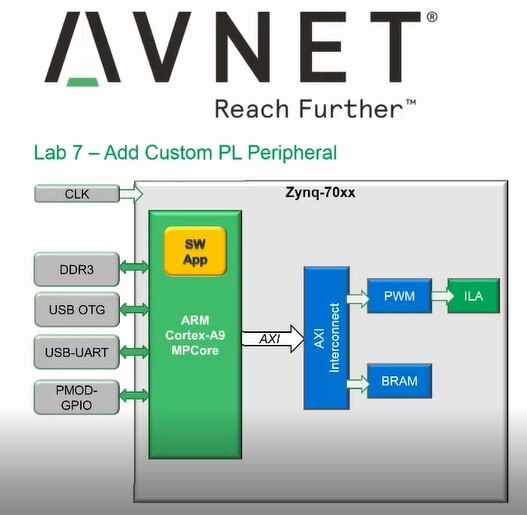
In this Post , we will get helpful insights about an IP (Intellectual Property) , How we can create our Own , How we can Integrate it in Our Design using powerful Xilinx Vivado tools.For Some Motivation about IP just see the below diagram of th...
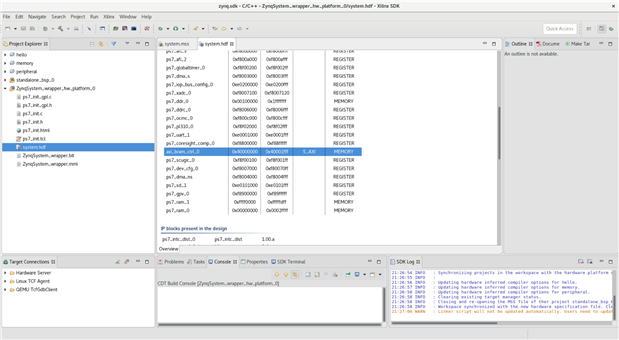
We left off last time after creating new IP and adding some debug ports. We added a PWM module, a logic analyzer, and a JTAG port. This week we got to exercise those pieces. First thing we did was export the hardware to the SDK worksp...
About:Through Avnet, Xilinx and Element14, a training program to learn about the Zynq 7000 platform which is System On Chip combining an FPGA with an ARM processor. This comes to the students as complete development board packed with goodies like a w...
These are notes from the module 1 – chapter 2 Speedway video lecture.
Tools and tool flow.
The Vivado Design Suite WebPACK edition is free and it supports seven Zynq devices. The free tools include a simulator, device progra...
Hi everyone, Sorry that I've been absent for a while. Had some significant personal and family health issues. Then last week Western PA got slammed with a huge ice storm. A huge amount of trees fell. We had trees fall on ...
During roadtest of Arty S7 I have created a simple PMOD module with single segment display. So, I decided to use it with MiniZed SoC to create example application. I have a driver for single segment display written in Verilog. I used a top module to ...
All my previous blogs can be read in detail here Path to Programmable This lab was very special and interesting. It involved creating a custom ip block (partly in VHDL and partly in GUI) and adding it to the existing previous vivado design with ...
In the previous weeks I finished the lab 6 and lab 7 together.
Lab 6 Theme & Main Objectives
Testing Lab 6 with the serial port
Conclusion
In lab 6 I learned how to establish the data flow between the programmable logic PL and pr...
Note: This is part 4 of a series on working with FPGAs and in particular the Xilinx Zynq-7000S Programmable System-on-Chip with ARM Cortex-A9 processing core. For part 1, click here: Xilinx ZYNQ System-on-Chip - Getting to know the MiniZed BoardFor a...
I spent the weekend figuring out Lab 9. It turns out that my file system wasn't in line with the TCL script. The instructions are as follows:***NOTE*** If you receive an error running the Tcl command above please delete your entire Zy...
I have finished Lab 7! This one was quite a bit longer for me and took three or four nights to get through. About:Through Avnet, Xilinx and Element14, a training program to learn about the Zynq 7000 platform which is System On Chip combining an ...
Hello Everyone, My peers in Path to Programable have Done Great work in giving step by step procedure to implement DMA transfer so Why Reinvent the Wheel , I take a different approach.I will try to present a vivid picture regarding Why we need to imp...
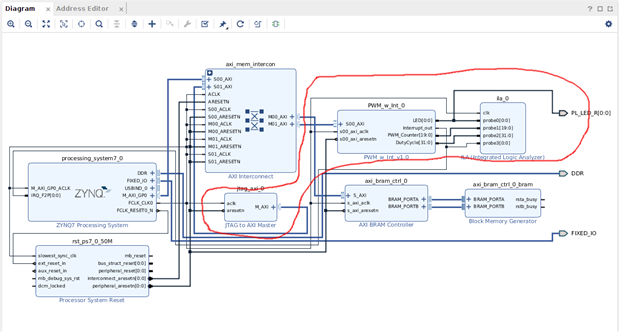
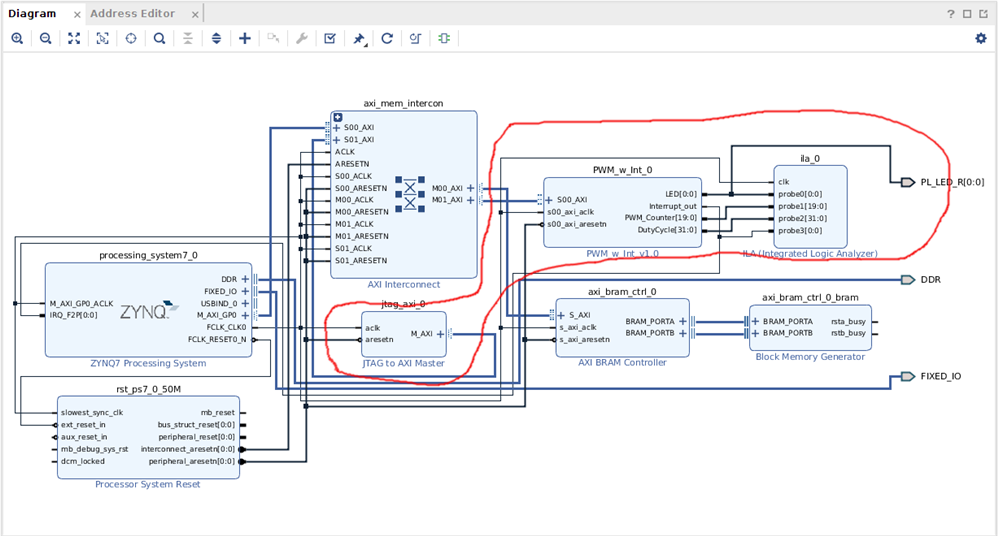
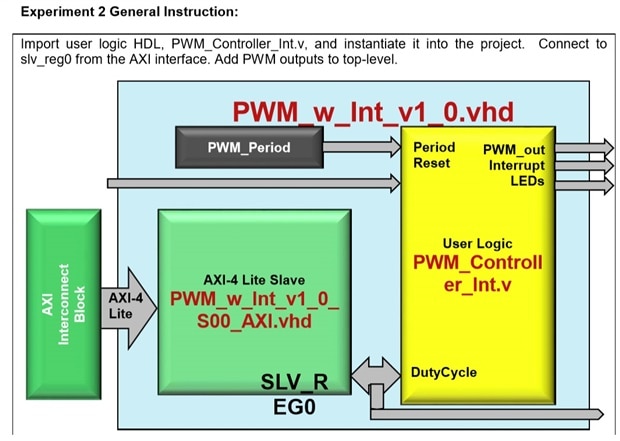
So far this has been the most challenging lab, mostly because of the amount of typing. We added a PWM module with an interrupt. If you've been following along, you'll see that during this lab we added the portion outlined in red. &nb...
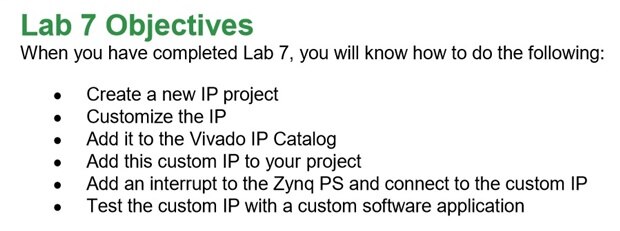
The objectives of Lab 7:https://www.xilinx.com/products/intellectual-property.htmlThe basic objective of the last few labs in this training module is to light up an LED and control it with a PWM output.In addition, the JTAG interface was explored, a...
In this lab we are use a TCL scripts to prepare and finalize our hardware project. We will use here a lab9.tcl script delivered in Speedway support documents.Please go to the following directory: ZynqHW/2017_4/Support_documents/Lab9/ and type so...
In this lab we will learn how to use a hardware debugging interface to to perform run-time interactions with IP cores. 1. Adding a IP JTAG-AXI core to the designPlease select Add IP and choose JTAG to AXI Master Core from IP catalog. After that ...
In this lab we will learn how to create a custom IP, add it to the IP catalogue and use it in the design. 1. How to create a new AXI peripheralPlease select from main bar option: Tools->Create and Package IP New IP. There will appear a wizard...
Hello Folks ! We are now in the funniest part ! Believe me Guys , i gone through the basics of the tcl at first this week , studying how it works and what are possible pitfalls and various others along with why it is used in Vivado , how it is ...
In this lab we will enable PS DMA engine to improve data flow between PL-based BRAM and external DDR3 memory. We will base on project from lab 5. We need to launch SDK. Then we need to check if in system.hdf there is present BRAM IP block.Now pl...
In this lab we will create a Block RAM in the programmable logic which can be used to buffer data going between the PS and PL. 1. How to add BRAM from IP CatalogOpen block design with ZYNQ7 processing system. Choose the Add IP button on the shor...
I have finished Labs 4, 5, and 6! About:Through Avnet, Xilinx and Element14, a training program to learn about the Zynq 7000 platform which is System On Chip combining an FPGA with an ARM processor. This comes to the students as complete develop...
HI guys ! This post is mainly Intended to Answer few Important Questions regarding why we are doing few things for Getting your Project Runing on Minized at First.Here are the List of Questions this Post aims to Clarify,If you got few other Question...
Finally starting to access the PL I grouped labs 5 & 6 together because they really are 2 parts of a single lab. Lab 5 was adding a Block Ram to the Processing System using the AXI Interconnect System, Lab 6 was actually Programming the FPGA...
I've been really enjoying following along with Path to Programmable - both with the blogs on here and the Avnet Speedway course that seems to be an earlier version of P2P. One thing I have found so far is that "Path to Programmable" is a slightl...
About:Through Avnet, Xilinx and Element14, a training program to learn about the Zynq 7000 platform which is System On Chip combining an FPGA with an ARM processor. This comes to the students as complete development board packed with goodies like a w...